
BusPlanner
BusPlanner is a platform for student transportation operations, covering route planning, student information system integration, GPS tracking, dispatch, and …
What BusPlanner is
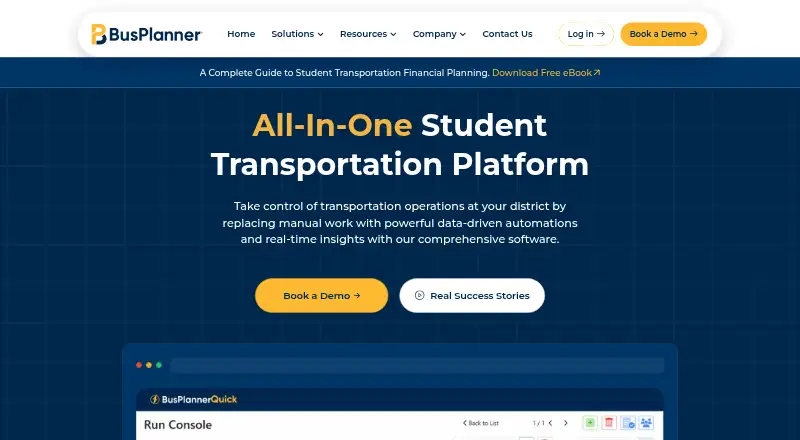
BusPlanner is a platform for student transportation operations, covering route planning, student information system integration, GPS tracking, dispatch, and tools for parents and drivers. BusPlanner Pro supports route creation, editing, optimization, automated processes, multi-user access, and scalable routing. BusPlanner Info provides an API application for scheduled two-way integration with student information systems. GPS+ offers live bus tracking, reporting, student ridership, and driver navigation. Parents can use the Chipmunk app for notifications about boarding, drop-off, delays, and changes, along with real-time bus location. The Turns driver app provides turn-by-turn directions and records student boardings and drop-offs through scan-in and scan-out. Portals give parents, staff, drivers, dispatchers, and operators access to routes, stops, schedules, manifests, ETAs, and delays. Dispatch tools support real-time route reassignment, AI-powered route splitting, updated stop reports, and parent notifications. BusPlanner Pro is Windows-based; the wider suite supports cloud-based or self-hosted technology. Pricing is available on request.
Good
- Route planning includes optimization and automated processes
- Scheduled two-way student information system integration
- Parent alerts include real-time bus location
- Driver app records boardings and drop-offs
Watch out
- Pricing is available only upon request
- BusPlanner Pro is Windows-based
Who it suits
BusPlanner is intended for school districts and transportation teams managing student routes and operations. Its parent and driver apps also serve families and drivers who need trip updates, directions, or boarding records.
Verdict
BusPlanner brings route planning, dispatch, tracking, and stakeholder portals together for student transportation operations. Its separate parent and driver tools cover trip updates, directions, and boarding records.
Plans and prices
From BusPlanner's own pricing page, checked 15 Oct 2026.
| Plan | Price | What it gives you |
|---|---|---|
| BusPlanner | Priced on request | custom modules and deployment; pricing requires contacting vendor |
| Custom pricing | Priced on request | Pricing available upon request |
The facts
Each one read from BusPlanner's own pages, with the date it was checked.
What it does
- API and SIS integration
- BusPlanner Pro is a Windows system that works with the BusPlanner Info API for scheduled two-way Student Information System integration.checked 15 Oct 2026
- Customer focus
- BusPlanner says it serves school districts and transportation teams, including some of the largest districts in North America.checked 30 Sep 2026
- Customer support
- BusPlanner advertises live technical support by phone and email and provides a dedicated support contact.checked 15 Oct 2026
- Deployment
- BusPlanner Pro is Windows-based, while the suite also supports cloud-based or self-hosted technology.checked 30 Sep 2026
- Dispatch
- Dispatch features help staff reassign routes for absent drivers, share route summaries and identify delays through GPS indicators.checked 15 Oct 2026
- Documentation and training
- Capterra lists live online and in-person training, webinars, documentation, videos, a knowledge base and FAQ/forum support.checked 15 Oct 2026
- Field trips
- The field-trip module schedules trips, handles approvals and assigns transportation staff while providing trip cost data.checked 15 Oct 2026
- Fleet management
- Fleet tools provide maintenance schedules, vehicle servicing information, budget controls and expense reports.checked 15 Oct 2026
- GPS
- BusPlanner GPS+ provides live bus tracking, advanced reporting, AI suggestions, student ridership, and driver navigation.checked 30 Sep 2026
- GPS security
- BusPlanner GPS+ states that its hardware solution has FedRAMP compliance to ensure data security.checked 30 Sep 2026
- Inspections
- Digital inspection checklists let drivers complete standardized checks while staff monitor inspection status and fleet issues.checked 15 Oct 2026
- Limit: Capterra pricing
- Capterra shows pricing as Get Price and says no free trial is available, so buyers must request a quote.checked 15 Oct 2026
- Limit: Chipmunk outages and accuracy
- Google Play reviewers described server-down errors, repeated login problems, stale or inaccurate bus locations and missing boarding-scan functionality.checked 15 Oct 2026
Money
- Apple App Store: BusPlanner Turns
- The Turns app is free, supports iPhone and iPad, requires iOS 12.2 or later, and has too few ratings to display an overview.checked 15 Oct 2026
- BusPlanner Assist
- Assist answers questions from live transportation data and flags late routes, off-route buses and missed stops.checked 15 Oct 2026
- Core route planning
- The platform creates, edits and optimizes school bus routes, with live route updates and stop consolidation intended to reduce delays and fuel use.checked 15 Oct 2026
- Financial planning
- Financial Planning tracks route costs, evaluates routing scenarios and compares planned with actual operations.checked 15 Oct 2026
- Google Play: BusPlanner Delays
- The Android Delays app lists 100K+ downloads, says no data is collected or shared, and was updated September 1, 2026.checked 15 Oct 2026
The company
- Company history
- BusPlanner says it has supported school districts for more than 40 years and serves hundreds of districts across North America.checked 15 Oct 2026
- Company profile on Crunchbase
- Crunchbase identifies the legal name as BusPlanner Inc., lists Waterloo, Ontario as headquarters, describes the company as private with 11–50 employees, and reports no public funding amount.checked 15 Oct 2026
- Company profile on LinkedIn
- LinkedIn lists BusPlanner as a privately held software-development company headquartered in Waterloo, Ontario, with 51–200 employees and a 1983 founding year.checked 15 Oct 2026
- Headquarters
- Waterloo, Ontario, Canadachecked 28 Sep 2026
Where it runs
- Driver app
- The Turns app provides turn-by-turn route directions and records student boardings and drop-offs using scan-in and scan-out.checked 30 Sep 2026
- GPS+ platform
- GPS+ combines tracking, routing and reporting, compares planned with actual routes, and supports third-party integrations.checked 15 Oct 2026
The full review of BusPlanner
Overview
BusPlanner is an integrated student transportation platform for school districts and the teams that operate their bus services. It is best suited to organizations that need routing, dispatch, tracking, and family-facing tools in one suite. Its breadth is its main advantage; custom pricing makes it a less straightforward choice for buyers seeking a small, clearly priced tool.
Key features
Routing and student information
BusPlanner Pro supports route creation, editing, optimization, automated processes, multi-user access, and scalable routing. Vehicle capacity rules and advanced route constraints make it relevant to districts with complex operating requirements, rather than only basic stop-to-stop planning. BusPlanner Info connects with student information systems through an API for scheduled two-way integration, supporting student data import.
Tracking, dispatch, and driver tools
GPS+ combines live bus tracking with reporting, AI suggestions, student ridership, and driver navigation. Dispatchers can reassign routes in real time, split routes with AI support, update stop reports, and notify parents. That coordination can help teams respond to service changes without treating tracking as a standalone feature.
The Turns driver app provides turn-by-turn directions and records student boarding and drop-off through scan-in and scan-out. Chipmunk alerts parents about boarding, drop-off, delays, and changes, and shows real-time bus location. Together these tools connect operational updates with information families need, though they are part of a broader suite rather than a simple tracking-only purchase.
Portals, deployment, and support
Portals give parents, staff, drivers, dispatchers, and operators access to routes, stops, schedules, manifests, ETAs, and delays. BusPlanner Pro is Windows-based, while the suite also supports cloud or self-hosted technology. The listed platforms are Android, iOS, web, Windows, API, and self-hosted. BusPlanner says it uses administrative, technical, and physical measures to protect personal information; GPS+ says its hardware solution has FedRAMP compliance. Live technical support is offered by phone, with direct assistance from customer experts.
Pricing
BusPlanner uses paid, custom pricing, available upon request. There is no published plan price to compare against fleet size or budget, so districts should request a quote and establish which suite components and deployment approach it covers.
With no tiered prices or plan limits given, buyers cannot assess a cheaper entry option, seat or vehicle allowances, trial terms, or renewal conditions. The platform's breadth may suit a district procuring several connected functions, but a smaller operation should weigh that scope against its need for an integrated suite before requesting a quote.
Platforms
BusPlanner spans Android, iOS, web, Windows, API, and self-hosted environments. This range accommodates mobile users and organizations that need web access or self-hosting, while the Windows-based BusPlanner Pro deployment is an important consideration for route-planning teams.
Who it's for
BusPlanner is aimed at school districts and transportation teams, particularly those coordinating complex routes, student data, drivers, dispatch, and parent communications. Its capacity rules, advanced constraints, scalable routing, and multi-user access support demanding operations. Buyers looking only for one narrow function may find the full suite broader than they need.
Pros and cons
Pros
- Connected operational coverage: Routing, SIS integration, GPS, dispatch, portals, and parent and driver apps address multiple parts of student transportation in one suite.
- Tools for complex routing: Optimization, capacity rules, advanced constraints, and scalable routing suit districts with more than basic routing needs.
- Operational and family updates: Real-time tracking, dispatch changes, and parent notifications link service adjustments with information families can use.
- Deployment choice and direct support: Cloud or self-hosted technology and phone support give organizations options for implementation and assistance.
Cons
- Custom pricing: Buyers must request a quote rather than compare a published price with their budget or fleet size.
- Windows-based route planning: BusPlanner Pro's Windows basis may not suit teams seeking a route-planning product delivered solely through the web.
- Broad scope: Organizations that need only tracking or route planning may not need the suite's many connected tools.
Alternatives
For a school-bus routing shortlist, see School Bus Routing Software.
- RouteCabin is worth considering for a small operation that can work within its free plan: it covers up to 15 passengers, one vehicle, and two drivers, with live tracking, attendance, basic fee records, and email support.
- AlphaRoute is another paid option for Android, iOS, web, and API users; its price is available by requesting a demo.
- HNH HTSTM is a paid alternative for Android, iOS, and web.
- RouteBot is a paid Android, iOS, and web alternative with a free plan.
- School Bus Manager may fit buyers who prefer published annual tiers: Lite costs $990 a year, billed annually, plus a $199 one-time startup fee in the first year, and covers up to 500 riders; it also offers a free trial and no free plan.
- BusBoss is a paid Android, iOS, web, and Windows alternative; its Express plan covers one user and one county GIS map and excludes GPS hardware and cellular data service costs.
- Busology Tech Routing & Scheduling is a paid Android, iOS, and web option with custom quotes based on bus count and feature level.
- BusRight is a paid Android, iOS, and web alternative with pricing discussed by demo for your fleet.
Verdict
BusPlanner is a strong candidate for school districts and transportation teams that want routing, dispatch, tracking, and stakeholder tools connected across one operation. Its most compelling reason to choose it is the breadth of its operational coverage; its main drawback is custom pricing, compounded for some teams by Windows-based route planning. Choose it when an integrated suite and advanced routing matter more than a published price; look elsewhere if you need a narrow tool or a price you can compare upfront.
Alternatives to BusPlanner
- 1
RouteCabin
Free planAndroidiOSWebAPI7.9From 3,000 PKR a month - 2

School Bus Manager
AndroidiOSWebAPI7.6From $990 a year - 3
RollCall
Free planAndroidiOSWebAPI7.3Free plan - 4
BusWhere
AndroidiOSWeb6.9 - 5

Schooliy
AndroidiOSWebAPI6.9 - 6

AlphaRoute
AndroidiOSWebAPI6.4