
Brother PE-DESIGN 11
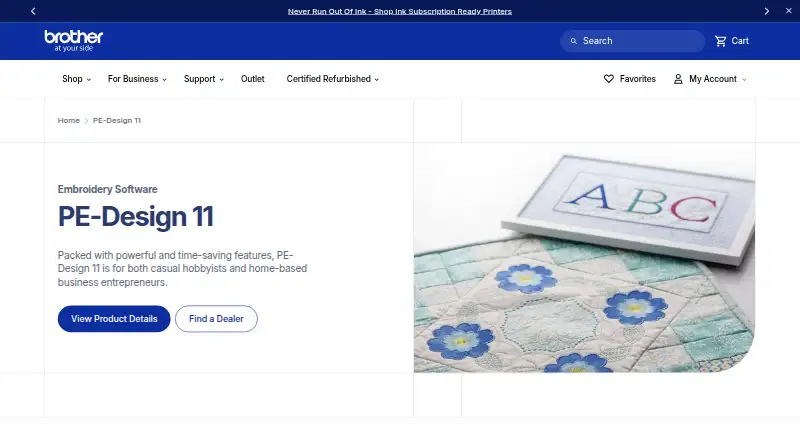
Brother PE-DESIGN 11 is personal embroidery and sewing digitizing software for hobbyists and home-based business owners.
What Brother PE-DESIGN 11 is
Brother PE-DESIGN 11 is personal embroidery and sewing digitizing software for hobbyists and home-based business owners. Its library includes more than 1,000 designs and 130 fonts, and users can make custom fonts, decorative stitches up to 100 mm wide, and designs for reuse. PhotoStitch turns photos into embroidery, while its PhotoStitch, Auto Punch, and Cross Stitch Wizards support tracing. Fabric Selector adjusts sewing attributes for the chosen fabric, and Intelligent Color Sort groups stitches by color to reduce thread changes. The software imports and creates FCM files for CanvasWorkspace or compatible ScanNCut machines, and can transfer designs wirelessly to specified Brother machines. It supports many machine file formats, including PES, DST, JEF, and XXX. The maximum hoop size is 297 mm x 465 mm on compatible machines. PE-DESIGN 11 is paid, with pricing available through Brother dealers. A free trial is offered, but it omits saving, transfers, printing, several exports, and some tools.
Good
- Includes over 1,000 designs and 130 fonts.
- Creates custom fonts and decorative stitches.
- PhotoStitch converts photos into embroidery.
- Supports numerous machine file formats.
- Wireless transfers work with specified Brother machines.
Watch out
- Paid software; pricing is on request.
- Windows is the only listed platform.
- Trial omits saving, transfers, printing, and some tools.
- Maximum hoop size requires compatible machines.
Who it suits
It suits hobbyists and home-based embroidery or sewing businesses that want digitizing and design tools. Users need a supported Windows computer and compatible equipment for some machine integrations and hoop sizes.
Verdict
PE-DESIGN 11 combines design creation, photo digitizing, and sewing-related tools for personal and small-business projects. Check trial limitations and machine compatibility before choosing it.
Plans and prices
From Brother PE-DESIGN 11's own pricing page, checked 15 Oct 2026.
| Plan | Price | What it gives you |
|---|---|---|
| PE-DESIGN 11 | $1,450, paid once | Windows desktop · dealer/quote purchase · USB software key · perpetual desktop licence |
| PE-DESIGN 11 official purchase | Priced on request | Brother directs buyers to authorized dealers; no online price shown · dealer purchase |
The facts
Each one read from Brother PE-DESIGN 11's own pages, with the date it was checked.
What it does
- Built-in designs
- The product includes more than 1,000 built-in embroidery designs.checked 15 Oct 2026
- Built-in library
- The software includes over 1,000 built-in designs and 130 built-in fonts.checked 3 Oct 2026
- Color automation
- Intelligent Color Sort groups stitches that share a color to reduce thread changes.checked 15 Oct 2026
- Computer requirements
- Brother lists Windows 10 and 11, Windows 7 and 8.1, a 1 GHz or faster processor, at least 1 GB memory, 600 MB free disk space, and two or more USB ports among the requirements.checked 3 Oct 2026
- Current downloads
- Brother's US download page lists Windows 10 and Windows 11 and shows PE-DESIGN 11 update software dated 09/30/2026.checked 3 Oct 2026
- Custom creation
- Users can create custom fonts, decorative stitches up to 100 mm wide, and designs for reuse across projects.checked 3 Oct 2026
- Custom fonts
- Font Creator and font mapping let users make reusable custom lettering.checked 15 Oct 2026
- Documentation
- Brother supplies an extensive online and PDF manual with tutorials, application chapters, troubleshooting, stitch references and update instructions.checked 15 Oct 2026
- Fabric and color tools
- Fabric Selector adjusts sewing attributes according to fabric, and Intelligent Color Sort groups stitches by color to reduce thread changes.checked 3 Oct 2026
- Fabric Selector
- Fabric Selector adjusts sewing attributes according to the selected fabric.checked 15 Oct 2026
- File compatibility
- The brochure lists import and export support for multiple embroidery formats and SVG, WMF and EMF artwork import.checked 15 Oct 2026
- Fonts
- It provides 130 built-in fonts with filtering and font-mapping tools.checked 15 Oct 2026
- Hardware key
- The full product requires a PE-DESIGN Software Key connected by USB, plus administrator rights during installation.checked 15 Oct 2026
- Internet requirement
- Internet access is required to download the installer, upgrade the PE-DESIGN Software Key, and update PE-DESIGN.checked 3 Oct 2026
- Licence terms
- The installation guide describes a proprietary licence for one computer, allows a backup copy and prohibits modification, reverse engineering and unauthorized transfer.checked 15 Oct 2026
- Limit: compatibility
- An independent review notes Stitch Design Factory designs are not compatible with every embroidery machine.checked 15 Oct 2026
- Limit: dated interface
- A Reddit discussion characterizes the interface as dated and says fine-detail control is limited, although basic settings are simpler.checked 15 Oct 2026
- Limit: dongle dependence
- The software will not launch without its USB key; reviewers warn loss or breakage can block use and replacement is costly.checked 15 Oct 2026
The company
- Company founding
- LinkedIn lists Brother Industries, Ltd. as founded in 1908.checked 15 Oct 2026
- Company headquarters
- Brother Industries lists its head office at 15-1 Naeshiro-cho, Mizuho-ku, Nagoya, Japan.checked 15 Oct 2026
- Company legal name
- Brother's corporate profile names the maker BROTHER INDUSTRIES, LTD.checked 15 Oct 2026
- Company scale
- Brother reports 39,495 consolidated employees as of March 31, 2026.checked 15 Oct 2026
- Founded
- 1908checked 28 Sep 2026
- Headquarters
- Nagoya, Japanchecked 28 Sep 2026
Alternatives to Brother PE-DESIGN 11
- 1
Boldbobbin
Free planiOSWebLinuxmacOS8.0From $21 a month - 2

mySewnet Embroidery
Free planAndroidiOSWebmacOS8.0Free plan - 3
Ink/Stitch
Free planOpen sourceWebExtensionLinuxmacOS7.5Free plan - 4
PEmbroider
Free planOpen sourceAPImacOSWindows7.1Free plan - 5

Embird
macOSWindows6.9$15 one-time - 6
StitchConsole
Free planWebLinuxmacOSWindows6.9From $19 a month