BLX LXMS
BLX LXMS manages digital learning content through design, production, review, delivery and evaluation.
What BLX LXMS is
BLX LXMS manages digital learning content through design, production, review, delivery and evaluation. It connects content versions with reviews, approvals, releases and delivery, and can help teams inventory, patch, translate and review existing SCORM materials while they consider whether to modernise them. Authors can create, import, manage and embed H5P activities such as quizzes, interactive video, branching scenarios and learning journals. The platform complements an LMS: that system can continue handling courses, users, enrolments and certificates, while LXMS manages learning content and usage data. It supports LTI 1.3, xAPI and cmi5, with an integrated Learning Record Store and analytics that relate learner activity to content structure and releases. Deployment can be managed or self-hosted; managed hosting includes updates, backups, monitoring and support, with hosting in Germany or elsewhere in the EU. BLX offers implementation and learning-design services. Pricing is available on request, and the maker invites prospective users to book a personal demo.
Good
- Version histories connect reviews, approvals and releases.
- Can manage existing SCORM materials during modernisation decisions.
- Supports H5P activities and learning standards.
- Managed hosting includes updates, backups and monitoring.
- Editorial access is not licensed per user.
Watch out
- No free plan is listed.
- Pricing is available only on request.
- The platform complements an LMS rather than replacing its course and enrolment management.
Who it suits
The platform is aimed at organisations managing recurring compliance, product or onboarding programmes, as well as universities, public-sector organisations, training providers and L&D teams. It may suit teams with existing SCORM libraries or formal review and approval processes.
Verdict
BLX LXMS focuses on content lifecycle management and usage data alongside an existing LMS. Organisations should request pricing and a demo to assess its deployment and service options.
Plans and prices
From BLX LXMS's own pricing page, checked 30 Sep 2026.
| Plan | Price | What it gives you |
|---|---|---|
| 60-day pilot | Priced on request | managed test system · BLX Designer · basic tracking · unrestricted editorial access · support · onboarding workshop |
| Innovation / Learning Companion | Priced on request | Pro Analytics features · AI-assisted explanations · rule-based learner guidance · optional AI coach recommendations · agreed usage profile |
| Pro Analytics | Priced on request | Starter features · LRS · xAPI/cmi5 tracking · analytics dashboard · quarterly reviews · approximately 150 concurrent learners |
| Starter | Priced on request | BLX Designer · interactive content · unrestricted editorial access · support · approximately 50 concurrent learners |
The facts
Each one read from BLX LXMS's own pages, with the date it was checked.
What it does
- Analytics
- Learning analytics can relate interaction events, video tracking, navigation, progress and completion to content structure and releases.checked 30 Sep 2026
- Availability and pricing
- The opened maker pages invite visitors to book a personal demo and do not state a product price.checked 30 Sep 2026
- Data protection
- BLX says learning-data tracking should be proportionate and that retention, purpose and pseudonymisation or anonymisation should be considered for xAPI data.checked 30 Sep 2026
- Deployment
- BLX describes managed-service and self-hosted deployment options for the LXMS.checked 30 Sep 2026
- Editorial access
- Editorial access within a client is not licensed per user, allowing subject-matter authors, reviewers and editors to participate flexibly.checked 30 Sep 2026
- H5P
- H5P content can be created, imported, managed and embedded directly in the LXMS page and module structure.checked 30 Sep 2026
- Integrations and standards
- The platform describes integration with LMS systems through LTI 1.3 and support for xAPI, cmi5 and an integrated Learning Record Store.checked 30 Sep 2026
- Intended users
- BLX identifies companies running recurring compliance, product or onboarding programmes, training providers, universities, public-sector organisations and L&D teams as typical users.checked 30 Sep 2026
- Interactive content
- The LXMS supports H5P activities including interactive video, quizzes, drag-and-drop activities, branching scenarios, dialogue cards and learning journals.checked 30 Sep 2026
- Interactive learning
- The LXMS supports interactive video, quizzes, drag-and-drop activities, branching scenarios, dialogue cards and learning journals.checked 30 Sep 2026
- Learning standards
- The platform combines xAPI, cmi5, an integrated Learning Record Store and LTI 1.3 for measurable learning delivery.checked 30 Sep 2026
- Legacy content
- Existing SCORM content can be inventoried, versioned, patched, translated and reviewed while teams decide whether to retain or modernise it.checked 30 Sep 2026
- Lifecycle domains
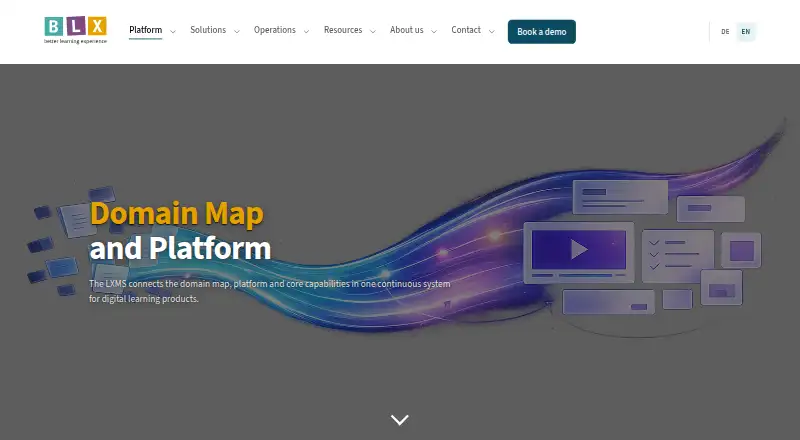
- The platform covers Demand, Design, Product, Governance, Runtime and Guidance across the digital learning lifecycle.checked 30 Sep 2026
- LMS relationship
- The LXMS complements an LMS, which can continue managing courses, users, enrolments and certificates while the LXMS manages learning content and usage data.checked 30 Sep 2026
- Managed hosting
- The managed service includes hosting in Germany or elsewhere in the EU, updates, backups, monitoring and support.checked 30 Sep 2026
- Purpose
- BLX LXMS centrally manages new and existing digital learning content across design, production, review, delivery and evaluation.checked 30 Sep 2026
- Security governance
- Managed-service agreements can cover data location, data processing, service levels and SLA-backed support, with dedicated instances available where required.checked 30 Sep 2026
- Support
- BLX offers a personal online demonstration lasting 30–45 minutes focused on the customer’s subject-matter and technical questions.checked 30 Sep 2026
- Target users
- The LXMS is designed for companies, academies and training providers, universities, public-sector organisations, formal-approval departments and L&D teams with SCORM libraries.checked 30 Sep 2026
- Technology
- The LXMS is built on the open-source TYPO3 content-management platform.checked 30 Sep 2026
- Technology foundation
- BLX says its solution is built on TYPO3 and supports roles, permissions, workflows, multilingual content, versioning and extensions.checked 30 Sep 2026
- Version control
- The platform connects content versions with reviews, approvals, releases and delivery.checked 30 Sep 2026
The company
- Company profile
- BLX develops the LXMS and helps organisations design, implement, integrate and operate it, with optional learning-design and content-production services.checked 30 Sep 2026
- Headquarters
- Stuttgart, Germanychecked 23 Sep 2026
The full review of BLX LXMS
BLX LXMS is a content lifecycle platform designed to work alongside an organisation’s existing LMS. It suits teams managing recurring learning programmes or substantial SCORM libraries; its strength is connecting content governance with usage data, while its custom pricing and deployment choices call for a considered evaluation.
Overview
An LMS can continue handling courses, users, enrolments and certificates while LXMS manages learning content and its usage data. The platform spans demand, design, production, governance, runtime and guidance, making it more than a repository for finished courses. That breadth is useful when learning materials change often and need controlled review and release. It is less compelling for organisations seeking a standalone course-and-user management system.
BLX builds LXMS on open-source TYPO3 and offers managed-service or self-hosted deployment. Its support can cover design, implementation, integration and operation, with learning-design and content-production services as options. This can suit organisations needing help beyond software, though it also means deployment and service arrangements are part of the buying decision.
Key features
Content governance and reuse
Version control ties content changes to reviews, approvals, releases and delivery. Existing SCORM material can be inventoried, versioned, patched, translated and reviewed, giving teams a way to maintain a legacy library while deciding what to modernise. Reuse, version history, approval workflows, role permissions and API access support governed collaboration rather than informal file handling.
Interactive content and standards
Authors can create, import, manage and embed H5P activities in page and module structures. Supported formats include interactive video, quizzes, drag-and-drop activities, branching scenarios, dialogue cards and learning journals. Integration with LMS systems through LTI 1.3, plus xAPI, cmi5 and an integrated Learning Record Store, provides a route to measurable delivery without replacing the LMS. The value depends on whether an organisation needs this content-management layer and standards-based tracking.
Analytics and learner data
Analytics can relate interaction events, video tracking, navigation, progress and completion to content structure and releases. This gives teams a way to interpret usage in the context of specific learning materials. BLX also stresses proportionate tracking: retention, purpose and pseudonymisation or anonymisation should be considered for xAPI data. Organisations will need suitable data-governance decisions alongside analytics ambitions.
Deployment and access
Managed hosting includes updates, backups, monitoring and support, with hosting in Germany or elsewhere in the EU. Managed-service agreements can address data location, processing, service levels and SLA-backed support; dedicated instances are available where required. Editorial access within a client is not licensed per user, which can make it practical to involve subject-matter authors and reviewers broadly. The platform is offered as web software or self-hosted, so buyers can weigh managed operations against running it themselves.
Pricing
BLX uses custom pricing, with no free plan. The maker invites prospective customers to book a personal demo. Four named packages indicate how needs can scale, but each requires a pricing discussion.
- Starter: BLX Designer, interactive content, unrestricted editorial access and support, for approximately 50 concurrent learners. This is the entry fit for teams prioritising content creation and governance without the advanced analytics package.
- 60-day pilot: A managed test system, BLX Designer, basic tracking, unrestricted editorial access, support and an onboarding workshop. The time-limited pilot is suited to organisations that want a structured evaluation before committing to a broader deployment.
- Pro Analytics: Starter features plus an LRS, xAPI/cmi5 tracking, an analytics dashboard, quarterly reviews and approximately 150 concurrent learners. It fits teams that need learning-data analysis and greater concurrent capacity; Starter gives up these analytics capabilities and has a lower stated learner capacity.
- Innovation / Learning Companion: Pro Analytics features plus AI-assisted explanations, rule-based learner guidance, optional AI coach recommendations and an agreed usage profile. This is for organisations pursuing guided or AI-supported learning; its usage profile should be part of the commercial and implementation discussion.
Editorial access is unrestricted within a client, but learner capacity differs by package: approximately 50 concurrent learners on Starter and approximately 150 on Pro Analytics. The 60-day pilot has a stated duration. No plan price, renewal term or other learner quota is given, so buyers should establish those terms and any capacity conditions when requesting a demo and proposal.
Platforms
BLX LXMS is available for web use and self-hosted deployment. Its delivery channels include web and mobile, and its LMS integrations use LTI 1.3. Managed hosting in Germany or elsewhere in the EU is an option for organisations that prefer BLX-supported operations.
Who it's for
The strongest fit is a company, academy, training provider, university or public-sector organisation with recurring compliance, product or onboarding programmes, especially one with an existing SCORM library or formal approval processes. L&D teams that need to coordinate authors, reviewers and releases can benefit from the lifecycle controls. Organisations looking only for course enrolment, user administration and certificates should keep those responsibilities in their LMS rather than expect LXMS to replace it.
Pros and cons
- Pro: Versioning linked to approvals, releases and delivery supports traceable content governance.
- Pro: Legacy SCORM can be maintained and improved while teams assess whether to modernise it, avoiding an all-at-once replacement decision.
- Pro: H5P, LTI 1.3, xAPI, cmi5 and an integrated LRS bring interactive content and learning measurement into the same lifecycle platform.
- Pro: Unrestricted editorial access and optional managed operations accommodate broad content teams and organisations seeking implementation support.
- Con: Custom pricing and no free plan make it harder to assess cost before a sales conversation.
- Con: Starter’s approximately 50 concurrent learners and Pro Analytics’ approximately 150 make capacity a package-level consideration for larger audiences.
- Con: The platform complements rather than replaces an LMS, so organisations without an LMS still need to account for course, user, enrolment and certificate management.
- Con: Analytics involving xAPI data require deliberate privacy and retention governance, not just technical setup.
Alternatives
For a broader comparison, see Learning Content Management Systems.
- eXact LCMS is worth considering if an off-the-shelf platform with parametric settings and hosted or on-premises deployment better matches the buying brief; it also offers a free trial.
- CloudLCMS may fit buyers seeking a web-based service with a custom plan tailored to goals, scale and growth, and it offers a free trial.
- Edu-Suite CMS may suit organisations seeking a free entry plan: its Starter tier is free, with up to 5 users, an implementation fee from € 999, from 10% revenue share and from 1,000 licenses/year.
- edu-sharing is a free, open-source option for teams that want downloadable materials and can consider support or services through service providers.
- Instancy LCMS may suit buyers who want a custom subscription based on user count, functionality, implementation and learning needs; it offers a free trial.
- dominKnow ONE is an alternative for teams prioritising traditional and responsive design, software simulation, cloud collaboration, content reuse and versioning with rollback.
- Edlib may appeal to teams wanting a self-hosted open-source option at no cost under GPL 3.0, or a paid Teams plan.
- SyberWorks Training Center is another option for organisations comparing training-centre plans priced by user scale.
Verdict
Choose BLX LXMS if your organisation needs governed content production and maintenance, particularly for a SCORM library, and wants to connect that work to interactive learning and usage analytics while keeping its LMS in place. The combination of lifecycle controls, flexible editorial access and managed-service options is its clearest advantage. Look elsewhere if you need a free or transparently priced tool, or a system that replaces LMS administration rather than complements it.
Alternatives to BLX LXMS
- 1
AContent
Free planOpen sourceWebAPILinuxmacOS7.5Free plan - 2
LCMS Cloud
Free planWebSelf-hosted7.3From 1,490,000 IDR a year - 3
dominKnow ONE
AndroidiOSWebAPI7.2 - 4
SyberWorks Training Center
AndroidiOSWeb6.9 - 5
Edlib
Free planWebSelf-hosted6.6From $23 a month - 6

edu-sharing
Free planAndroidiOSWebAPI6.5Free plan