Bitberry File Opener
Bitberry File Opener is a Windows desktop application for opening 410 file types, including documents, media, images, spreadsheets, archives, and encoded fil…
What Bitberry File Opener is
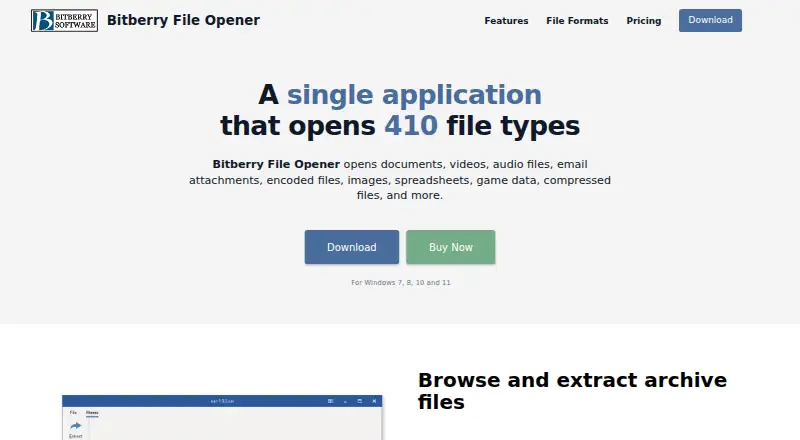
Bitberry File Opener is a Windows desktop application for opening 410 file types, including documents, media, images, spreadsheets, archives, and encoded files. It can browse archive contents and extract selected items or complete folders. Image functions cover editing, printing, resizing, cropping, color adjustment, and conversion. The application edits and prints Word documents and Excel spreadsheets without Microsoft Office installed. Its built-in player handles video and audio without separate system codecs. PDF tools allow viewing, printing, rotation, and text copying without Adobe Reader. Unsupported files can appear as hex dumps, with selected content copied as hexadecimal or binary data. The free version opens supported formats without a time limit for personal home tasks, although some features are limited. Business use requires a license. The Licensed plan costs $49, paid once and includes all features, two years of updates, non-personal use, and a license that never expires. Windows 7, 8, 10, and 11 are listed.
Good
- Opens 410 listed file formats
- Browses and extracts archive contents
- Edits Word and Excel files
- Plays media without separate codecs
- Free personal use has no time limit
Watch out
- Some features are limited in free version
- Business use requires a license
- Windows-only platform
- Paid plan costs $49, paid once
Who it suits
It suits Windows users who need one desktop tool for many document, media, archive, image, and encoded formats. Personal home users can use the free version, while business users need a license.
Verdict
Bitberry File Opener combines broad format support with archive, image, office, media, PDF, and binary tools. Its free home-use version is extensive, while commercial use requires the paid Licensed plan.
Plans and prices
From Bitberry File Opener's own pricing page, checked 7 Oct 2026.
| Plan | Price | What it gives you |
|---|---|---|
| Licensed | $49, paid once | All features · 2 years of updates · Non-personal use allowed · License never expires · Pay once, own it forever |
The facts
Each one read from Bitberry File Opener's own pages, with the date it was checked.
What it does
- Archive handling
- Users can browse archive contents and extract all or selected files and folders.checked 7 Oct 2026
- Binary inspection
- Unsupported files can be displayed as a hex dump, and users can copy part of the file as a hex string or binary data.checked 7 Oct 2026
- Business use
- Use beyond personal tasks at home requires a license, and the maker offers multi-user licenses with volume discounts.checked 7 Oct 2026
- Document and spreadsheet tools
- The application can edit and print Word documents and Excel spreadsheets without requiring Microsoft Word or Excel.checked 7 Oct 2026
- Image tools
- Image features include editing, printing, resizing, cropping, color adjustment and conversion to other formats.checked 7 Oct 2026
- License and refund terms
- The website license includes two years of updates, never expires, and has a 30-day money-back guarantee for purchases made through Bitberry’s website.checked 7 Oct 2026
- Media playback
- The built-in player supports video and audio formats without requiring separately installed system codecs.checked 7 Oct 2026
- PDF support
- Users can view, print, rotate and copy text from PDF files without installing Adobe Reader.checked 7 Oct 2026
- Privacy
- Bitberry’s privacy policy says it does not store payment card information and uses a payment processor for online transactions; the policy was last updated May 25, 2018.checked 7 Oct 2026
- Purpose
- Bitberry File Opener is a desktop application that opens 410 file types, including documents, media, images, spreadsheets, archives and encoded files.checked 7 Oct 2026
- System requirements
- The product page lists Windows 7, 8, 10 and 11.checked 7 Oct 2026
Money
- Free version
- The free version opens all supported file formats without a time limit and is free for personal tasks at home, with some features limited.checked 7 Oct 2026
The company
- Headquarters
- Holbaek, Denmarkchecked 28 Sep 2026
Alternatives to Bitberry File Opener
- 1
ViewAnyFile.app
Free planAndroidiOSWebLinux7.9From $9.99 a month - 2

Universal File Opener
Free planAndroidWebLinuxSelf-hosted7.8From $9.99 a year - 3

Okular
Free planLinuxmacOSWindows6.9Free plan - 4
FastStone Image Viewer
Free planWindows6.8Free plan - 5
IrfanView
Free planWindows6.8Free plan - 6
Evince
Free planLinux6.5Free plan