Be Focused
Be Focused is a task timer for iPhone, iPad, and Mac that divides work into intervals separated by short breaks.
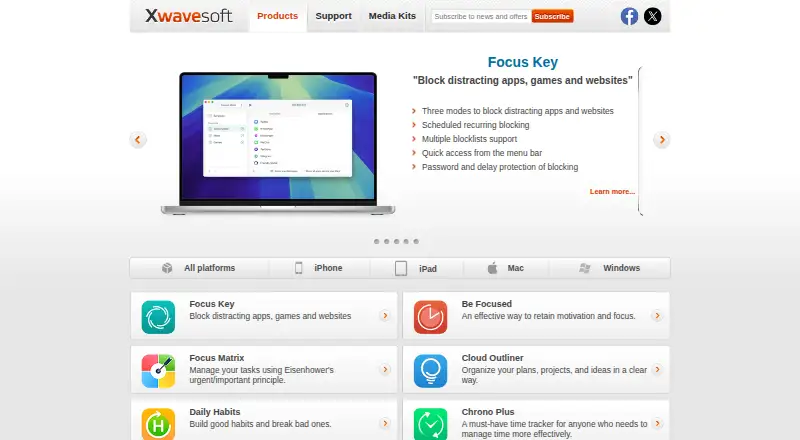
What Be Focused is
Be Focused is a task timer for iPhone, iPad, and Mac that divides work into intervals separated by short breaks. You can manage tasks, paste in lists from other apps, and set work and break lengths, daily interval goals, and the number of intervals before a long break. On Mac, the timer can be started, paused, or skipped, and the next interval can begin automatically. Progress can be reviewed across a day, week, or custom period and exported as a CSV file. The Mac app also offers global hotkeys, alarm choices, an optional ticking sound, and a launch-at-startup setting. Be Focused syncs across iPhone, iPad, and Mac, but syncing requires separate Pro versions for Mac and iOS. The app has a free tier, with Pro options including $2.99 per month, $19.99 per year, or $39.99 per once; Be Focused Pro (Mac) is listed at ₹399, paid once. Task data is stored on the maker’s US servers for synchronization.
Good
- Manage tasks and paste lists from other apps.
- Set work intervals, breaks, and daily goals.
- Review progress and export it as CSV.
- Mac app includes global hotkeys and alarm options.
- Free tier is available.
Watch out
- Separate Pro versions are required for Mac and iOS sync.
- Task data is stored on the maker’s US servers.
- Focus Matrix Pro is sold separately.
Who it suits
Be Focused suits people who want to structure individual tasks around timed work and break intervals. It may also suit users who want progress reports or task and timer controls on iPhone, iPad, and Mac.
Verdict
Be Focused pairs interval timing with task lists and progress tracking, and its free tier provides a way to start. Check the separate Pro requirements for cross-device sync and the listed purchase option for your platform.
Plans and prices
From Be Focused's own pricing page, checked 30 Sep 2026.
| Plan | Price | What it gives you |
|---|---|---|
| Monthly Pro | $2.99 a month | Pro features across iPhone, iPad, and Mac · Monthly Pro $2.99 |
| Yearly Pro | $19.99 a year | Pro features across iPhone, iPad, and Mac · 7-day trial · Yearly Pro $19.99 |
| Lifetime Pro | $39.99, paid once | Pro features across iPhone, iPad, and Mac · Lifetime Pro $39.99 |
| Be Focused Pro (Mac) | ₹399, paid once | Mac only · ₹ 399 |
The facts
Each one read from Be Focused's own pages, with the date it was checked.
Where it runs
- Cross-device sync
- Be Focused supports synchronization between iPhone, iPad, and Mac, with separate Pro versions required for Mac and iOS sync.checked 30 Sep 2026
- Mac features
- The Mac version includes global hotkeys, different alarm sounds, an optional ticking sound, and a launch-at-startup option.checked 30 Sep 2026
Money
- Free tier
- The maker's App Store listing says Be Focused is free to download and use forever, with Pro features available as an upgrade.checked 30 Sep 2026
What it does
- Integrations
- Be Focused integrates with Focus Matrix, and the maker says Focus Matrix Pro is sold separately.checked 30 Sep 2026
- Privacy and storage
- The privacy policy says task data is stored on the maker's servers for synchronization, and user data is stored and processed on servers in the United States.checked 30 Sep 2026
- Purpose
- Be Focused breaks individual tasks into work intervals separated by short breaks to help users stay motivated and focused.checked 30 Sep 2026
- Reports and export
- The app tracks progress and exports data to a CSV file.checked 30 Sep 2026
- Security
- The privacy policy says data is transmitted over HTTPS and account passwords are stored as hashes.checked 30 Sep 2026
- Shortcuts
- The App Store listing describes Shortcuts actions for controlling tasks and timers and triggering shortcuts on app events.checked 30 Sep 2026
- Support
- Xwavesoft says users can contact support by email and that replies usually arrive within 48 hours.checked 30 Sep 2026
- Task management
- Users can manage tasks, paste task lists from other apps, and track progress over a day, week, or custom period.checked 30 Sep 2026
- Timer controls
- The Mac app can start, pause, or skip work intervals and optionally start the next timer automatically.checked 30 Sep 2026
- Timer settings
- Users can set work and break durations, daily work interval targets, and the number of intervals between long breaks.checked 30 Sep 2026
Alternatives to Be Focused
- 1

Brainscape
Free planAndroidiOSWebAPI8.2From $7.99 a month - 2

Forest
Free planAndroidiOSWebExtension8.1From $35.99 a year - 3
Study Bunny
Free planAndroidiOSmacOS7.8$1.99 one-time - 4
Cloud Outliner
Free planiOSmacOS7.7$4.99 one-time - 5
FLIP
Free planAndroidiOS7.4From $8.99 a year - 6
FlashPrep
Free planAndroidWeb7.3From ₹499 a year