
Batch Image Splitter
Batch Image Splitter is Windows software for dividing multiple images into rows and columns or into tiles of a chosen size.
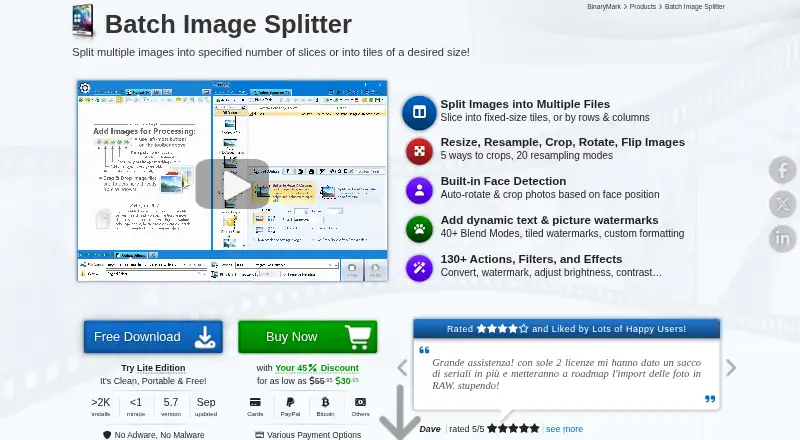
What Batch Image Splitter is
Batch Image Splitter is Windows software for dividing multiple images into rows and columns or into tiles of a chosen size. It can number tiles in output filenames and includes more than 130 processing actions, such as resizing, cropping, contrast adjustment, and watermarking. The software reads 32 image formats and writes 18. Processing can be manual, automatic or background, scheduled or triggered, or run through the command line. In automatic mode, it can monitor specified folders and process matching images already present or added or changed while monitoring is active. Built-in face detection can crop or rotate photos without internet access or third-party services. Windows Explorer context-menu actions can add selected images or folders to processing. The maker offers a free Lite Edition described as clean and portable, alongside the full product. Windows 7 through 10/11 and 32-bit and 64-bit systems are listed. Paid annual plans include Personal 365 at $14.95 a year, Professional 365 at $19.95 a year, Team+ at $91.95 a year, and Site+ at $218.95 a year.
Good
- Splits images by row, column, or tile size
- Includes more than 130 processing actions
- Supports watched-folder and scheduled processing
- Face detection works without internet access
Watch out
- Windows only
- Annual plan prices are listed
- The free Lite Edition is separate from the full product
Who it suits
It suits Windows users who need to split images in batches, automate folder processing, or apply multiple image-processing actions. Its command-line mode and watched-folder workflow may also suit users automating repeat jobs.
Verdict
Batch Image Splitter combines image splitting with batch-processing and automation options for Windows. Its free Lite Edition may suit basic needs, while the listed annual licenses include commercial-use and multi-device options on some plans.
Plans and prices
From Batch Image Splitter's own pricing page, checked 4 Oct 2026.
| Plan | Price | What it gives you |
|---|---|---|
| Personal 365 | $14.95 a year | Non-commercial use · 1 device · unlimited transfers · Renews annually; cancel any time |
| Professional 365 | $19.95 a year | Personal and commercial use · 2 devices · unlimited transfers · Renews annually; cancel any time |
| Team+ | $91.95 a year | Floating license · up to 10 devices · free updates · Renews annually; cancel any time |
| Site+ | $218.95 a year | Floating license · up to 30 devices · free updates · Renews annually; cancel any time |
| Team Lifetime | — | Up to 5 devices · 10 support cases · Lifetime use |
| Personal | — | Non-commercial use · 1 device · unlimited transfers · 1 support case · Lifetime license |
| Ultimate | — | Personal and commercial use · 4 devices · unlimited transfers · unlimited support · Lifetime license |
| Professional | — | Personal and commercial use · 2 devices · unlimited transfers · 4 support cases · Lifetime license |
| Site Lifetime | — | Up to 15 devices · 30 support cases · Lifetime use |
| Startup Lifetime | — | 1 device · 1 support case · Lifetime use |
The facts
Each one read from Batch Image Splitter's own pages, with the date it was checked.
What it does
- Batch workflow
- Automatic mode can monitor specified folders for existing, new, or modified images and process matching images when monitoring starts.checked 4 Oct 2026
- Face detection
- Built-in face detection can detect faces without internet access or third-party services and can be used to crop or rotate photos.checked 4 Oct 2026
- Formats
- It can read 32 image formats and write 18 different image formats.checked 4 Oct 2026
- Image processing
- It includes more than 130 processing actions, including resizing, cropping, contrast adjustment, and watermarking.checked 4 Oct 2026
- Image splitting
- Images can be split by specified row and column counts or into fixed-size tiles, with generated tile numbers available in output filenames.checked 4 Oct 2026
- Integrations
- The product page describes command-line processing and Windows Explorer context-menu actions for adding selected images or folders.checked 4 Oct 2026
- Privacy
- The maker says face detection runs without internet access or third-party services; its privacy policy describes collection of website visitor information.checked 4 Oct 2026
- Processing modes
- The product supports manual, automatic/background, scheduled/triggered, and command-line processing modes.checked 4 Oct 2026
- Purpose
- Batch Image Splitter splits multiple images into rows and columns or into tiles of a desired size.checked 4 Oct 2026
- Support
- The order page advertises 24/7 online support and a 30-day money-back guarantee.checked 4 Oct 2026
Money
- Free edition
- The maker offers a free Lite Edition described as clean and portable, alongside the full product download.checked 4 Oct 2026
The company
- Maker
- BinaryMark describes itself as a privately owned software development company focused primarily on individual and small-to-medium business customers.checked 4 Oct 2026
Where it runs
- Windows support
- The product page lists Windows 7 to 10/11 and 32-bit and 64-bit support.checked 4 Oct 2026
Alternatives to Batch Image Splitter
- 1

Adobe Lightroom
AndroidiOSWebmacOS7.9 - 2
XnConvert
Free planAndroidLinuxmacOSWindows7.9€6.50 one-time - 3

Canon Digital Photo Professional
Free planiOSmacOSWindows7.6$0.99 one-time - 4

ImageMagick
Free planOpen sourceAPILinuxmacOSSelf-hosted7.5Free plan - 5

ON1 Photo RAW
AndroidiOSExtensionmacOS7.5From $89.99 a year - 6
Converseen
Free planOpen sourceLinuxmacOSWindows7.3Free plan