ArkoAI
ArkoAI turns architectural models and active views into AI-generated renders, with integrations for Rhino, SketchUp, and Revit.
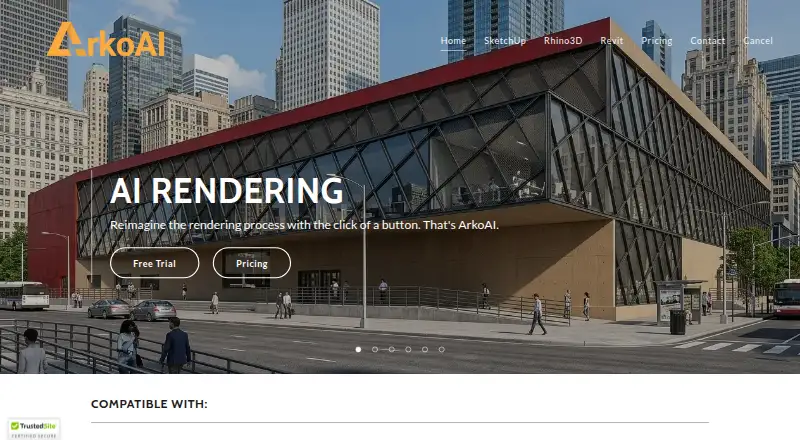
What ArkoAI is
ArkoAI turns architectural models and active views into AI-generated renders, with integrations for Rhino, SketchUp, and Revit. In SketchUp and Revit, users can render from the active view and guide the output with discipline and style options. The SketchUp plugin supports versions 2021–2026 on Windows and macOS, and the Revit plugin supports versions 2021–2026. The subscriber-only Pro Model is described as retaining geometry. The Pro toolset also includes seed settings and negative prompts for the basic model, high-quality resolution settings, and the Pro Model. Its listed maximum image height for the free basic model is 608 pixels; the Pro Model’s average image height is 768 pixels. ArkoAI runs on macOS, Windows, and the web. There is no free plan, but a free trial is available; subscriptions renew monthly or yearly and can be updated or cancelled at any time. Each tier includes a fixed monthly quota of high-priority renders. Additional credits require an active subscription, and credit sales are final. Users own their renders, and final outputs are stored on their devices. The service says it does not retain inputs or outputs after a session or task, though data may go to third parties for real-time processing.
Good
- Integrates with Rhino, SketchUp, and Revit.
- Renders directly from active SketchUp or Revit views.
- Offers discipline and style controls.
- Includes commercial use rights.
- Free trial is available.
Watch out
- There is no free plan.
- High-priority renders have fixed monthly quotas.
- Extra credits require an active subscription.
- Credit purchases are final.
Who it suits
ArkoAI suits architects and design teams using Rhino, SketchUp, or Revit who want to generate renders from models or active views. It may also suit users who need commercial-use rights and are comfortable with subscription-based render quotas.
Verdict
ArkoAI offers a model-to-render workflow with supported modeling software and style controls. Consider the subscription quotas and credit requirements when estimating render needs.
The facts
Each one read from ArkoAI's own pages, with the date it was checked.
What it does
- Credit purchase limits
- Additional render credits require an active monthly or yearly subscription, and credit sales are final.checked 4 Oct 2026
- Data handling
- The EULA says ArkoAI does not retain user inputs or outputs on its servers after a session or task and may transmit data to third-party providers for real-time processing.checked 4 Oct 2026
- Extra renders
- Additional Pro render credits require an active monthly or yearly subscription, and purchased renders do not expire while the subscription is active.checked 9 Oct 2026
- Image limits
- The pricing page lists the free basic model maximum image height as 608 pixels and the Pro Model average image height as 768 pixels.checked 9 Oct 2026
- Privacy
- ArkoAI says users own their renders, final outputs are stored only on the user's device, and it does not store or share generated images without explicit consent.checked 9 Oct 2026
- Product
- ArkoAI turns models from Rhino, SketchUp, and Revit into AI renderings.checked 9 Oct 2026
- Pro features
- The pricing page says the Pro toolset includes seed settings and negative prompts for the basic model, high-quality resolution settings, and the Pro Model.checked 9 Oct 2026
- Pro model
- The Revit and Rhino pages describe the subscriber-only Pro Model as providing geometry retention.checked 9 Oct 2026
- Pro render quotas
- Subscriptions provide a fixed monthly quota of high-priority renders based on the selected tier.checked 4 Oct 2026
- Render from model
- The plugins render directly from the active view in the supported modeling software.checked 9 Oct 2026
- Rendering workflow
- Users can render directly from the active view in SketchUp or Revit.checked 4 Oct 2026
- Render quota
- Subscriptions include a fixed monthly quota of high-priority renders based on the selected tier.checked 9 Oct 2026
- Revit support
- The Revit plugin supports versions 2021–2026.checked 4 Oct 2026
- Security
- The privacy policy says ArkoAI uses commercially acceptable means to protect personal information but cannot guarantee absolute security.checked 9 Oct 2026
- SketchUp support
- The SketchUp plugin supports versions 2021–2026 on Windows and macOS.checked 4 Oct 2026
- Style controls
- Users can choose discipline and style options to influence the generated output.checked 9 Oct 2026
- Subscription terms
- Subscriptions renew monthly or yearly, and users can update or cancel their plan at any time.checked 4 Oct 2026
- Support
- The contact page invites questions and feedback at [email protected].checked 9 Oct 2026
- Supported software
- The site lists Rhino 7 for Windows, Revit 2021–2026, and SketchUp 2021–2026 for Windows and macOS.checked 9 Oct 2026
Money
- Free trial
- The product pages say the basic model trial includes 20 free renders.checked 9 Oct 2026
Alternatives to ArkoAI
- 1
Luw.ai Studio
Free planAndroidiOSWebAPI8.1From $19 a month - 2
Gendo
Free planWeb7.4From £79 a month - 3

Archome AI
WebAPIExtensionmacOS7.2From $29 a month - 4

Treform
Free planWebmacOSWindows7.1From $25 a month - 5

ArchSynth
Web7.0From $9.99 a month - 6
RenderMage
Free planWebExtensionmacOSWindows7.0From $10 a month