
Apply Design
Apply Design is a web service for staging, editing, and presenting real estate photos.
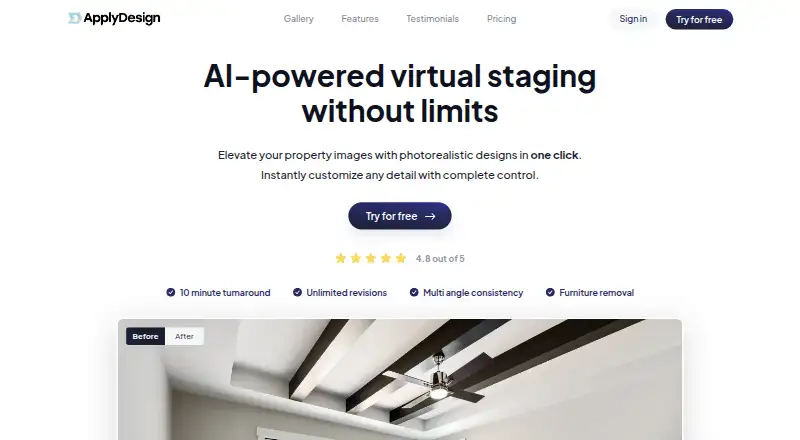
What Apply Design is
Apply Design is a web service for staging, editing, and presenting real estate photos. Auto Stage adds photorealistic furniture to empty listing images, while its removal tool clears furniture, rugs, and décor while keeping walls and lighting photorealistic. It can stage panoramic and 360-degree views for virtual tours and keep the furniture and layout consistent across photos of the same room. AI Property Video turns 3–15 listing photos into a narrated video with captions and music, in vertical or widescreen formats. Other tools include a drag-and-drop editor, photo enhancements, custom 3D models made from object photos, and single-property websites; the first website is free. The first image is free, with one Apply Coin added to a new account, and that image can be rendered up to five times. Coin packs cost $7, paid once for 20 or more coins, $8, paid once for 10–19 coins, or $10, paid once for up to nine coins. Auto staging uses 1.5 coins per 2D image or 2.5 per 360 image; DIY staging uses one coin per 2D image or two per 360 image. Coins are non-transferable, have no cash value, and generally expire one year after purchase.
Good
- Stages panoramic and 360-degree images
- Keeps room furniture and layout consistent across photos
- Creates videos from 3–15 listing photos
- First image can be rendered up to five times
- First single-property website is free
Watch out
- Coins are non-transferable and have no cash value
- Coins generally expire one year after purchase
- Coin cost varies by pack size
Who it suits
Apply Design suits real estate professionals preparing listing photos, virtual-tour views, or short property videos. It may also fit users who want to create a single-property website or keep room styling consistent across several images.
Verdict
Apply Design combines photo staging, removal, editing, and listing-presentation tools in a web service. Its free image and website options offer a way to start, while ongoing image work uses coin packs.
Plans and prices
From Apply Design's own pricing page, checked 9 Oct 2026.
| Plan | Price | What it gives you |
|---|---|---|
| Apply Coins (20+ coins) | $7, paid once | $7 USD per Apply Coin when purchasing 20+ Apply Coins · Auto staging: 1.5 coins per 2D image, 2.5 per 360 image · DIY staging: 1 coin per 2D image, 2 per 360 image |
| Apply Coins (10–19 coins) | $8, paid once | $8 USD per Apply Coin when purchasing 10–19 Apply Coins |
| Apply Coins (up to 9 coins) | $10, paid once | $10 USD per Apply Coin when purchasing up to 9 Apply Coins |
The facts
Each one read from Apply Design's own pages, with the date it was checked.
What it does
- 360° staging
- The service can stage full panoramic and 360-degree views for virtual tours.checked 9 Oct 2026
- Auto staging
- Auto Stage adds photorealistic furniture to empty listing photos in one click, with a catalog of furniture styles.checked 9 Oct 2026
- Coin expiration
- Apply Coins are non-transferable, have no cash value, and expire one year after purchase unless otherwise stated at purchase.checked 9 Oct 2026
- Data processing
- The privacy policy says submitted content may be processed by automated tools and information may be shared with hosting, security, payment, AI, and media-processing providers.checked 9 Oct 2026
- Furniture removal
- Its AI furniture removal tool removes furniture, rugs, and décor while keeping walls and lighting photorealistic.checked 9 Oct 2026
- More editing tools
- Features include a drag-and-drop editor, AI photo enhancements, and custom 3D models made from photos of objects.checked 9 Oct 2026
- Multi-angle consistency
- It can stage the same room across multiple photos with consistent furniture and layout.checked 9 Oct 2026
- Security and privacy
- The privacy policy says Apply Design uses reasonable administrative, technical, and organizational safeguards, and does not rent or sell personal information.checked 9 Oct 2026
- Single-property websites
- Apply Design says users can create a listing website in about a minute, and the first one is free.checked 9 Oct 2026
- Support
- The site advertises 24/7 premium support and lists [email protected] as a contact address.checked 9 Oct 2026
- What it does
- Apply Design provides tools to stage, declutter, redesign, and showcase real estate photos with photorealistic results in minutes.checked 9 Oct 2026
The company
- Company and location
- The terms identify the service provider as Clone.Space Ltd., and the privacy policy lists its address as Shoken 27, Tel Aviv, Israel.checked 9 Oct 2026
- Headquarters
- Tel Aviv, Israelchecked 23 Sep 2026
Money
- Free trial limit
- The help article says the first image is free, with one Apply Coin added to a new account, and that image can be rendered up to five times.checked 9 Oct 2026
Where it runs
- Property videos
- AI Property Video turns 3–15 listing photos into a video with narration, captions, and music, in vertical or widescreen formats.checked 9 Oct 2026
Alternatives to Apply Design
- 1
Stagently
AndroidiOSWebAPI7.6From $29 a month - 2
Planua
Free planWeb7.3From €19 a month - 3

StageHQ
Free planAndroidiOSWeb7.3$19 one-time - 4

Pristage
Free planWebAPI7.2From $49 a month - 5

BoxBrownie
Free planiOSWebAPI6.9Free plan - 6
PadStyler AI
AndroidiOSWebAPI6.9From $192 a year