
AppGeek
AppGeek is a free Windows utility that checks installed programs and Windows Store packages for available updates.
What AppGeek is
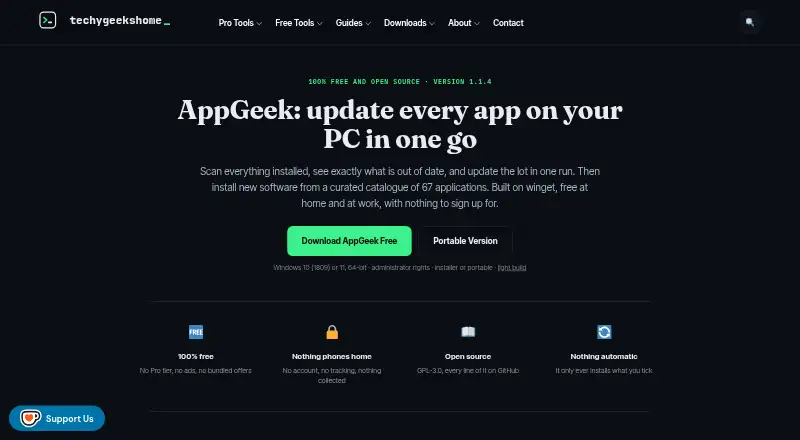
AppGeek is a free Windows utility that checks installed programs and Windows Store packages for available updates. It compares applications with Microsoft’s winget package manager, using a curated catalogue of 67 applications verified against the live winget repository. AppGeek identifies updates but does not install them automatically: users decide which updates to run and can pin an application version to stop it being offered again. It can export installed-software inventories as CSV or HTML. The maker offers installer, portable and light builds; the light build requires the .NET 8 Desktop Runtime. AppGeek requires 64-bit Windows 10 version 1809 or later, or Windows 11, and administrator rights. The maker says it has no telemetry or account and that the installed software list stays on the user’s PC. Its own network traffic is described as limited to winget downloading requested installers and an optional update check initiated by the user. AppGeek is open source under GPL-3.0, including for commercial use. Releases publish SHA-256 checksums, but the program is not code signed, so Windows may warn on first run.
Good
- Free at home and at work.
- Lets users choose updates rather than installing automatically.
- Exports installed-app lists as CSV or HTML.
- Offers installer, portable and light builds.
Watch out
- Requires 64-bit Windows 10 version 1809 or later, or Windows 11.
- Requires administrator rights.
- Not code signed; Windows may warn on first run.
Who it suits
AppGeek is aimed at home PC users, people setting up or rebuilding machines, and IT pros or technicians. It suits Windows users who want to review updates and choose which ones to install.
Verdict
AppGeek offers update checks with user control, inventory exports and several build options. Confirm that your Windows version and administrator access meet its requirements, and expect a possible first-run warning.
Plans and prices
From AppGeek's own pricing page, checked 4 Oct 2026.
| Plan | Price | What it gives you |
|---|---|---|
| Free | Free | No Pro tier · no ads or bundled offers · free at home and at work · GPL-3.0 |
The facts
Each one read from AppGeek's own pages, with the date it was checked.
Where it runs
- App catalogue
- It includes a curated catalogue of 67 applications verified against the live winget repository.checked 4 Oct 2026
What it does
- Builds
- The maker offers installer, portable, and light builds; the light build requires the .NET 8 Desktop Runtime.checked 4 Oct 2026
- Integration
- AppGeek uses Microsoft's winget package manager to match available updates and download requested installers.checked 4 Oct 2026
- Intended users
- The maker describes AppGeek for home PC users, people setting up or rebuilding machines, and IT pros and technicians.checked 4 Oct 2026
- Inventory
- AppGeek exports installed application inventories as CSV or HTML.checked 4 Oct 2026
- Licence
- AppGeek is open source under GPL-3.0, including for commercial use.checked 4 Oct 2026
- Network activity
- The maker says AppGeek's own network traffic is limited to winget downloading requested installers and an optional update check initiated by the user.checked 4 Oct 2026
- Privacy
- The maker says AppGeek has no telemetry or account and that the installed software list stays on the user's PC.checked 4 Oct 2026
- Purpose
- AppGeek scans installed programs and Windows Store packages, compares them with winget, and shows which applications are out of date.checked 4 Oct 2026
- Requirements
- AppGeek requires 64-bit Windows 10 version 1809 or later, or Windows 11, and administrator rights.checked 4 Oct 2026
- Security
- The maker says releases publish SHA-256 checksums and that AppGeek is not code signed, so Windows may warn on first run.checked 4 Oct 2026
- Support
- Bug reports and feature requests can be submitted through the AppGeek GitHub issue tracker.checked 4 Oct 2026
- User control
- AppGeek does not install updates automatically; users choose which updates to run.checked 4 Oct 2026
- Version pinning
- Users can pin an application version so AppGeek no longer offers that update.checked 4 Oct 2026
The company
- Founded
- 2010checked 28 Sep 2026
- Headquarters
- United Kingdomchecked 28 Sep 2026
Alternatives to AppGeek
- 1

Patch My PC
Free planWebmacOSSelf-hostedWindows7.7From $3.50 a year - 2

Version Tracker
Free planmacOS6.6€4,990 one-time - 3

Glarysoft Software Update
Free planWindows6.5From $12.95 a year - 4

UCheck
Free planWindows6.5From $12 a year - 5
RuckZuck
Free planAPISelf-hostedWindows6.3Free plan - 6

UniGetUI
Free planLinuxmacOSWindows6.2Free plan