Active@ File Recovery
Active@ File Recovery is Windows software for recovering deleted or lost files and data from damaged, formatted, or deleted partitions and volumes.
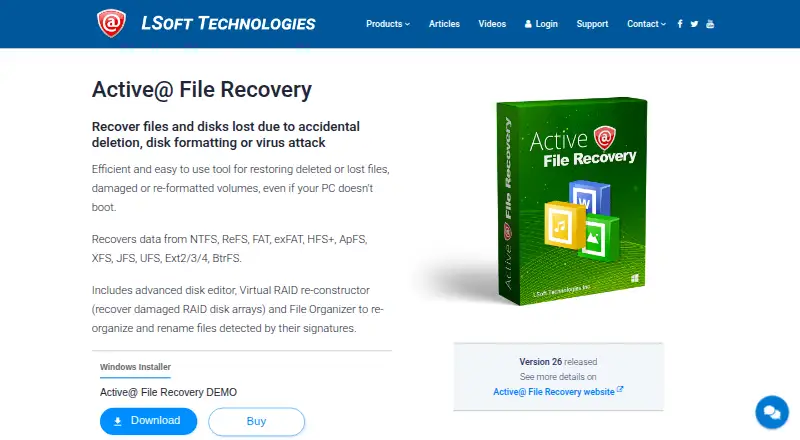
What Active@ File Recovery is
Active@ File Recovery is Windows software for recovering deleted or lost files and data from damaged, formatted, or deleted partitions and volumes. It supports file systems including NTFS, ReFS, FAT, exFAT, HFS+, APFS, XFS, JFS, UFS, BtrFS, and Ext2/3/4. It can work with HDDs, SSDs, USB and other listed drive connections, flash drives, and memory cards. The software can identify files by signature, including user-defined signatures, and virtually rebuild RAID 0, RAID 1, RAID 5, and Span arrays. It can create and open raw or raw-compressed disk images and work with VMware and VirtualPC HDD images. The Ultimate package includes a WinPE-based boot disk and Linux-based LiveCD for recovery when a computer will not start. A free demo allows recovery only for files up to 64 KB. Paid licenses are one-time purchases: personal licenses are for non-commercial use, while corporate licenses permit business, academic, or government use. LSoft Technologies has operated since 1999 and is headquartered in Mississauga, Ontario, Canada.
Good
- Supports a wide range of file systems.
- Can virtually rebuild RAID 0, 1, 5, and Span.
- Works with raw disk images and virtual HDD images.
- Ultimate includes boot media for computers that will not start.
Watch out
- The demo recovers only files up to 64 KB.
- Available for Windows only.
- Personal licenses are for non-commercial use.
Who it suits
Active@ File Recovery may suit Windows users trying to restore files from different file systems, storage media, disk images, or supported RAID arrangements. The license options distinguish personal non-commercial use from corporate use.
Verdict
Active@ File Recovery covers file recovery across many listed file systems and includes disk-image and virtual RAID tools. The demo's 64 KB recovery cap means users should review the paid license options for larger recoveries.
Plans and prices
From Active@ File Recovery's own pricing page, checked 8 Oct 2026.
| Plan | Price | What it gives you |
|---|---|---|
| Demo | Free | Free recovery of files up to 64 KB |
| Standard Personal | $29.95, paid once | Non-commercial use · 1 license for 3 PCs · 1 year free tech support and updates · $29.95 |
| Standard Corporate | $39.95, paid once | Commercial use · license quantity selected at purchase · 1 year free tech support and updates · $39.95 |
| Professional Personal | $44.95, paid once | Non-commercial use · 1 license for 3 PCs · 1 year free tech support and updates · $44.95 |
| Professional Corporate | $64.95, paid once | Commercial use · license quantity selected at purchase · 1 year free tech support and updates · $64.95 |
| Ultimate Personal | $69.95, paid once | Non-commercial use · 1 license for 3 PCs · 1 year free tech support and updates · $69.95 |
| Ultimate Corporate | $89.95, paid once | Commercial use · license quantity selected at purchase · 1 year free tech support and updates · $89.95 |
The facts
Each one read from Active@ File Recovery's own pages, with the date it was checked.
What it does
- Boot recovery
- The Ultimate package includes a WinPE-based boot disk and a Linux-based LiveCD for recovery when a computer does not boot.checked 8 Oct 2026
- Demo limit
- The downloadable demo allows free recovery only for files up to 64 KB.checked 8 Oct 2026
- Disk images
- It can create and open raw or raw-compressed disk images and work with VMware and VirtualPC HDD images.checked 8 Oct 2026
- File signatures
- Active@ Scan recognizes files by signature, and the product supports user-defined signatures.checked 8 Oct 2026
- File systems
- The product lists support for NTFS, ReFS, FAT, exFAT, HFS+, APFS, XFS, JFS, UFS, BtrFS, and Ext2/3/4.checked 8 Oct 2026
- License scope
- Personal licenses are for non-commercial use, while corporate licenses permit business, academic, or government use.checked 8 Oct 2026
- Purpose
- Recovers deleted or lost files and data from damaged, formatted, or deleted partitions and volumes.checked 8 Oct 2026
- RAID
- It can virtually rebuild damaged RAID 0, RAID 1, RAID 5, and Span arrays.checked 8 Oct 2026
- Security and privacy
- LSoft says it uses HTTPS, data encryption, firewalls, and CRC among its measures to protect personal information stored on its site.checked 8 Oct 2026
- Storage
- It supports HDD, SSD, USB, SATA, eSATA, SAS, SCSI, NVMe, flash drives, and memory cards.checked 8 Oct 2026
- Support
- LSoft offers a Customer Communication Center, a knowledge base and ticket system, email support, and phone support.checked 8 Oct 2026
The company
- Company
- LSoft Technologies says it has operated since 1999 and is a privately owned North American software company.checked 8 Oct 2026
- Founded
- 1999checked 28 Sep 2026
- Headquarters
- Mississauga, Ontario, Canadachecked 28 Sep 2026
Where it runs
- Supported Windows
- The site lists Windows 11, 10, 8, 7, Vista, XP, and Windows Server versions 2022 through 2003.checked 8 Oct 2026
The full review of Active@ File Recovery
Active@ File Recovery is a Windows utility for retrieving deleted files and data from damaged, formatted, or deleted volumes. It suits users handling varied filesystems, storage devices, disk images, or virtual RAID layouts. Its strongest case is breadth and one-time licensing; the free edition is limited to recovering files no larger than 64 KB.
Overview
Active@ File Recovery supports Windows filesystems such as NTFS, ReFS, FAT, and exFAT alongside HFS+, APFS, XFS, JFS, UFS, BtrFS, and Ext2/3/4. It can scan HDDs and SSDs as well as USB, SATA, eSATA, SAS, SCSI, NVMe, flash drives, and memory cards. That makes it a practical choice for mixed Windows, Linux, and Apple storage, provided the recovery workstation itself runs Windows.
Active@ Scan recognizes files by signature and allows user-defined signatures, offering a recovery path when normal filesystem information is damaged or missing. The software can create and open raw and raw-compressed disk images and work with VMware and VirtualPC HDD images, so investigators and administrators can preserve or process image files rather than repeatedly scanning an original disk.
Key features
Filesystem and device coverage
The unusually broad filesystem list is the main reason to choose Active@ File Recovery over a narrowly Windows-focused undelete tool. It covers common desktop formats and less common Linux and Unix families, while its device support extends from internal drives to removable media and memory cards. The breadth is valuable for technicians and households with several device types; someone recovering only a recently deleted Windows document may not need it.
Virtual RAID and imaging
The virtual RAID builder can reconstruct RAID-0, RAID-1, RAID-5, and Span arrays. That is useful when the original array hardware is unavailable or damaged, but the supported levels do not cover every RAID configuration. Disk-image creation and recovery, including raw, compressed-raw, VMware, and VirtualPC HDD formats, add a safer workflow for working from copies.
Bootable recovery
The Ultimate package includes a WinPE boot disk and a Linux-based LiveCD. These options matter when Windows will not start, because recovery can begin from separate boot media instead of the affected installation. They are not included in the lower tiers.
Windows support and assistance
The product supports Windows 11, 10, 8, 7, Vista, XP, and Windows Server editions from 2003 through 2022. LSoft provides a customer communication center, knowledge base, ticket system, email, and phone support. Its stated site protections include HTTPS, encryption, firewalls, and CRC for personal information.
Pricing
The Demo plan costs 0.00 USD and permits free recovery only for files up to 64 KB. That is enough to confirm that a tiny file can be recovered, but not to handle typical photos, videos, archives, or office files.
Standard Personal costs $29.95, paid once. It is for non-commercial use, covers one license for three PCs, and includes one year of free technical support and updates. Standard Corporate costs $39.95, paid once, permits commercial, academic, or government use, and lets the buyer select the license quantity; it also includes one year of support and updates.
Professional Personal is $44.95, paid once with the same three-PC personal scope and one year of support and updates. Professional Corporate is $64.95, paid once with selectable commercial license quantity. Ultimate Personal costs $69.95, paid once for three PCs, while Ultimate Corporate costs $89.95, paid once with selectable quantity. Ultimate is the tier to choose when bootable WinPE and Linux recovery media are important; Standard and Professional give up that capability. The personal licenses are explicitly non-commercial, so businesses should use a corporate edition.
Platforms
Active@ File Recovery runs on Windows. The listed versions range from Windows XP and Vista through Windows 11, plus Windows Server 2003 through 2022. There is no macOS, Linux, Android, or iOS application in the supported-platform list.
Who it's for
Choose it for a Windows-based recovery workstation that may encounter several filesystems, removable media, virtual disks, or damaged RAID-0, RAID-1, RAID-5, or Span arrays. It is also a sensible fit for organizations that need commercial licensing and selectable seat quantities. It is less suitable if you need to recover large files without buying a license, work primarily on macOS or Linux, or require RAID levels beyond those supported.
Pros and cons
Pros
- Wide filesystem support: NTFS, ReFS, FAT variants, exFAT, APFS, HFS+, Linux filesystems, UFS, and BtrFS cover mixed-device environments.
- Broad media compatibility: Support for modern interfaces, removable drives, flash storage, and memory cards helps with varied recovery sources.
- Image and virtual RAID tools: Disk images and a RAID builder support more controlled, technically demanding recovery work.
- One-time licenses: Personal and corporate editions are purchased once, with one year of included support and updates.
Cons
- 64 KB demo ceiling: The free edition cannot meaningfully recover most everyday files.
- Windows-only: Users needing a native macOS, Linux, Android, or iOS tool must look elsewhere.
- Boot media restricted to Ultimate: Lower-priced editions do not include the WinPE disk or Linux LiveCD.
- Limited RAID range: Virtual rebuilding is listed for four array types, not every RAID layout.
Alternatives
EaseUS Data Recovery Wizard is the better choice when you need Android, iOS, macOS, and Windows coverage; its One-Month plan is $69.95 a month with one computer and one month of free upgrades.
Disk Drill suits Windows users who want a free edition allowing up to 100 MB of recovery, while its Basic plan does not match Active@'s broader 64 KB restriction.
Ontrack EasyRecovery is worth considering if a free trial and up to 1 GB of recovery with files under 25 MB are priorities.
TestDisk is the free, cross-platform option for partition recovery, boot-sector repair, and file undelete.
DiskGenius is another Windows freemium choice with a free edition and a Professional One-Month plan priced at $69.90 a month.
Sherlock Forensics Recover is aimed at users who want free browsing, preview, export, and raw or E01 image creation, with Pro priced at $295, paid once.
ReclaiMe Free RAID Recovery is the alternative when RAID 10, RAID 6, RAID 5E, delayed-parity RAID 5, or NAS and hardware-RAID disk sets are central requirements.
DMDE is a cross-platform freemium option; its Express one-year license costs $20 a year.
For a broader comparison of array-focused tools, see the RAID Data Recovery Software list.
Verdict
Active@ File Recovery is a strong Windows choice for users who need unusually broad filesystem and device coverage, image handling, and virtual RAID reconstruction under straightforward one-time licenses. Choose it when those technical capabilities matter; look elsewhere if a useful free recovery allowance, non-Windows support, or a wider range of RAID layouts is more important.
Alternatives to Active@ File Recovery
- 1
EaseUS Data Recovery Wizard
Free planAndroidiOSmacOSWindows8.2Free plan - 2

Disk Drill
Free planmacOSWindows7.6From $89 a year - 3
DiskGenius
Free planWindows7.5From $99.90 a year - 4

R-Studio
LinuxmacOSWindows6.8From $49.99 a month - 5

Ontrack EasyRecovery
Free planmacOSWindows6.7Free plan - 6

ReclaiMe Free RAID Recovery
Free planWindows6.7Free plan