Active@ Disk Image
Active@ Disk Image creates disk images for PC backup, upgrades, duplication and recovery, and can restore them using occupied clusters or raw sector-by-secto…
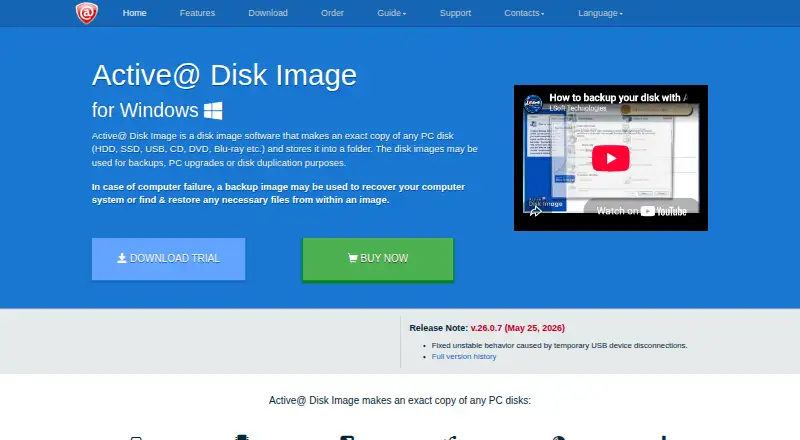
What Active@ Disk Image is
Active@ Disk Image creates disk images for PC backup, upgrades, duplication and recovery, and can restore them using occupied clusters or raw sector-by-sector copies. Image tools include compression, verification, splitting images into chunks and mounting them as virtual drives. Standard and Professional feature listings include incremental and differential images; scheduled backups and scripting are also listed. A WinPE-based Active@ Boot Disk Lite component provides bootable recovery media for restoring a PC system disk. Destinations include HDDs, SSDs, USB media, optical disks, network shares, NAS and AWS S3. Encryption supports AES-128, AES-192 and AES-256. Listed Windows support covers Windows 7 through 11 and Windows Server 2003 through 2022. Older Windows versions, Linux, FreeBSD and Solaris for PC can be handled in Raw Disk Image mode after booting the recovery media. A freeware edition is available, along with a fully functional 21-day trial.
Good
- Freeware edition is available.
- Creates and restores disk images.
- Supports incremental and differential images.
- Includes bootable recovery media.
- Image encryption supports three AES strengths.
Watch out
- Professional Trial expires after 21 days.
- Personal licenses are for non-commercial use.
- Personal licenses cover three PCs.
Who it suits
It suits people who need to create or restore PC disk images, including users who want bootable recovery media or incremental and differential image options. Personal licenses are for non-commercial use and cover three PCs; business licensing is also available.
Verdict
Active@ Disk Image offers disk imaging, restoration and bootable recovery, with storage destinations that include NAS and AWS S3. Check the license terms and plan features to choose the edition that fits your use.
Plans and prices
From Active@ Disk Image's own pricing page, checked 3 Oct 2026.
| Plan | Price | What it gives you |
|---|---|---|
| Professional Trial | Free | Fully functional · expires after 21 days |
| Freeware | Free | Free backup and restore · license and documentation included |
| Personal Standard | $49, paid once | 1 license for 3 PCs · non-commercial use · 1 year free tech support and updates |
| Business Standard | $59, paid once | Per license · commercial use · 1 year free tech support and updates |
| Personal Professional | $79, paid once | 1 license for 3 PCs · non-commercial use · Windows Server support, backup types and scheduling · 1 year free tech support and updates |
| Business Professional | $109, paid once | Per license · commercial use · Windows Server support, backup types and scheduling · 1 year free tech support and updates |
| Enterprise Standard | $2,795, paid once | Unlimited installs · unlimited worldwide business licensing · 1 year free tech support and updates |
| Enterprise Professional | $5,499, paid once | Unlimited installs · unlimited worldwide business licensing · Windows Server support, backup types and scheduling · 1 year free tech support and updates |
The facts
Each one read from Active@ Disk Image's own pages, with the date it was checked.
What it does
- Backup types
- Standard and Pro feature listings include incremental and differential images, while scheduled backups and scripting are listed as capabilities.checked 3 Oct 2026
- Cloud storage
- AWS S3 is listed as a cloud storage destination.checked 3 Oct 2026
- Disk image restore
- It can create and restore disk images using occupied clusters, and supports raw sector-by-sector images.checked 3 Oct 2026
- Encryption
- The feature list states that image encryption supports AES-128, AES-192, and AES-256.checked 3 Oct 2026
- Image handling
- Features include compression, mounting images as virtual drives, splitting images into chunks, and image verification after creation.checked 3 Oct 2026
- License limits
- Personal licenses are for non-commercial use and cover three PCs; business licenses are commercial and installations correspond to the number of licenses purchased.checked 3 Oct 2026
- Other operating systems
- Older Windows versions, Linux, FreeBSD, and Solaris for PC can be backed up, restored, cloned, or transferred in Raw Disk Image mode after booting Active@ Boot Disk Lite.checked 3 Oct 2026
- Purpose
- The software makes an exact copy of PC disks and stores it as an image for backup, upgrades, duplication, or recovery.checked 3 Oct 2026
- Recovery media
- The product includes a WinPE-based Active@ Boot Disk Lite component for restoring a PC system disk from bootable media.checked 3 Oct 2026
- Support
- The maker offers support requests, product FAQs, and phone support at +1 (877) 403-8082 and +1 (905) 812-8434.checked 3 Oct 2026
- Supported storage
- Supported media include HDDs, SSDs, removable USB media, optical disks, network shares, and NAS destinations.checked 3 Oct 2026
- Updates and refund period
- The order page lists one year of free updates and a 30-day return policy for Personal, Business, and Enterprise licenses.checked 3 Oct 2026
The company
- Company
- LSoft Technologies Inc. says it has operated since 1998 and lists its address in Mississauga, Ontario, Canada.checked 3 Oct 2026
- Headquarters
- Mississauga, Ontario, Canadachecked 28 Sep 2026
Where it runs
- Windows support
- The requirements page lists Windows 7, 8, 8.1, 10, 11, and Windows Server 2003 through 2022.checked 3 Oct 2026
Alternatives to Active@ Disk Image
- 1

DAEMON Tools Lite
Free planAndroidiOSmacOSWindows8.0$3 one-time - 2

Acronis True Image
AndroidiOSWebAPI7.7From $49.99 a year - 3

FOG Project
Free planOpen sourceWebAPILinuxmacOS7.7Free plan - 4
Iperius Backup
Free planWebSelf-hostedWindows7.7From €3.29 a month - 5
EaseUS Todo Backup
Free planmacOSSelf-hostedWindows7.5From $39.95 a year - 6
Vembu BDRCloud
WebAPILinuxmacOS7.5From $1.20 a month