
Accessibility Inspector
Accessibility Inspector is a free macOS tool for viewing and testing accessibility information in app interfaces.
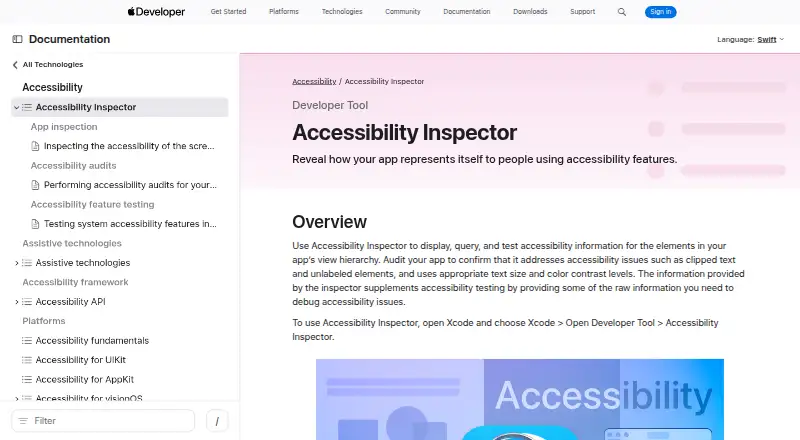
What Accessibility Inspector is
Accessibility Inspector is a free macOS tool for viewing and testing accessibility information in app interfaces. It shows an inspected element’s accessibility properties, available actions, and position in the view hierarchy. Its audits flag common issues such as insufficient contrast, clipped text, and missing element descriptions. Results can be saved as HTML reports with summaries, screenshots, issue details, and suggested fixes. Accessibility audits can also run in UI tests through performAccessibilityAudit(for:_:).
From its target menu, developers can inspect apps on Mac or on connected iOS, iPadOS, watchOS, and tvOS devices. Open the tool from Xcode using Xcode > Open Developer Tool > Accessibility Inspector. Xcode is Mac-only; Apple’s App Store listing specifies macOS 26.2 or later and an Apple M1 chip or later. Apple cautions that resolving reported audit issues does not establish that an app is fully accessible, and recommends checking with assistive apps such as VoiceOver.
Good
- Audits contrast, clipped text, and missing descriptions
- Displays element properties, actions, and hierarchy
- Saves results as HTML reports with screenshots
- Audits can run in UI tests
Watch out
- Xcode requires macOS 26.2 or later
- Requires an Apple M1 chip or later
- Clearing audit issues does not guarantee full accessibility
Who it suits
It suits developers working on Apple-platform apps who need to inspect accessibility properties and audit app screens. It requires Xcode on a Mac.
Verdict
Accessibility Inspector offers app-level inspection, audits, and report generation for Apple-platform development. Treat audit results as one part of accessibility review, alongside checks with assistive apps such as VoiceOver.
Plans and prices
From Accessibility Inspector's own pricing page, checked 7 Oct 2026.
| Plan | Price | What it gives you |
|---|---|---|
| Xcode (includes Accessibility Inspector) | Free | Mac only · Accessibility Inspector is included in Xcode |
The facts
Each one read from Accessibility Inspector's own pages, with the date it was checked.
What it does
- Audit reports
- Audit results can be saved as an HTML report containing summaries, screenshots, issue descriptions, and fix suggestions.checked 7 Oct 2026
- Audits
- It audits app screens for common issues including insufficient contrast, clipped text, and missing element descriptions.checked 7 Oct 2026
- Automated scans
- Yeschecked 23 Sep 2026
- Automation
- Accessibility audits can also run in UI tests using performAccessibilityAudit(for:_:).checked 7 Oct 2026
- Availability
- Apple’s App Store listing describes Xcode as Mac-only and lists macOS 26.2 or later and an Apple M1 chip or later as requirements.checked 7 Oct 2026
- How to open
- Open it from Xcode by choosing Xcode > Open Developer Tool > Accessibility Inspector.checked 7 Oct 2026
- Inspection
- It shows an inspected element’s accessibility properties, available actions, and place in the view hierarchy.checked 7 Oct 2026
- Intended users
- Apple describes Xcode as a tool suite for building apps for Apple platforms, and Accessibility Inspector helps developers identify accessibility issues in those apps.checked 7 Oct 2026
- Limit
- Apple says clearing all reported audit issues does not guarantee an app is fully accessible and recommends testing with assistive apps such as VoiceOver.checked 7 Oct 2026
- Manual review tools
- Yeschecked 23 Sep 2026
- Mobile testing
- Yeschecked 23 Sep 2026
- Purpose
- Accessibility Inspector displays, queries, and tests accessibility information for elements in an app’s view hierarchy.checked 7 Oct 2026
- Remediation guidance
- Yeschecked 23 Sep 2026
- Support
- Apple lists Developer Forums and Feedback Assistant as channels for questions, bug reports, and enhancement requests about developer tools.checked 7 Oct 2026
- Targets
- The target menu lists connected devices and apps; the tool can inspect apps running on Mac and apps running on selected iOS, iPadOS, watchOS, or tvOS devices.checked 7 Oct 2026
Where it runs
- Browser extension
- Nochecked 23 Sep 2026
The company
- Founded
- 1976checked 28 Sep 2026
- Headquarters
- Cupertino, California, USAchecked 28 Sep 2026
Money
- Free plan
- Yeschecked 23 Sep 2026
- Price
- Apple’s App Store listing labels Xcode “Free.”checked 7 Oct 2026
Alternatives to Accessibility Inspector
- 1

PPSSPP
Free planOpen sourceAndroidiOSAPILinux8.6$4.99 one-time - 2
Vita3K
Free planOpen sourceAndroidLinuxmacOSWindows7.7Free plan - 3

QEMU
Free planOpen sourceAPILinuxmacOSSelf-hosted7.6Free plan - 4
Snes9x
Free planAndroidWebLinuxmacOS7.6Free plan - 5

DOSBox-X
Free planOpen sourceLinuxmacOSSelf-hostedWindows7.4Free plan - 6

Genymotion Desktop
Free planLinuxmacOSWindows7.4From $49 a year