
Accessibility Insights for Windows
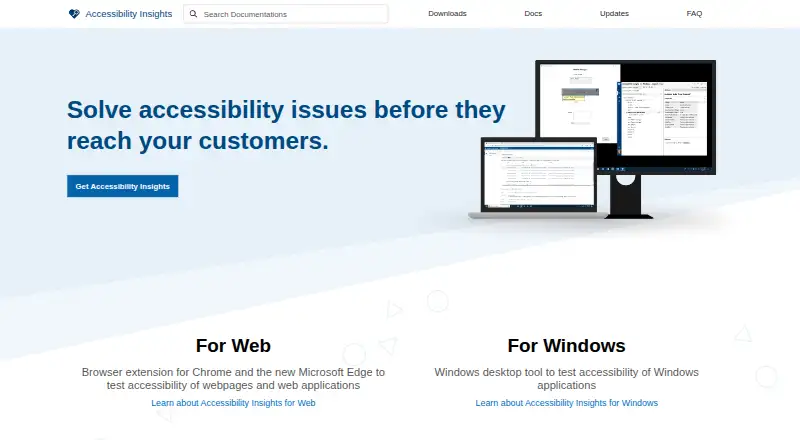
The facts below are what the maker publishes about Accessibility Insights for Windows, checked and dated. Our editors have not written about it yet.
Plans and prices
From Accessibility Insights for Windows's own pricing page, checked 11 Oct 2026.
| Plan | Price | What it gives you |
|---|---|---|
| Free and open source | Free | Windows desktop app · Windows computers |
The facts
Each one read from Accessibility Insights for Windows's own pages, with the date it was checked.
What it does
- Access limitation
- By default, the app cannot access applications running with administrative privileges; the maker documents running the target or tool as administrator or enabling UIAccess as options.checked 11 Oct 2026
- Automated checks
- Automated checks check Windows apps against more than 60 accessibility requirements.checked 11 Oct 2026
- Automated scans
- Yeschecked 23 Sep 2026
- FastPass
- FastPass is a two-step process designed to identify common, high-impact accessibility issues in less than five minutes.checked 11 Oct 2026
- Installation
- The Windows app can be installed using a setup wizard or from a command prompt in quiet mode.checked 11 Oct 2026
- Integrations
- Users can file issues from automated check failures to Azure Boards or GitHub.checked 11 Oct 2026
- Keyboard testing
- The Tab stops test helps identify keyboard access issues such as missing tab stops, keyboard traps, and incorrect tab order.checked 11 Oct 2026
- Live Inspect
- Live Inspect lets developers inspect UI Automation properties by hovering over an element or focusing it with the keyboard.checked 11 Oct 2026
- Manual review tools
- Yeschecked 23 Sep 2026
- Mobile testing
- Nochecked 23 Sep 2026
- Open source
- Accessibility Insights for Windows is open source on GitHub.checked 11 Oct 2026
- Purpose
- Accessibility Insights for Windows helps developers find and fix accessibility issues in Windows apps.checked 11 Oct 2026
- Remediation guidance
- Yeschecked 23 Sep 2026
- Results sharing
- Automated check results can be saved as .a11ytest files for sharing, and users with the app can open those files to view the results.checked 11 Oct 2026
- Support
- The maker directs users to the Windows help documentation for reporting issues and asking questions.checked 11 Oct 2026
- Telemetry and privacy
- With user consent, the app collects anonymized usage data and crash report information, and telemetry can be disabled in settings.checked 11 Oct 2026
- Troubleshooting tools
- Troubleshooting features include inspecting control patterns, recording application events, and checking color contrast.checked 11 Oct 2026
Where it runs
- Browser extension
- Nochecked 23 Sep 2026
The company
- Founded
- 1975checked 28 Sep 2026
- Headquarters
- Redmond, Washington, USAchecked 28 Sep 2026
Money
- Free plan
- Yeschecked 23 Sep 2026
Alternatives to Accessibility Insights for Windows
- 1

Axe DevTools
Free planOpen sourceAndroidiOSWebAPI9.4From $40 a month - 2

WAVE
Free planWebAPIExtensionLinux8.4Free plan - 3
Binclusive
AndroidiOSWebAPI8.3From $59 a month - 4

Welcoming Web
Free planAndroidiOSWebAPI8.2From $19 a month - 5

Assistiv Labs
Free planAndroidiOSWebLinux8.2From $19 a month - 6

IBM Equal Access Accessibility Checker
Free planOpen sourceWebAPIExtensionSelf-hosted8.1Free plan