
Acadly
Acadly is a classroom platform for automating attendance and running interactive activities.
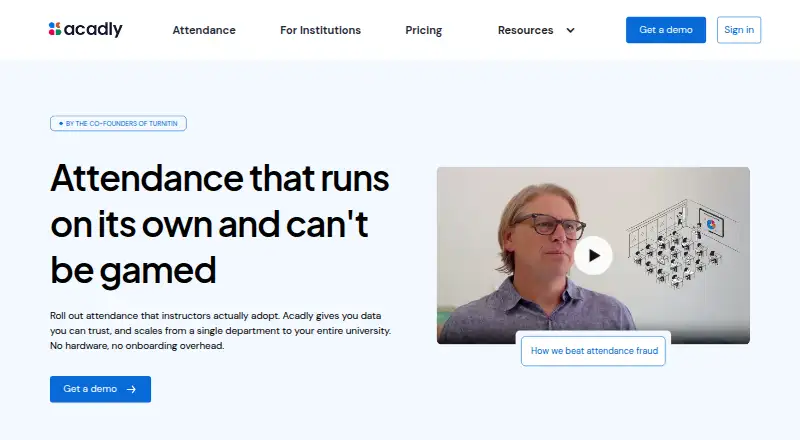
What Acadly is
Acadly is a classroom platform for automating attendance and running interactive activities. It is available on Android, iOS, macOS, and the web, with live polls, live Q&A, quizzes, anonymous responses, word clouds, discussions, and a class backchannel. Instructors can configure a roster, schedule, and attendance rules so sessions operate automatically. Acadly says its mesh-network verification confirms physical presence without GPS or QR codes, does not track geolocation, and flags suspicious patterns for instructor review. A native PowerPoint add-in can launch attendance and polls from slides on Mac and PC. Institutional deployments support LTI connections with Moodle, Brightspace, Blackboard, and Canvas, as well as Zoom and PowerPoint integrations. Basic is listed at $3 a month billed, with teacher-pays and student-pays course pricing shown. Pro is listed at $5 a month billed and adds scheduled attendance, anonymous Q&A, sorting quizzes, Zoom, and online attendance automation. A First Course Free option covers a first course for up to five months. Enterprise offers LMS plugins, automatic course provisioning, roster syncing, and premium support; Institutional offers LMS and SSO integration, fraud alerts, and done-for-you course setup.
Good
- Automates attendance from configured rosters, schedules, and rules
- Offers polls, quizzes, word clouds, discussions, and backchannels
- Verifies physical presence without GPS or QR codes
- PowerPoint add-in launches attendance and polls from slides
- Available on Android, iOS, macOS, and the web
- First Course Free covers one course for up to five months
Watch out
- Fraud alerts, LMS, and SSO integration are institutional features
- First Course Free excludes fraud alerts
- Basic Course excludes PowerPoint polling and Zoom integration
- Institutional pricing is quote-based
Who it suits
Acadly suits higher-education instructors and institutions that need automated attendance alongside live classroom interaction. Acadly Here is presented for teams, bands, K-12 programs, and congregations needing standalone group attendance.
Verdict
Choose Acadly when attendance automation and live participation belong in the same course platform. Pro is the fit for scheduled or online attendance, anonymous Q&A, sorting quizzes, and Zoom. Look elsewhere if you need institutional integrations on an individual plan or require the excluded fraud-alert features in the free course.
Plans and prices
From Acadly's own pricing page, checked 22 Sep 2026.
| Plan | Price | What it gives you |
|---|---|---|
| Basic | $3 a month | In-person attendance automation · Polls and word clouds · Multiple-choice and true/false quizzes · Backchannels · Basic data exports · Q&A · Student-pays model is shown as $5 per course; teacher-pays model is shown as $3 per course. |
| Pro | $5 a month | Everything in Basic · Scheduled automatic attendance · Anonymous Q&A · Sorting-type quizzes · Zoom integration · Online attendance automation · Student-pays model is shown as $10 per course; teacher-pays model is shown as $5 per course. |
| Enterprise | Priced on request | LMS plugin for instructors · LMS plugin for administrators · Automatic course provisioning · Roster syncing · Contact tracing · Premium support |
| Enterprise | — | LMS plugin for instructors · LMS plugin for administrators · Automatic course provisioning · Roster syncing · Contact tracing · Premium support |
| First Course Free | Free | PowerPoint integration · scheduled attendance · web and app · fraud alerts excluded · First course, up to five months |
| Acadly Basic Course | $3, paid once | App-only instructor-initiated attendance · CSV names only · no PowerPoint polling or Zoom integration · LMS and SSO unavailable · Per course; students pay $3 or instructor pays $1.5/student |
| Acadly Pro Course | $5, paid once | Scheduled attendance · PowerPoint, web and app attendance · PowerPoint polling · Zoom integration · CSV includes student emails · fraud alerts and LMS/SSO excluded · Per course; students pay $5 or instructor pays $2/student |
| Acadly Here | — | Standalone attendance for groups outside higher education · app-initiated attendance · CSV exports · In-app subscriptions between $15 and $75 per month; tailored options depend on group size and duration |
| Institutional | Priced on request | No hardware cost · no limit on courses or instructors · fraud alerts · LMS and SSO integration · done-for-you course setup · Annual or multi-year contract; quote based on active student users, integrations, services and custom requirements |
The facts
Each one read from Acadly's own pages, with the date it was checked.
What it does
- Anonymous responses
- Yeschecked 22 Sep 2026
- Attendance automation
- Instructors can configure the roster, schedule and attendance rules once so sessions run automatically.checked 11 Oct 2026
- Attendance verification
- Acadly says its mesh-network technology verifies physical presence without GPS or QR codes and flags suspicious patterns for instructor review.checked 11 Oct 2026
- Compliance
- Acadly says HECVAT and VPAT documentation are available and describes FERPA and GDPR compliance under an enterprise agreement.checked 11 Oct 2026
- Data export and retention
- The maker says institutional data can be exported at any time in standard formats and is not retained beyond the enterprise agreement.checked 11 Oct 2026
- Engagement features
- The platform supports live polls, quizzes, word clouds, discussions and a class backchannel that instructors and teaching assistants can monitor.checked 11 Oct 2026
- Institutional limits
- Fraud alerts, LMS and SSO integration, and bulk course setup are institutional features rather than individual-plan features.checked 11 Oct 2026
- Integrations
- Institutional deployments support LTI compatibility with Moodle, Brightspace, Blackboard and Canvas, plus Zoom and PowerPoint integrations.checked 11 Oct 2026
- Intended users
- Acadly is aimed at higher-education instructors and institutions, while Acadly Here is presented for groups such as teams, bands, K-12 programs and congregations.checked 11 Oct 2026
- Live polling
- Yeschecked 22 Sep 2026
- Live Q&A
- Yeschecked 22 Sep 2026
- Mobile availability
- Acadly has listings in the Apple App Store and Google Play; its site also describes access through a web app.checked 11 Oct 2026
- PowerPoint
- The native PowerPoint add-in can launch attendance and polls from slides, and the maker says it works on Mac and PC.checked 11 Oct 2026
- Privacy
- Acadly states that its attendance verification does not track geolocation.checked 11 Oct 2026
- Product
- Acadly automates class attendance and offers tools for in-class engagement, including polls, quizzes, word clouds and discussions.checked 11 Oct 2026
- Quiz mode
- Yeschecked 22 Sep 2026
- Slide integrations
- Yeschecked 22 Sep 2026
- Support
- Acadly lists support at [email protected] and offers institution-focused demos and structured pilots with onboarding support.checked 11 Oct 2026
The company
- Company address
- Acadly Inc lists its address as 8 The Green STE A, Dover, Delaware 19901, United States.checked 11 Oct 2026
Money
- Free plan
- Nochecked 22 Sep 2026
The full review of Acadly
Acadly is a higher-education course platform that joins automated attendance with live participation tools. It is best for instructors who want polls, quizzes, discussion and attendance in one workflow, while institutions get a separate administration tier. The individual plans are practical for single courses, but important oversight and campus integrations sit behind institutional pricing.
Overview
Acadly centers the classroom rather than acting as a general learning-management system. Instructors can set up a roster, timetable and attendance rules, then run sessions with less manual intervention. Alongside attendance it provides live polls, word clouds, quizzes, Q&A, discussions and a monitored class backchannel. Acadly Here broadens the attendance use case to teams, bands, K-12 programs and congregations.
The service is offered on Android, iOS, macOS and the web. Mobile apps are distributed through the Apple App Store and Google Play, with browser access for users who prefer a web app.
Key features
Attendance and verification
Acadly’s most distinctive capability is attendance automation. Rules are configured once instead of recreated for every meeting. Its mesh-network approach is designed to verify physical presence without GPS or QR codes, and the company says it does not track geolocation. Suspicious-pattern fraud alerts are available to institutions, not individual course buyers, so instructors purchasing a personal plan get automation without that escalation layer.
Participation tools
Live polls, multiple-choice and true/false quizzes, word clouds, discussions and Q&A cover both quick checks and longer classroom conversation. Anonymous responses help students contribute sensitive questions, while a backchannel lets instructors and teaching assistants monitor ongoing comments. Pro adds sorting-type quizzes and anonymous Q&A, making it the stronger fit for richer interaction rather than basic response collection.
Slides and online teaching
The native PowerPoint add-in can launch attendance and polls directly from presentation slides and is described as working on Mac and PC. Pro includes Zoom integration and online attendance automation. Institutional deployments add LTI compatibility with Moodle, Brightspace, Blackboard and Canvas, plus roster syncing and automatic course provisioning.
Pricing
Individual course plans
Basic costs $3 a month, with the displayed billing choices of $5 per course under a student-pays model or $3 per course when the teacher pays. It includes in-person attendance automation, polls, word clouds, multiple-choice and true/false quizzes, backchannels, basic data exports and Q&A. It is the sensible low-cost choice for a conventional classroom that does not need scheduled or online attendance.
Pro costs $5 a month, shown as $10 per course student-pays or $5 per course teacher-pays. It retains Basic’s tools and adds scheduled automatic attendance, anonymous Q&A, sorting quizzes, Zoom and online attendance automation. Choose it when attendance must run on a timetable or over the internet; it still excludes institutional fraud alerts and LMS/SSO.
First Course Free is $0.00 USD for a first course for up to five months. It includes PowerPoint integration, scheduled attendance and web/app access, but excludes fraud alerts. It is a useful way to start a single class, not a substitute for institutional controls.
Acadly Basic Course is $3.00 USD once per course: students pay $3 or the instructor pays $1.50 per student. Attendance is instructor-initiated and app-only, names are supplied by CSV, and PowerPoint polling, Zoom, LMS and SSO are unavailable. Acadly Pro Course is $5.00 USD once per course, with students paying $5 or the instructor $2 per student. It adds scheduled attendance, PowerPoint, web and app attendance, PowerPoint polling, Zoom and CSV email fields, while fraud alerts and LMS/SSO remain excluded.
Institutional and group plans
Enterprise and Institutional use custom pricing. Enterprise lists LMS plugins for instructors and administrators, automatic provisioning, roster syncing, contact tracing and premium support. Institutional contracts may be annual or multi-year, have no hardware cost and no stated limit on courses or instructors, and include fraud alerts, LMS/SSO integration and done-for-you setup. Acadly Here uses in-app subscriptions from $15 to $75 per month, adjusted for group size and duration, with standalone attendance and CSV exports.
Platforms
Acadly runs on Android, iOS, macOS and the web. PowerPoint integration is described for Mac and PC, while Zoom and LMS connections depend on Pro or institutional deployment.
Who it's for
Choose Acadly for higher-education teaching teams that need attendance and live engagement together, especially when scheduled or online attendance matters. Institutions requiring LTI, SSO, roster synchronization, fraud alerts, compliance documentation or managed onboarding should budget for an institutional agreement. Groups outside higher education should examine Acadly Here instead of the course plans.
Pros and cons
- Pro: Attendance rules can run automatically, reducing repeated setup for scheduled classes.
- Pro: Polls, quizzes, Q&A, discussions and a backchannel provide several participation modes in one course.
- Pro: Mesh verification avoids GPS and QR-code attendance methods.
- Con: Fraud alerts, LMS/SSO and bulk course setup require institutional pricing.
- Con: The cheaper Basic Course is app-only and omits PowerPoint polling, Zoom and web attendance.
- Con: Plan names and billing models differ, so buyers must choose carefully between monthly displays, per-course charges and student- or teacher-paid terms.
Alternatives
For a broad directory of classroom response tools, browse Student Response Systems or Audience Response Systems.
- Poll Everywhere is the better pick when you want a freemium response platform with Windows support and a free audience limit of 40.
- iClicker suits buyers prioritizing attendance tracking, auto-run sessions and late-arrival tracking.
- Wayground (formerly Quizizz) is preferable for quiz-led activities, with a free tier allowing 100 participants per session.
- Kahoot! is a fit for familiar live quiz sessions, with a free tier for up to 40 participants.
- Open Response is the straightforward choice for free, open-source classroom polling.
- Particify is worth choosing for free rooms supporting up to 200 participants.
- AhaSlides fits presentation-focused polling with a free allowance of 50 participants.
- Plickers is suited to card-based questioning, with a free class limit of 63 students.
Verdict
Acadly is a strong choice for instructors who want automated attendance and substantial live participation in the same course platform. Pro is the most capable individual tier for scheduled or online attendance, anonymous Q&A, sorting quizzes and Zoom. Look elsewhere if your course needs LMS/SSO or fraud-alert controls without an institutional contract, or if the app-only limits of the cheaper course plan are restrictive.
Getting started
- Open Acadly on the web or install its Android, iOS, or macOS app
- Configure the class roster, schedule, and attendance rules
- Select First Course Free, Basic, Pro, or an institutional arrangement
- Add PowerPoint or an LMS integration when your plan supports it
- Use polls, quizzes, Q&A, word clouds, discussions, or the backchannel during class
Limits worth knowing
First Course Free covers a first course for up to five months and excludes fraud alerts. Basic Course has app-only instructor-initiated attendance, CSV names only, and no PowerPoint polling, Zoom, LMS, or SSO; Pro Course excludes fraud alerts and LMS/SSO.
Questions
What platforms does Acadly support?
Acadly is available on Android, iOS, macOS, and the web.
Is there a free option?
Yes. First Course Free covers a first course for up to five months.
What does Basic cost?
Basic is listed at $3 a month billed; the course model shows $5 per course for students or $3 per course for teachers.
What does Pro add?
Pro is listed at $5 a month billed and adds scheduled automatic attendance, anonymous Q&A, sorting-type quizzes, Zoom integration, and online attendance automation.
Does attendance tracking use GPS?
Acadly says its mesh-network verification confirms physical presence without GPS or QR codes and does not track geolocation.
Which integrations are available?
Institutional deployments support LTI with Moodle, Brightspace, Blackboard, and Canvas, plus Zoom and PowerPoint integrations.
Alternatives to Acadly
- 1

Particify
Free planOpen sourceAndroidiOSWebAPI9.2From €12 a month - 2

Poll Everywhere
Free planAndroidiOSWebmacOS9.1From $10 a month - 3

Hypersay
Free planAndroidiOSWebLinux8.9Free plan - 4

Votinova
Free planAndroidiOSWebAPI8.8From €9 a month - 5
iClicker
Free planAndroidiOSWebmacOS8.5$4.99 one-time - 6

AhaSlides
Free planWebmacOSWindows8.4Free plan