ABBYY Lingvo
ABBYY Lingvo provides electronic dictionaries for work and study on Android, iOS, macOS, and Windows.
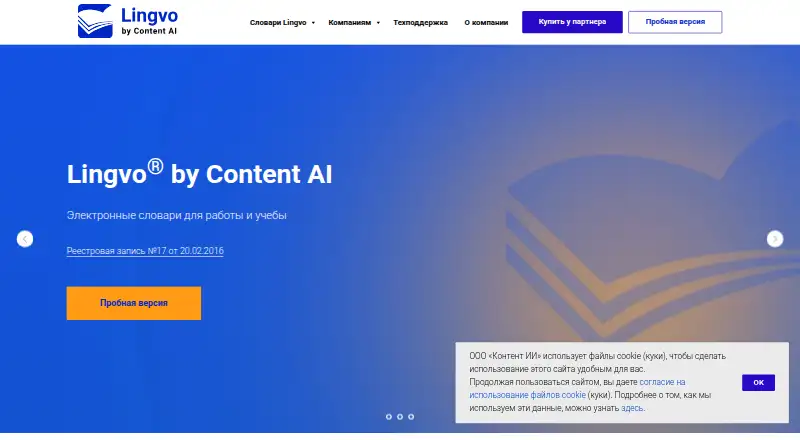
What ABBYY Lingvo is
ABBYY Lingvo provides electronic dictionaries for work and study on Android, iOS, macOS, and Windows. The Windows multilingual version covers 10 languages, and its Professional edition includes more than 80 general, explanatory, and specialist dictionaries. The listed specialist subjects range from law and finance to engineering, medicine, and biology. Windows can translate words under the cursor in pictures, web pages, and subtitles; macOS offers translation through Services or keyboard shortcuts and cursor lookup in Safari. Mobile apps work offline. Android supports photo and video translation and grammatical word forms, while iOS can translate photographed text and sync user-created vocabulary cards across devices. The mobile apps include five basic free dictionaries spanning English, German, French, Spanish, Latin, and Russian, with more dictionaries available for purchase. Windows x6 offers full program access for 15 days from first launch. Listed Windows licenses last three years; prices vary by edition, including 8,349 RUB for the multilingual Home edition and 13,965 RUB for multilingual Professional.
Good
- Mobile apps support offline use.
- Windows Professional includes more than 80 dictionaries.
- Android supports photo and video translation.
- iOS syncs user-created vocabulary cards.
- Windows x6 offers a 15-day full-access trial.
Watch out
- Mobile free access is limited to five basic dictionaries.
- Additional mobile dictionaries are purchased separately.
- Technical support for licensed versions is limited to Moscow business hours on weekdays.
Who it suits
Lingvo suits students and professionals who need dictionaries, specialist vocabulary, or offline mobile lookup. Its platform-specific translation tools may also fit users who work with text in images, web pages, subtitles, or photos.
Verdict
Lingvo spans desktop and mobile dictionary use, with offline access and specialist reference content. Compare the edition and its language coverage, since the listed features and prices vary.
Plans and prices
From ABBYY Lingvo's own pricing page, checked 4 Oct 2026.
| Plan | Price | What it gives you |
|---|---|---|
| Lingvo для Android | Free | 5 базовых словарей · 6 языков · покупки дополнительных словарей |
| Lingvo для iOS | Free | 5 базовых словарей · 6 языков · покупки дополнительных словарей |
| Lingvo x6 Английская Профессиональная Per Seat | 4,018 RUB, paid once | Английский и русский языки · Per Seat · Лицензия на 3 года · 3–20 лицензий |
| Lingvo x6 Многоязычная Домашняя | 8,349 RUB, paid once | 10 языков · домашняя версия · Лицензия на 3 года |
| Lingvo x6 Многоязычная Профессиональная | 13,965 RUB, paid once | 10 языков · более 80 словарей · Лицензия на 3 года |
The facts
Each one read from ABBYY Lingvo's own pages, with the date it was checked.
Where it runs
- Android features
- The Android app supports photo and video translation and provides grammatical word forms.checked 4 Oct 2026
- iOS features
- The iOS app can translate photographed text and synchronize user-created vocabulary cards across devices.checked 4 Oct 2026
- Mac features
- The macOS dictionary supports translation through Services or keyboard shortcuts and cursor translation in Safari.checked 4 Oct 2026
- Windows requirements
- The Windows system requirements list Windows 11, 10, 8.1, and 8, plus Windows Server 2019, 2016, and 2012 R2.checked 4 Oct 2026
What it does
- Cursor translation
- The Windows product can translate words under the cursor in pictures, web pages, and subtitles.checked 4 Oct 2026
- Dictionary content
- The multilingual Professional version includes more than 80 general, explanatory, and specialist dictionaries.checked 4 Oct 2026
- Language coverage
- The Windows multilingual version includes dictionaries for 10 languages.checked 4 Oct 2026
- Learning tools
- Lingvo Tutor provides exercises for learning word meanings and spellings.checked 4 Oct 2026
- Mobile offline use
- The iOS and Android apps say all functions are available offline.checked 4 Oct 2026
- Purpose
- Lingvo provides electronic dictionaries for work and study.checked 4 Oct 2026
- Specialist vocabulary
- The site lists specialist dictionaries for fields including law, economics, finance, engineering, oil and gas, chemistry, medicine, and biology.checked 4 Oct 2026
- Support
- The maker says technical support is available to registered users of licensed versions during Moscow business hours, Monday through Friday, 09:00–18:00.checked 4 Oct 2026
The company
- Headquarters
- Moscow, Russiachecked 28 Sep 2026
- Maker
- Content AI describes itself as a Russian developer of intelligent information processing solutions and lists its office in Moscow.checked 4 Oct 2026
Money
- Mobile free dictionaries
- The mobile pages offer five basic free dictionaries covering English, German, French, Spanish, Latin, and Russian.checked 4 Oct 2026
- Trial
- The Windows x6 trial provides full program access for 15 days from first launch.checked 4 Oct 2026
The full review of ABBYY Lingvo
ABBYY Lingvo is a dictionary suite for work and study, with editions for Windows, macOS, iOS and Android. It is best suited to language learners and people who need specialist reference material or offline lookup. Its strongest case is the depth of its paid Windows dictionaries; the free mobile apps are a much smaller starting point.
Overview
Lingvo combines dictionary lookup with tools for learning vocabulary. Its desktop features reach beyond a search box: Windows can translate words under the cursor in pictures, web pages and subtitles, while Lingvo Tutor offers exercises on word meanings and spelling. That makes it a more capable study companion than a basic dictionary, although the richest reference collection is reserved for paid Windows editions.
Key features
The Windows multilingual version covers 10 languages. Its Professional edition brings together more than 80 general, explanatory and specialist dictionaries, including material for law, economics, finance, engineering, oil and gas, chemistry, medicine and biology. That range is useful when ordinary definitions are not enough for professional or technical reading; casual users may find the larger collection more than they need.
On macOS, lookup works through Services or keyboard shortcuts, with cursor translation in Safari. On iOS, Lingvo can translate photographed text and synchronize user-created vocabulary cards across devices. The Android app adds photo and video translation and grammatical word forms. Both mobile apps say all functions are available offline, a practical advantage for travel or study without a dependable connection.
Mobile users can start with five basic free dictionaries spanning English, German, French, Spanish, Latin and Russian. That is a modest baseline rather than the full multilingual desktop library: additional mobile dictionaries are purchases. Audio pronunciation and usage examples round out the lookup tools.
Pricing
Lingvo uses a freemium model. The iOS and Android apps each have a free plan at no cost, with five basic dictionaries across six languages; additional dictionaries can be bought. These plans suit occasional mobile lookups, but users who need a broader reference set should expect to pay for more content.
Windows x6 offers a 15-day trial with full program access, beginning at first launch. Paid Windows licenses are listed as one-time prices for a three-year license:
- Lingvo x6 Английская Профессиональная Per Seat: 4,018 RUB, paid once; English and Russian, per seat, with 3–20 licenses. Its defined language pair and seat range make it the targeted option for teams needing professional English–Russian reference.
- Lingvo x6 Многоязычная Домашняя: 8,349 RUB, paid once; 10 languages for home use. It offers broader language coverage than the English Professional license without the Professional edition’s stated collection of more than 80 dictionaries.
- Lingvo x6 Многоязычная Профессиональная: 13,965 RUB, paid once; 10 languages and more than 80 dictionaries. It is the strongest fit for specialists who need the deeper general, explanatory and subject-specific library.
The lower-cost Windows choices trade away either broad professional dictionary coverage or a multi-language home focus. Support is available to registered users of licensed versions on Moscow business days, Monday through Friday, 09:00–18:00.
Platforms
Lingvo is available for Windows, macOS, iOS and Android. Windows requirements include Windows 11, 10, 8.1 and 8, plus Windows Server 2019, 2016 and 2012 R2. The desktop and mobile editions have distinct strengths: cursor lookup and the largest dictionary collection are Windows features, while photo translation and vocabulary-card synchronization are mobile conveniences.
Who it's for
Lingvo is a strong match for language learners who want offline mobile lookup and vocabulary exercises, and for professionals who read specialist material and can justify a paid Windows collection. The free mobile apps make sense for basic multilingual reference. It is less compelling for someone who only needs a general online dictionary or who expects the full specialist library at no cost.
Pros and cons
- Pros: the Windows Professional edition combines more than 80 dictionaries across 10 languages, including specialist subjects; useful for technical and professional reading.
- Pros: mobile apps support offline use, while iOS adds photo translation and card synchronization and Android adds video translation and grammatical forms.
- Pros: Windows cursor translation reaches text in pictures, web pages and subtitles, reducing the need to switch away from what is being read.
- Cons: the free mobile offer is limited to five basic dictionaries, and extra dictionaries are purchases; broader reference use costs more.
- Cons: Windows licenses run for three years, so the one-time price is not a perpetual-use term.
- Cons: Windows x6 is a paid desktop route for the richest collection; the free mobile editions do not provide the same stated dictionary breadth.
Alternatives
For a broader web-based dictionary starting point, browse Online Dictionaries.
- Oxford Learner’s Dictionaries is a better fit for readers who want free online access to the Oxford Advanced Learner’s Dictionary and Oxford Advanced American Dictionary, plus a Text Checker and word lists.
- dict.cc suits readers who want a free browser dictionary for private or business use.
- Linguee is a free dictionary option for readers who want an alternative to Lingvo.
- The Free Dictionary is worth considering for free online reference content spanning dictionaries, a thesaurus, encyclopedias and translation.
- WordWeb suits readers who want a free Windows version with definitions, synonyms, examples, basic AI suggestions and translations, subject to its licensing terms.
- Merriam-Webster Dictionary fits readers seeking a free ad-supported app with an offline dictionary and thesaurus; premium removes ads, and an in-app purchase unlocks additional content.
- Cambridge Dictionary is an option for readers who want free online dictionaries alongside +Plus word lists and quizzes.
- Collins Dictionary suits readers looking for free online definitions, translations, pronunciations, examples and language tools.
Verdict
Choose ABBYY Lingvo if you need offline dictionary access across devices, especially if specialist reading justifies the breadth of its paid Windows Professional edition. Its core trade-off is clear: mobile lookup is free but narrow, while the deeper multi-language reference library requires a three-year Windows license. For occasional general definitions, a free online alternative is the better fit.
Getting started
- Visit https://lingvo.ru/ to choose a platform and edition.
- Install the app for Android or iOS to use the five basic free dictionaries.
- Purchase additional dictionaries on mobile if needed.
- For Windows x6, start the trial for full access during the 15 days from first launch.
- Choose a listed Windows license: the English Professional Per Seat, Multilingual Home, or Multilingual Professional edition.
Limits worth knowing
The mobile free offer consists of five basic dictionaries across six languages, with additional dictionaries available for purchase. The Windows x6 trial provides full access for 15 days from first launch; the listed paid Windows licenses run for three years.
Questions
Is there a free plan?
Yes. The mobile pages offer five basic free dictionaries covering English, German, French, Spanish, Latin, and Russian.
Does Lingvo have a free trial?
Yes. The Windows x6 trial provides full program access for 15 days from first launch.
Which platforms are supported?
Lingvo is available for Android, iOS, macOS, and Windows.
How much do the listed Windows editions cost?
Lingvo x6 Английская Профессиональная Per Seat is 4,018 RUB, paid once; Lingvo x6 Многоязычная Домашняя is 8,349 RUB, paid once; Lingvo x6 Многоязычная Профессиональная is 13,965 RUB, paid once.
Can it work offline?
The iOS and Android apps say all functions are available offline.
Who makes Lingvo?
Content AI describes itself as a Russian developer of intelligent information processing solutions and lists its office in Moscow.
Alternatives to ABBYY Lingvo
- 1
MDBG Chinese Dictionary
Free planAndroidiOSWebAPI8.0$15.95 one-time - 2

Oxford Learner’s Dictionaries
Free planAndroidiOSWebAPI8.0From $9.99 a year - 3

The Free Dictionary
Free planAndroidiOSWebAPI8.0$9.99 one-time - 4

Duden-Mentor
Free planWebAPIExtensionmacOS7.7From €2.99 a month - 5
WordWeb
Free planAndroidiOSmacOSWindows7.3From $1.50 a month - 6

Larousse Dictionaries
Free planAndroidiOSWebWindows7.2From €99 a month