8th Wall
8th Wall provides tools for creating 3D experiences and WebAR projects that can be published to web browsers or self-hosted web projects.
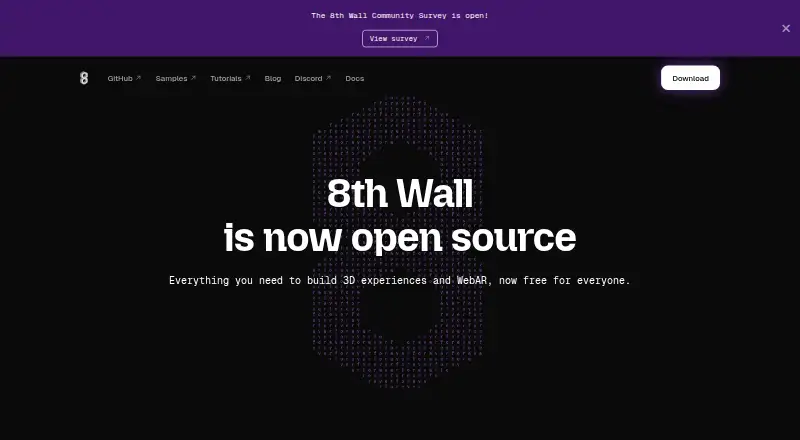
What 8th Wall is
8th Wall provides tools for creating 3D experiences and WebAR projects that can be published to web browsers or self-hosted web projects. Its XR Engine includes World Effects, Absolute Scale, Image Targets, Face Effects, and Sky Effects. The engine is designed to work with A-Frame, Three.js, Babylon.js, and PlayCanvas. 8th Wall Desktop is an XR game engine with a visual editor for developing 3D and AR experiences, with downloads for Apple Silicon Mac, Intel Mac, and Windows x64. Projects can be hosted wherever suits a developer’s needs. The free plan is free and requires no login. The engine binary is closed source, cannot be modified or reverse engineered, and is subject to a limited-use license; other listed tools and example projects are MIT licensed. The distributed binary does not include Niantic Spatial VPS, Lightship Maps, or Hand Tracking. Native export is coming soon, while export through the retired hosted platform is no longer available. Projects exported before February 28, 2026 can be migrated to local or self-hosted use. Hosted projects are scheduled to remain live through February 28, 2027, after which hosting will be decommissioned.
Good
- XR Engine includes world, image, face, and sky effects.
- Works with four listed 3D frameworks.
- Desktop editor supports Mac and Windows downloads.
- Projects can be hosted on developers’ chosen infrastructure.
- Free plan is free.
Watch out
- Native export is not yet available.
- Retired hosted platform no longer offers project export.
- Distributed binary excludes VPS, Maps, and Hand Tracking.
- Hosted projects are scheduled to end February 28, 2027.
Who it suits
8th Wall may suit developers building browser-based AR or 3D experiences who want a visual editor or integrations with supported 3D frameworks. Teams should consider the export and hosted-project deadlines when evaluating it.
Verdict
8th Wall combines WebAR tools, framework integrations, and a desktop visual editor. Its export status, binary license, and scheduled hosting shutdown are important constraints to weigh before starting or migrating a project.
Plans and prices
From 8th Wall's own pricing page, checked 30 Sep 2026.
| Plan | Price | What it gives you |
|---|---|---|
| Free | Free | No login required · hosted platform retired · native export coming soon |
The facts
Each one read from 8th Wall's own pages, with the date it was checked.
What it does
- Commercial use
- The maker says the open source components and distributed engine binary can be used for commercial AR experiences, subject to the binary’s limited-use license.checked 30 Sep 2026
- Desktop editor
- 8th Wall Desktop is an XR game engine with a visual editor for developing 3D and AR experiences.checked 30 Sep 2026
- Downloads
- 8th Wall Desktop downloads are available for Apple Silicon Mac, Intel Mac, and Windows x64.checked 30 Sep 2026
- Export status
- Native export is coming soon, and the maker says project export is no longer available through the retired hosted platform.checked 30 Sep 2026
- Feature limits
- The distributed engine binary does not include Niantic Spatial VPS, Lightship Maps, or Hand Tracking.checked 30 Sep 2026
- Hosting
- Projects can be deployed and hosted anywhere that fits the developer’s needs.checked 30 Sep 2026
- Integrations
- The XR Engine is designed to work with A-Frame, Three.js, Babylon.js, and PlayCanvas.checked 30 Sep 2026
- Licensing
- The engine binary is closed source and may not be modified or reverse engineered; other listed tools and example projects are MIT licensed.checked 30 Sep 2026
- Migration deadline
- Projects exported before February 28, 2026 can be migrated to run locally or self-hosted; projects not exported by then cannot be downloaded or modified through the platform.checked 30 Sep 2026
- Purpose
- 8th Wall provides tools for building 3D experiences and WebAR.checked 30 Sep 2026
- Security and compliance
- The maker pages opened do not state security certifications or compliance standards.checked 30 Sep 2026
- Service shutdown
- Hosted projects are scheduled to remain live through February 28, 2027, after which hosting will be decommissioned.checked 30 Sep 2026
- Support
- The maker points developers to Discord, GitHub Discussions, issue reporting, and pull requests for community support and contributions.checked 30 Sep 2026
- XR features
- The XR Engine includes World Effects, Absolute Scale, Image Targets, Face Effects, and Sky Effects.checked 30 Sep 2026
The full review of 8th Wall
Overview
8th Wall is a toolkit for building 3D experiences and WebAR, aimed chiefly at developers who want to create browser-based augmented reality projects. Its mix of XR capabilities, familiar framework integrations, and a desktop visual editor is appealing, but the retired hosted platform and its export constraints make project continuity a central concern.
It is best suited to new work that can be developed locally or self-hosted, and to existing projects exported before the migration deadline. The closed-source engine binary’s limited-use license and the scheduled end of hosted project service narrow its fit for teams that need full control or lasting managed hosting.
Key features
The XR Engine supports World Effects, Absolute Scale, Image Targets, Face Effects, and Sky Effects. That range gives developers several ways to build AR experiences around environments, objects, and faces; the distributed binary does not include Niantic Spatial VPS, Lightship Maps, or Hand Tracking, so projects depending on those capabilities need another approach.
Developers can use the engine with A-Frame, Three.js, Babylon.js, or PlayCanvas. 8th Wall Desktop adds a visual editor for developing 3D and AR experiences, and desktop downloads are available for Apple Silicon Mac, Intel Mac, and Windows x64. The listing also identifies no-code authoring, though the broader toolset is clearly oriented toward building and deploying projects rather than a simple publishing service.
Projects can be hosted wherever suits the developer, including self-hosted web deployments. This flexibility matters as hosted platform service winds down, but it also means teams must take responsibility for their own hosting arrangements.
Pricing
The Free plan costs nothing. It requires no login, and web publishing can target browsers or self-hosted web projects. That makes it a low-friction option for exploring the tools or starting work intended for independent hosting; it does not restore the retired hosted platform or provide native export today.
Native export is coming soon, while export through the retired hosted platform is no longer available. Projects exported before February 28, 2026 can be migrated to run locally or self-hosted. Projects not exported by that date cannot be downloaded or modified through the platform. Hosted projects are scheduled to remain live through February 28, 2027, when hosting will be decommissioned. Those deadlines make migration planning more important than the zero-dollar price for existing users.
Platforms
8th Wall is available for macOS and Windows desktop development, as well as web and self-hosted deployment. The desktop downloads cover Apple Silicon Mac, Intel Mac, and Windows x64. WebAR publishing supports web browsers and self-hosted web projects.
Who it's for
Choose 8th Wall if you are building browser-based AR, value its listed tracking and effects capabilities, and can work with its framework integrations or desktop editor. It is also relevant to existing project owners who exported before the migration cutoff and can move those projects to local or self-hosted operation.
Look elsewhere if your project requires a managed hosted destination beyond February 28, 2027, depends on the engine binary being modifiable, or needs VPS, Maps, or Hand Tracking in the distributed binary. The maker permits commercial AR use of the open-source components and binary, but the binary remains subject to a limited-use license.
Pros and cons
- Pros: World, image-target, face, and sky tracking options plus World Effects and Absolute Scale support varied WebAR concepts.
- Pros: A-Frame, Three.js, Babylon.js, and PlayCanvas integrations offer developers multiple established frameworks to work with.
- Pros: Free access without login and the ability to host projects independently lower the barrier to trying the tools and choosing a deployment location.
- Cons: The engine binary is closed source and cannot be modified or reverse engineered, limiting control for teams that require an open engine.
- Cons: Export status and the February 2026 migration cutoff put existing hosted projects at risk if they are not moved in time.
- Cons: Hosted projects are scheduled to go offline after February 28, 2027, so long-term hosting must be arranged elsewhere.
- Cons: Niantic Spatial VPS, Lightship Maps, and Hand Tracking are excluded from the distributed engine binary.
Alternatives
For a broader comparison, browse Augmented Reality Software.
- BlippBuilder is worth considering if you want a free starter tier for creating and testing projects, with publishing reserved for a paid plan.
- MAKAR may suit teams looking for a free plan with stated project, storage, publication, and target-scan allowances, as well as a free trial.
- MyWebAR is another freemium option with a free Creator plan that includes stated annual views, storage, and project allowances.
- TeamViewer Frontline is positioned for enterprise AR solutions, with pricing by consultation rather than a free plan.
- WorldCAST may fit creators seeking a free plan with unlimited monthly views, no expiry, and personal and commercial use.
- Lens Studio is a free option for Windows and macOS.
- Vuforia Studio is a paid alternative spanning mobile, desktop, and web platforms.
- WorkLink Create is a paid alternative available across web, desktop, and mobile platforms.
Verdict
8th Wall is a strong fit for developers creating WebAR who want multiple tracking effects, framework choice, and the freedom to self-host without paying to get started. Its main reason to choose it is that capable, flexible creation stack; its main reason to look elsewhere is the combination of constrained binary licensing and a retiring hosted platform that demands timely migration and independent hosting plans.
Getting started
- Visit https://8thwall.org/.
- Choose the free plan; no login is required.
- Download 8th Wall Desktop for Apple Silicon Mac, Intel Mac or Windows x64, if using the desktop editor.
- Build with the XR Engine and, if useful, integrate A-Frame, Three.js, Babylon.js or PlayCanvas.
- Publish to web browsers or host the project yourself.
Limits worth knowing
The distributed engine binary does not include Niantic Spatial VPS, Lightship Maps or Hand Tracking. Native export is coming soon; export through the retired hosted platform is unavailable, and hosted projects are scheduled to stop being live after February 28, 2027.
Questions
How much does 8th Wall cost?
The free plan is free. No login is required.
Which platforms are supported?
Platforms include macOS, Windows, web and self-hosted. Desktop downloads are available for Apple Silicon Mac, Intel Mac and Windows x64.
What can I build with 8th Wall?
It provides tools for 3D experiences and WebAR. The XR Engine includes World Effects, Absolute Scale, Image Targets, Face Effects and Sky Effects.
Which integrations does it support?
The XR Engine is designed to work with A-Frame, Three.js, Babylon.js and PlayCanvas.
Is 8th Wall open source?
The engine binary is closed source and may not be modified or reverse engineered. Other listed tools and example projects are MIT licensed.
Can I export or host projects?
Projects can be deployed and hosted anywhere that fits the developer’s needs. Native export is coming soon, and export through the retired hosted platform is no longer available.
Alternatives to 8th Wall
- 1

MyWebAR
Free planAndroidiOSWebAPI8.1From $39 a month - 2
MAKAR
Free planAndroidiOSWebAPI8.0From $245 a month - 3
WorldCAST
Free planAndroidiOSWeb7.3From $10 a month - 4
TotalAR
Free planAndroidiOSWebAPI7.2From $90 a month - 5
Zapworks Studio
AndroidiOSmacOSWindows7.1From $64.99 a year - 6

Augment
AndroidiOSWebAPI7.0From $42 a month