Everything Xiaomi is reader-supported. When you buy through links on our site, we may earn an affiliate commission. As an Amazon Associate I earn from qualifying purchases. Learn more
For a Xiaomi, Redmi, or POCO ringtone, start with Lyrova if you want a short, finished vocal clip; choose Loudly for a loop or music bed, or Mureka when you want to set the track duration. These five tools can make custom music suited to short clips, but the supplied product details do not establish that any one exports a ringtone-ready file or installs it on a phone. Check the export options, then set a downloaded audio file as your ringtone in your phone’s sound settings if your device offers that option.
Best AI Ringtone Makers And Custom Music Clip Tools
| Rank | Tool | Best Fit | Short-Clip Evidence | Ringtone Export Or Setup |
|---|---|---|---|---|
| 1 | Lyrova | Vocal clips with a social-video feel | One-click 15–30-second clips with captions, waveform animation, and beat pulse | Not stated |
| 2 | Loudly | Instrumental loops and short music beds | Supports intros, outros, transitions, loops, short-form beds, and music for exact video lengths | Not stated |
| 3 | Mureka | Custom tracks with duration control | Supports duration setting and creation of background music, theme songs, and intro tracks | Not stated |
| 4 | Songin.ai | Quick custom songs or background clips | Describes use from social clips to full tracks; offers MP3, WAV, and MIDI downloads | Not stated |
| 5 | CreateSong AI | A short section you may want to extend into a longer song | Creates songs from prompts, lyrics, or mood notes and can extend songs up to eight minutes | Not stated |
1. Lyrova: Best For A Short Vocal Clip
Lyrova is the clearest fit when you want a compact clip with a voice and a distinct beat. Its one-click 15–30-second output is designed with social-video elements such as captions and a waveform animation, so treat it as a source for a ringtone idea rather than assuming those elements are part of a ringtone audio file. The service says it creates MP3s with vocals, beat, and arrangement. Visit Lyrova to check current export details.
As an Amazon Associate I earn from qualifying purchases.
The Tool Desk
Outbyte Driver Updater FREEScan for outdated or missing drivers - takes under a minuteDriver Scan →Outbyte PC Repair FREERepair Windows errors before they cause bigger problemsFix Now →Prompt example: “Make a 20-second upbeat Afrobeats clip with a bright opening, a clean beat, and the words ‘Hey, it’s Maya’ sung once near the start.” Lyrova specifically highlights Afrobeats, Bongo Flava, Amapiano, Afropop, Swahili, Pidgin English, and local slang; check its site for any other style or language you want. Lyrova’s site
2. Loudly: Best For Loops And Instrumental Beds
Loudly supports loops, short-form music beds, intros, outros, and transitions, making it a strong choice for a ringtone that should begin with a recognizable musical hook instead of a sung name. You can specify an exact video length, though that does not establish a dedicated ringtone-length control. Its free generated tracks are limited to 30 seconds, and it offers WAV, MP3, stems, and samples. Visit Loudly and check its current plan terms before choosing an export.
Shopping ad

- . [In-line microphone]: With in-line microphone can conveninet to make calls,end calls play/pause/answer and skipping tracks forward and back. The In-ear headphone with microphone support a wide range of devices like cell phones, computers, laptops, MP3, MP4 players which with 3.5mm audio jack devices for gym, listening to music and games. Note that:the In-ear headphone with microphone don't have volume control.
- . [ Comfortable Design]: Comfortable in-ear and ergonomic design don’t cause any burden to your ears,they can reduce the clunky feel of earphone and increase the comfort of wearing them, comfortable in- ear headphones with a great seal which minimize outside noise so you can hear the beats clearly.
- . [In-ear stereo bass audio Design]: Balanced tonal adjustment with deep bass and excellent stereo sound that let you have a better listening experience,earbuds are perfect for daily use.
- . [Wide Compatibility]: In-ear headphones compatible with iPod, iPhone, iPad, Android smartphones , tablets, mp3 players music speaker and others devices that with a standard 3.5mm audio jack.
- . [Supporting]: 12-month Hassle-Free-Protection ,it is very easy to reach customer service
Prompt example: “Create a 12-second bright electronic loop: start with the main melody immediately, use a short rising synth pickup, keep the beat crisp, and finish so the ending can loop cleanly.” Loudly says it supports 50+ genres and subgenres; if you need a specific genre or instrument, verify that it is available in the current controls. Loudly’s music generator
3. Mureka: Best When Duration Control Matters
Mureka supports setting track duration and accessing individual stems for mixing. It can generate background music, theme songs, and intro tracks from prompts configured with details such as genre, mood, tempo, and instrumentation. That gives you a way to describe a short ringtone hook precisely, although the available duration range and ringtone-specific export are not stated. Visit Mureka to check those specifics.
Shopping ad
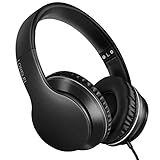
- 【Immerse yourself into the beat】These headphones with microphone adopt High-definition 40mm driver and compact earcups design, which deliver exceptionally clear sound with full dynamic range and rich bass and crisp mids. Effortless style and powerful sound let you tune into your own rhythms with the set of on-ear headphones.
- 【Designed for maximum comfort】Ultra-soft ear cushions and padded headband provide you a fatigue-free listening experience even wearing these on-ear headphones during a long session. Adjustable slider helps you achieve the perfect fit without constraint. You can easily use these stereo headphones for your workouts, job commute or just for listening at home.
- 【Durable and folding design】These headphones with microphone in bright colors are built meticulously with strong and sturdy plastic for long-lasting resilience and durability. Premium 1.5m nylon braiding cord doesn’t tangle or kink, suitable for adults and childrens . Lightweight and foldable design make these wired headphones easy to put into your package and take along anywhere.
- 【Easy in-line control with microphone】Friendly in-line microphone for making calls,and skipping tracks forward and back. These on ear headphones with microphone support a wide range of devices like cell phones, computers, laptops, MP3, MP4 players other 3.5mm audio jack devices for gym, listening to music and games.
- 【HAPPY CUSTOMERS】We are committed to serving customers with reliable quality products, lorelei continues to deliver the best user experience with innovative technology from a trusted brand. Please feel free to contact us if you have any request, we will solve your problem within 24 hours.
Prompt example: “Instrumental, 15 seconds, playful chiptune mood, quick four-note opening, simple bass pulse, no vocals, and a clear ending.” If the result runs longer than you want, check whether the current workspace lets you set the duration or edit the track before downloading.
4. Songin.ai: Best For A Quick Custom Song Or Bed
Songin.ai generates custom songs or background music from text and describes its use for quick social clips as well as professional tracks. It offers MP3, WAV, or MIDI downloads, but the available clip lengths and a ringtone-specific workflow are not stated. Its free plan is described as 20 credits per month and personal use only; check the site for current plan details and terms before using an output beyond personal listening. Visit Songin.ai
Shopping ad

- 【Wide Compatibility】: USB C Wired Headphone for Samsung Galaxy A18 A17 A16 5g A57 A56 A55 A54 A53 A37 A36 A35 A34 A33 A27 A26 A73, S26 Ultra S25 FE S24 S23 S22 S21 S20 Ultra FE, Note 20, Z Flip 8/7/6/5/4/3/2, Z Fold 8/7/6/5/4/3/2, for iPhone 18 Pro/18 Pro Max/17e/17/Air/17 Pro/17 Pro Max/16e/16 Pro Max/16 Pro/16/16 Plus/15 Pro Max/15 Pro/15/15 Plus, for iPad Pro, for iPad Air, for iPad Mini, for MacBook Air Pro, for Google Pixel 11 10 9 Pro XL Fold 10a 9a 8a 8 Pro 7a 7 Pro 6a 6 Pro, and more USB C devices.
- 【Built-in Mic & Remote Control】: The Samsung Wired Headphone built-in high quality microphone, no noise interference during calls. Samsung Galaxy S26 Ultra wired EarBuds contains a 3-in-1 control button, Support Volume+/-, Last/Next Track, Pause, Answer/End/Reject Call to free your hands when listening to music, having phone calls while driving, walking, exercising, working, shopping, etc. (Warm Tips: If the audio function does NOT work, go the Setting-- Audio Output -- CLOSE “Disable Audio Output”)
- 【Ergonomic In-Ear Headphones】: Samsung Wired EarBuds ergonomically half-in-ear design delivers more powerful and clear sound, minimize the noise in the surrounding environment, allow you to have clearer phone calls, enjoy excellent quality music streaming and gaming experience. Samsung galaxy a16 Wired Ear Buds is suitable for your daily work, study, and sports use, make you keep a long sense of comfort during the wear.
- 【High Quality Audio Earphone】: Samsung Earphones with metal-plated connectors greatly reduce the phenomenon of poor contact; Made from high-quality TPE, Type C Headphones have passed thousands of bending tests. Featuring wear-resistant copper and aluminum foil, Type C Earbuds are tangle-free, durable, and strong, ensuring long-lasting use. Samsung Headphones Wired built-in latest digital DAC chip to maintain the high resolution acoustics of your devices, making the output sound quality more clear and realistic, no buzzing, popping, or any bad audio issues. Just plug and play to enjoy stereo listening experience.
- 【What you get】: 1-Pack 4FT USB C Wired Headphones, 3-Pairs (S/M/L) Ear Tips (size S/L is in the box, size M is on the headphones.). 24-hour friendly customer service, 30-day free refund or replacement, 12-month worry-free warranty. If you have any question during using type c earphones, please feel free to con tact us via amazon message, we will provide satisfied solutions to you.
Prompt example: “Make a short instrumental notification-style tune with a cheerful marimba lead, two repeats of the same hook, and no fade-out.” The prompt describes the sound you want; it does not guarantee that the service supports those exact instruments or an exact duration, so check its controls and preview the result.
5. CreateSong AI: Best For Developing A Clip Into A Longer Song
CreateSong AI generates songs from prompts, lyrics, or mood notes and supports extensions up to eight minutes. That longer-song capability can help if you want to develop a ringtone idea into a complete track, but a short ringtone export or duration control is not established. Paid plans include MP3 and WAV downloads; its free outputs are streaming-only and public by default. Visit CreateSong AI and check the active plan’s terms for downloads and use.
Free tools Windows power users keep installed
One-click scans. No signup required.
Shopping ad

- LONG BATTERY LIFE: With up to 50-hour battery life and quick charging, you’ll have enough power for multi-day road trips and long festival weekends.(USB Type-C Cable included)
- HIGH QUALITY SOUND: Great sound quality customizable to your music preference with EQ Custom on the Sony | Headphones Connect App.
- LIGHT & COMFORTABLE: The lightweight build and swivel earcups gently slip on and off, while the adjustable headband, cushion and soft ear pads give you all-day comfort.
- CRYSTAL CLEAR CALLS: A built-in microphone provides you with hands-free calling. No need to even take your phone from your pocket.
- MULTIPOINT CONNECTION: Quickly switch between two devices at once.
Prompt example: “Write a playful instrumental phone ringtone hook with a short brass fanfare, a light drum fill, and a strong opening note; keep the idea simple enough to recognize quickly.” The prompt is a creative direction, not confirmation that a particular instrument, length, or editing option is available.
Independent reader supportYour contribution helps us test, update, and keep practical guides available for everyone.How To Turn A Generated Clip Into A Phone Ringtone
- Choose a short musical idea: a clear opening hook works well when you need to recognize the ringtone quickly. Decide whether you want vocals, an instrumental, or a repeating loop.
- Describe the clip in the generator’s prompt. Include the mood, instruments or vocal approach, and the intended duration if the tool exposes a duration control. Preview the result and check whether its ending suits a ringtone.
- Check the tool’s export options and save an audio file your phone can use. Do not assume a video export, MIDI file, or separated stem will work as a ringtone; confirm the format in the tool and your device settings.
- On your Xiaomi, Redmi, or POCO phone, open sound or ringtone settings and look for an option to choose a local audio file. Menu labels and local-file options can vary by model, software version, and region; check your phone’s settings if you do not see one.
Check Voice Consent And Usage Terms
If your clip imitates or clones a real person’s voice, uses someone else’s lyrics or recording, or incorporates samples, get the relevant consent and check the tool’s terms. Product details describe voice cloning for Mureka and paid-plan commercial use for some services, but they do not settle permissions for every voice, source recording, or use. Check each platform’s current terms, including whether its rights cover your intended ringtone or any public or commercial posting.
Quick Recap
Shopping ad

- Noise-cancelling microphone reduces room noise for clearer Internet calls
- Full stereo sound for your music, movies and games
- Rotating microphone boom can be worn on your left or right side
- Adjustable headband gives you a customized fit
- Works with Windows 10 or later, Windows 8, Windows 7, Windows Vista, Mac OS X 10.5 or later, Chrome OS, Linux Kernel 2.6 plus and iOS or Android devices
Product prices and availability are accurate as of the date/time indicated and are subject to change. Any price and availability information displayed on Amazon at the time of purchase will apply.




