Zoo Design Studio
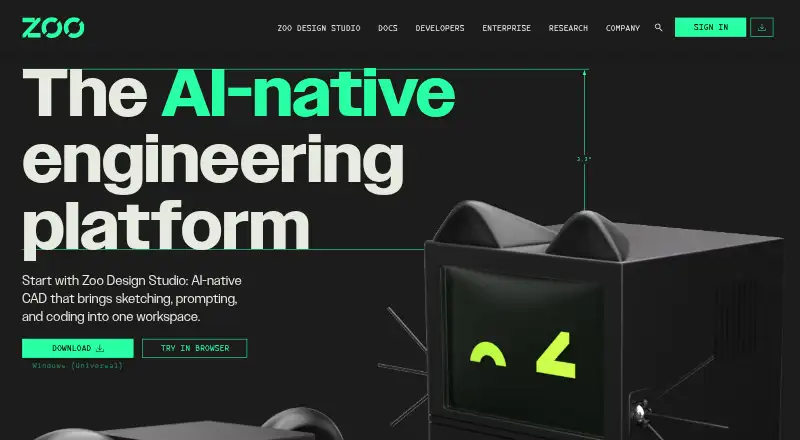
Zoo Design Studio is a hybrid CAD platform combining AI-assisted model creation and editing with sketch and feature-tree workflows, KCL scripting, and tradit…
What Zoo Design Studio is
Zoo Design Studio is a hybrid CAD platform combining AI-assisted model creation and editing with sketch and feature-tree workflows, KCL scripting, and traditional CAD tools. Its tools include sketching, parametric modeling, assemblies, solid and surface modeling, transforms, and construction geometry. The Zookeeper agent can create or edit parametric models from prompts, images, and sketches; using KCL, Zoo’s CAD scripting language, is optional. Projects use human-readable KCL files that can be imported, exported, synced, and versioned with Git or other text-based tools. The software runs on Windows, macOS, Linux, and in a web browser. It imports STEP, SLDPRT, SAT, SAB, CATPART, PRT, IPT, X_T, X_B, GLTF, GLB, FBX, OBJ, PLY, STL, and KCL, and exports STEP, STL, GLTF, GLB, OBJ, and PLY. The free plan costs nothing and includes Design Studio access plus a monthly Zookeeper reasoning allowance. Modeling, rendering, Zookeeper, and Personal Cloud sync require an internet connection, even with a local project. Cloud Sync is not live collaboration and offers no version history or backups. Assembly Mates remain on the roadmap.
Good
- Combines parametric, assembly, solid, and surface modeling
- Zookeeper works from prompts, images, and sketches
- KCL scripting is optional
- Runs on desktop platforms and in a browser
Watch out
- Modeling and key services require internet access
- Cloud Sync lacks version history and backups
- Assembly Mates are still on the roadmap
Who it suits
Zoo describes the platform for everyone from beginners and non-engineers to expert CAD users and enterprise teams. It may suit users who want both code-based and visual modeling workflows, provided they can work with its internet requirement.
Verdict
Zoo Design Studio brings AI-assisted creation, conventional CAD tools, and optional scripting into one platform with broad listed file support. Its online dependency and Cloud Sync limits are key tradeoffs.
Plans and prices
From Zoo Design Studio's own pricing page, checked 8 Oct 2026.
| Plan | Price | What it gives you |
|---|---|---|
| Free | Free | Zoo Design Studio access · monthly Zookeeper reasoning allowance |
The facts
Each one read from Zoo Design Studio's own pages, with the date it was checked.
What it does
- AI agent
- Zookeeper can create and edit parametric CAD models from prompts, images, and sketches.checked 8 Oct 2026
- Assembly design
- Yeschecked 19 Sep 2026
- Audience
- Zoo describes Design Studio as CAD software for anyone, from beginners and non-engineers to expert CAD users and enterprise teams.checked 8 Oct 2026
- Cloud collaboration
- Yeschecked 19 Sep 2026
- Cloud sync limit
- Cloud Sync is not live collaboration and does not provide version history or backups.checked 8 Oct 2026
- File import and export
- Import: STEP, SLDPRT, SAT, SAB, CATPART, PRT, IPT, X_T, X_B, GLTF, GLB, FBX, OBJ, PLY, STL, KCL. Export: STEP, STL, GLTF, GLB, OBJ, PLY.checked 19 Sep 2026
- File workflows
- Projects use human-readable KCL files and can be imported, exported, synced, and versioned with Git or other text-based tools.checked 8 Oct 2026
- Integrations
- Zoo’s Engine API, Agent API, and File Format API support geometry workflows and file conversion, while Zoo MCP connects to Claude, Codex, and other MCP-compatible clients.checked 8 Oct 2026
- Internet requirement
- Modeling, rendering, Zookeeper, and Personal Cloud sync require an internet connection, including when a project is stored in a local Directory library.checked 8 Oct 2026
- KCL
- KCL is Zoo’s CAD scripting language, and using it in Design Studio is optional.checked 8 Oct 2026
- Modeling
- Its CAD tools include sketching, parametric modeling, assemblies, solid and surface modeling, transforms, and construction geometry.checked 8 Oct 2026
- Modeling method
- hybridchecked 19 Sep 2026
- Notable limit
- Zoo Design Studio supports assemblies, but Assembly Mates are still on the roadmap.checked 8 Oct 2026
- Product
- Zoo Design Studio is a hybrid CAD platform combining AI generation and editing of boundary-representation models, sketch and feature-tree workflows, KCL code, and the Zookeeper conversational agent.checked 8 Oct 2026
- Security
- Zoo says independent auditors verified its security controls through a SOC 2 Type II audit.checked 8 Oct 2026
- Support
- Users can get community help through the forum or Discord; paid customers can submit private support tickets.checked 8 Oct 2026
- Surface modeling
- Yeschecked 19 Sep 2026
The company
- Founded
- 2021checked 28 Sep 2026
- Headquarters
- Los Angeles, California, United Stateschecked 28 Sep 2026
Money
- Free plan
- Yeschecked 19 Sep 2026
Where it runs
- Platforms
- Zoo Design Studio is available as a desktop app for Windows, macOS, and Linux, as well as in a browser.checked 8 Oct 2026
- Supported platforms
- Windows, macOS, Linux, web browserchecked 19 Sep 2026
Alternatives to Zoo Design Studio
- 1
Rhino 3D
Free planiOSAPILinuxmacOS8.8Free plan - 2

Onshape
Free planAndroidiOSWeb8.6From $1,500 a year - 3
SOLIDWORKS
WebmacOSWindows8.3From $48 a year - 4
Shapr3D
Free planmacOSWindows8.1From $299 a year - 5
Plasticity
Free planLinuxmacOSWindows7.9$175 one-time - 6

OpenSCAD
Free planOpen sourceWebAPILinuxmacOS7.9Free plan