Worksoft Certify
Worksoft Certify is paid software for automating functional tests and validating business processes across complex enterprise applications.
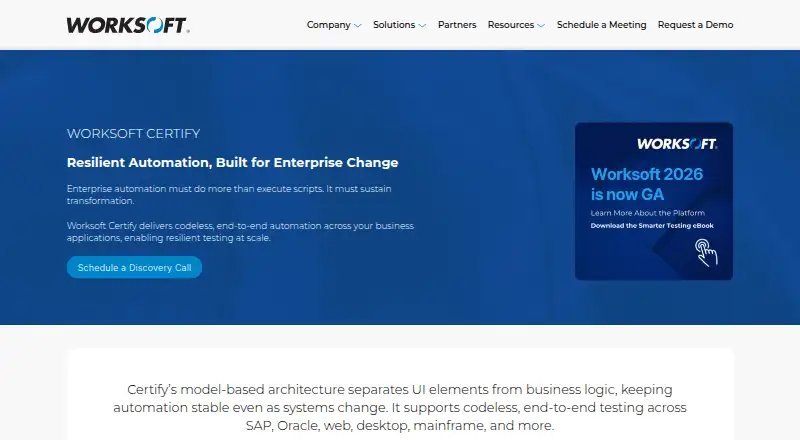
What Worksoft Certify is
Worksoft Certify is paid software for automating functional tests and validating business processes across complex enterprise applications. Teams can create codeless, end-to-end automation using a model-based design that separates interface elements from business logic. Certify supports SAP, Oracle, web, desktop, mainframe, mobile, cloud, and other enterprise targets, with hybrid execution, scheduling, and CI/CD integration. It includes reusable assets, self-healing automation, test data management, and Data Scrambling Manager provisioning of scrambled production data. AI-driven tools analyze likely failure causes, summarize failures in natural language, and prioritize higher-risk test areas. Integrations include Jira, Azure DevOps, OpenText ALM, SAP Cloud ALM, SAP Solution Manager, ServiceNow, Jenkins, Applitools Eyes, Xray, and Zephyr. A REST API triggers executions and retrieves results. The Worksoft Automation Extension installs for Edge, Firefox, and Chrome. Listed client workstations use Windows 10 or Windows 11. Deployment uses customer-managed infrastructure and listed cloud environments. Pricing is available on request.
Good
- Codeless, self-healing test automation
- Supports SAP, Oracle, web, and mainframe targets
- Built-in test data management
- AI failure analysis and prioritization
- REST API and many ALM integrations
Watch out
- Pricing is available only on request
- Client workstation requirements list Windows 10 or 11
- Deployment uses customer-managed infrastructure
- HTTPS and TLS 1.2 must be configured
Who it suits
It suits enterprise teams managing complex business applications and broad end-to-end testing needs. Teams needing codeless automation, test data controls, scheduling, and ALM or CI/CD connections may find it relevant.
Verdict
Certify provides broad enterprise test coverage with codeless modeling, data management, AI analysis, and extensive integrations. Organizations should request pricing and review its infrastructure and workstation requirements.
The facts
Each one read from Worksoft Certify's own pages, with the date it was checked.
What it does
- ALM integrations
- The documentation lists integrations including Jira, Azure DevOps, OpenText ALM, SAP Cloud ALM, ServiceNow, Xray, and Zephyr.checked 8 Oct 2026
- API
- Certify supports REST API integrations that can trigger test execution and retrieve results.checked 9 Oct 2026
- Automation features
- The product offers self-healing automation, reusable assets, built-in test data management, root cause analysis, and natural-language test failure summaries.checked 9 Oct 2026
- Availability
- Worksoft directs prospective customers to book a demo or schedule a discovery call; the page does not list a Certify price.checked 9 Oct 2026
- Codeless automation
- The product page says teams can build self-healing test automation without code.checked 8 Oct 2026
- Deployment
- Worksoft provides installation guides for Certify and describes installing Certify services on an application server.checked 9 Oct 2026
- Failure analysis
- The product page describes AI-driven root cause analysis and natural-language summaries of test failures.checked 8 Oct 2026
- Integrations
- Certify integrates with tools including Jira, Azure DevOps, SAP Cloud ALM, SAP Solution Manager, ServiceNow, Jenkins, and Applitools Eyes.checked 9 Oct 2026
- Intended users
- Worksoft describes Certify as a codeless end-to-end automation product for enterprise teams managing complex business applications.checked 8 Oct 2026
- Model-based design
- Its model-based architecture separates UI elements from business logic to help keep automation stable as systems change.checked 9 Oct 2026
- Product
- Worksoft Certify provides codeless, end-to-end automation for testing business processes across enterprise applications.checked 9 Oct 2026
- Purpose
- Worksoft Certify automates functional testing across enterprise applications and validates critical business processes.checked 8 Oct 2026
- Security
- Worksoft requires HTTPS on the application server and recommends enabling TLS 1.2.checked 9 Oct 2026
- Support
- Customers can use the customer portal or contact Worksoft support by email or phone.checked 9 Oct 2026
- Support access
- The installation guide says new customers receive Worksoft licenses from Worksoft Customer Support.checked 8 Oct 2026
- Test data
- Certify includes test data management, and the integrations page describes provisioning scrambled production data for testing through DSM.checked 8 Oct 2026
- Test prioritization
- Worksoft says AI-driven prioritization focuses execution on high-risk areas to reduce unnecessary regression cycles.checked 9 Oct 2026
Where it runs
- Application coverage
- Certify supports testing across SAP, Oracle, web, desktop, mainframe, SaaS, and custom applications.checked 9 Oct 2026
- Browser extension
- The Certify client automatically installs the Worksoft Automation Extension for Edge, Firefox, and Chrome.checked 9 Oct 2026
- Windows requirement
- The listed Certify client workstation operating systems are Windows 10 and Windows 11.checked 8 Oct 2026
The company
- Founded
- 1998checked 28 Sep 2026
- Headquarters
- Frisco, Texas, United Stateschecked 28 Sep 2026
Alternatives to Worksoft Certify
- 1

Katalon Studio
Free planAndroidiOSWebAPI8.4From $1,000 a year - 2

Testsigma
Open sourceAndroidiOSWebAPI8.3From $14 a month - 3

HyperExecute
Free planWebAPIExtensionLinux7.9From $103 a month - 4
Keysight Eggplant Test
AndroidiOSWebAPI7.9$9,999 one-time - 5
Perfecto
AndroidiOSWebAPI7.9From $83 a month - 6

CloudQA
Free planWebAPIExtensionLinux7.7From $119 a month