Webflow AI
Webflow AI is a website-building and management platform with tools for creating and improving web experiences.
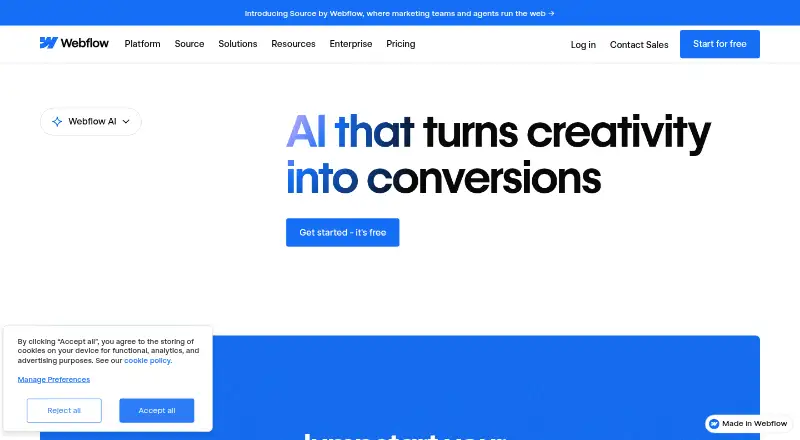
What Webflow AI is
Webflow AI is a website-building and management platform with tools for creating and improving web experiences. Its AI site builder can create a complete website and scalable design system from a basic prompt without requiring design or technical expertise. The wider workflow supports site creation, copy generation and refinement, structured CMS content, SEO, AEO, performance, and localization. A conversational AI Assistant can reason through tasks, take action, and answer questions within Webflow. Webflow Optimize uses machine learning for experimentation and personalization, while Webflow Localization uses it to translate and adapt sites for global audiences. The MCP server connects with compatible tools such as Claude, Cursor, Codex, and Slack for natural-language site design, building, and content management. It is available on Site plans, including the free Starter plan, except for users with the Reviewer site role; current limits include creating localized CMS items and controlling some CMS bindings, element settings, and page-level Analyze queries. Starter includes Webflow AI and MCP. Basic costs $15.00 per month, billed yearly.
Good
- Generates a site and scalable design system from a prompt.
- Includes AI assistance for site tasks and questions.
- MCP connects to compatible AI tools.
- Free Starter plan includes Webflow AI and MCP.
- Supports AI-assisted copy, CMS, SEO, and localization.
Watch out
- MCP excludes users with the Reviewer site role.
- MCP cannot create new localized CMS items.
- Some CMS, element, and page-level MCP controls are limited.
- Basic costs $15.00 per month, billed yearly.
Who it suits
Webflow AI suits businesses and teams that want to launch sites quickly while retaining creative control. It may also suit collaborative teams using AI-assisted content, site management, or localization workflows.
Verdict
Webflow AI combines prompt-based site creation with tools for content, optimization, and localization. Check plan details and MCP limits against the workflows your team needs.
Plans and prices
From Webflow AI's own pricing page, checked 28 Sep 2026.
| Plan | Price | What it gives you |
|---|---|---|
| Starter | Free | Webflow.io domain · limited CMS · 2 static pages · 1 GB bandwidth · 50 form submissions · Webflow AI · MCP server |
| Basic | $15 a month | custom domain · 300 static pages · 10 GB bandwidth · unlimited form submissions · password protection · Webflow AI · MCP server · billed yearly |
| Premium | $25 a month | Webflow CMS · code components · site search · form file upload · well-known files · billed yearly |
| Standard Ecommerce | $29 a month | 500 ecommerce items · 2% transaction fee · Custom shopping cart and checkout · billed annually |
| Team | $2,500 a month | Webflow Localize · AEO agents · publishing workflows · single-page publishing · site activity log & API · enhanced security & compliance · priority support · Annual contract required |
| Enterprise | Priced on request | enterprise-ready scale · granular permissions · custom roles · advanced governance · secure integrations · dedicated account manager · enhanced SLAs · custom configurations · Talk to us |
The facts
Each one read from Webflow AI's own pages, with the date it was checked.
What it does
- AI assistant
- The Webflow AI Assistant is a conversational experience that can reason through tasks, take action, and answer questions without leaving Webflow.checked 28 Sep 2026
- AI site builder
- Webflow AI can generate an entire website with a scalable design system from a basic prompt without requiring design or technical expertise.checked 28 Sep 2026
- AI workflow
- Webflow AI helps build, manage, and optimize web experiences, including site creation, copy generation and refinement, structured CMS content, SEO, AEO, performance, and localization.checked 28 Sep 2026
- Audience
- Webflow AI is positioned for businesses and teams that want to launch sites quickly while maintaining creative control and scaling collaborative workflows with guardrails.checked 28 Sep 2026
- Code export
- limitedchecked 19 Sep 2026
- Custom domain
- Yeschecked 19 Sep 2026
- Data training policy
- Webflow says it does not use customer data, prompts, or outputs to train generative AI models or improve foundational models.checked 28 Sep 2026
- Ecommerce support
- advancedchecked 19 Sep 2026
- Hosting included
- Yeschecked 19 Sep 2026
- Integrations
- Webflow’s Marketplace page listed 410 apps, including Figma to Webflow, Relume Site Builder Import, Zapier, HubSpot, Google site tools, and Microsoft Clarity.checked 28 Sep 2026
- Localization
- Webflow Localization uses machine learning to translate and adapt sites for global audiences.checked 28 Sep 2026
- MCP availability
- The MCP server is available on all Site plans, including the free Starter plan, and excludes users with the Reviewer site role.checked 28 Sep 2026
- MCP integrations
- The Webflow MCP server connects with compatible AI tools such as Claude, Cursor, Codex, and Slack for natural-language site design, building, and content management.checked 28 Sep 2026
- MCP limits
- Current MCP limitations include inability to create new localized CMS items, control some CMS bindings and element settings, and perform page-level Analyze queries.checked 28 Sep 2026
- Optimization
- Webflow Optimize uses machine learning to automate experimentation and personalization.checked 28 Sep 2026
- Page limit
- 300checked 19 Sep 2026
- Paid from
- 15checked 19 Sep 2026
- Prompt-to-site workflow
- Yeschecked 19 Sep 2026
- Security and compliance
- Webflow says it maintains active SOC 2 Type II, ISO 27001, ISO 27017, and ISO 27018 certifications for its AI security and compliance practices.checked 28 Sep 2026
- Support
- The Team plan includes priority support, while Webflow says its support team does not provide direct troubleshooting for Marketplace apps.checked 28 Sep 2026
The company
- Founded
- 2012checked 23 Sep 2026
- Headquarters
- San Francisco, USAchecked 23 Sep 2026
- Team collaboration
- Yeschecked 19 Sep 2026
Money
- Free plan
- Yeschecked 19 Sep 2026
The full review of Webflow AI
Webflow AI is a website-building and management platform for teams that want prompt-based creation without giving up control of how a site develops. It is strongest when design, content and optimization need to work together; smaller projects can start free, but collaborative enterprise features come with a steep price step.
Overview
A basic prompt can generate a complete site and scalable design system, while Webflow’s conversational AI Assistant can reason through tasks, take action and answer questions inside the platform. That makes Webflow AI a better fit for teams building and maintaining sites in Webflow than for anyone looking only for a quick, disposable draft.
The workflow also covers copy, structured CMS content, SEO, AEO, performance and localization. Hosting, custom domains, responsive templates and page building are supported, and ecommerce support is advanced. The 300-page ceiling applies to Basic; Starter allows only two static pages. Code export is limited, so teams that need portable code should look elsewhere.
Key features
Creation, content and optimization
Prompt-based generation gets a site started with a coherent design system, and the AI workflow extends into content refinement and search-oriented work. Webflow Optimize uses machine learning for experimentation and personalization; Webflow Localization uses machine learning to translate and adapt sites for global audiences. These capabilities suit teams improving an active web presence, though the most substantial team-level features sit on a much more expensive plan.
Integrations and controls
The Marketplace lists 410 apps, including Figma to Webflow, Relume Site Builder Import, Zapier, HubSpot, Google site tools and Microsoft Clarity. Webflow’s MCP server connects compatible tools such as Claude, Cursor, Codex and Slack for natural-language site design, building and content management. It is available on Site plans including free Starter, but not to users with the Reviewer role. It cannot create new localized CMS items, control some CMS bindings and element settings, or run page-level Analyze queries, so it does not cover every site operation.
Webflow says it does not use customer data, prompts or outputs to train generative AI or improve foundational models. It maintains active SOC 2 Type II, ISO 27001, ISO 27017 and ISO 27018 certifications. Marketplace apps have a support boundary: Webflow’s support team does not directly troubleshoot them.
Pricing
Starter is free and includes a Webflow.io domain, limited CMS, two static pages, 1 GB bandwidth, 50 form submissions, Webflow AI and MCP. It is useful for a small trial or minimal site, but the page and bandwidth caps make it a poor home for a growing business.
Basic costs $15 a month (billed yearly). It adds a custom domain, 300 static pages, 10 GB bandwidth, unlimited form submissions and password protection, alongside Webflow AI and MCP. This is the practical entry point for a custom-domain site, but it does not include the Webflow CMS, code components, site search, form file upload or well-known files; those appear in Premium.
Premium costs $25 a month (billed yearly) and includes Webflow CMS, code components, site search, form file upload and well-known files. It fits sites needing those publishing and site functions without the Team plan’s annual contract. Standard Ecommerce costs $29 a month (billed annually) and includes 500 ecommerce items, a 2% transaction fee, and a custom shopping cart and checkout; the fee matters for stores weighing transaction economics.
Team costs $2,500 a month, with an annual contract required. It adds Webflow Localize, AEO agents, publishing workflows, single-page publishing, site activity log and API, enhanced security and compliance, and priority support. That package is aimed at organizations with collaborative governance needs, not small teams simply seeking an AI builder. Enterprise has custom pricing and adds granular permissions, custom roles, advanced governance, secure integrations, a dedicated account manager, enhanced SLAs and custom configurations.
Platforms
Webflow AI is available on web and through an API. The platform supports one site per license, responsive templates and page building. Its limited code export is the key portability constraint.
Who it's for
Webflow AI suits businesses and teams that want to launch quickly while retaining creative control and coordinating design, content and publishing with guardrails. It is less suitable for a solo user who needs only a simple site at minimal cost, or for teams whose priority is exporting a fully portable codebase.
Pros and cons
- Pro: Prompt-based site generation is paired with ongoing content, CMS, SEO, AEO and localization workflows, rather than stopping at a first draft.
- Pro: MCP works even on the free Starter plan, giving compatible AI tools a route into site design and management.
- Pro: The Marketplace’s 410 apps include established design, automation, marketing and analytics integrations.
- Con: Starter’s two-page and 1 GB bandwidth limits are restrictive, while Basic still lacks CMS and several publishing tools.
- Con: Team’s $2,500 a month price and annual contract are a major commitment for the collaboration and governance features it adds.
- Con: Limited code export and specific MCP gaps reduce flexibility for teams needing portability or complete natural-language control.
Alternatives
Choose Framer instead if you want a free plan with 500 AI credits to try, a free Framer domain and design pages. GoDaddy Websites + Marketing is another freemium option, with Android, iOS and web support and email marketing sends included in its Basic and Commerce plans. Consider Wix AI Website Builder for a free plan with hosting, a drag-and-drop editor, no-code design features and templates. WordPress.com offers a free plan with unlimited pages and posts and 1 GB storage. Brizy AI, Tilda, Mobirise AI Website Builder and CodeDesign.ai are also options to compare.
For broader category comparisons, see AI Website Builders, Website Template Marketplaces, Agency Website Builders, Nonprofit Website Builders, No-Code Website Builders and Landing Page Builders.
Verdict
Webflow AI is a strong choice for teams that want AI woven into a controllable site-building and publishing workflow, with useful extensions for content, experimentation and localization. Choose it when that breadth matters more than code portability; look elsewhere if a low-cost plan or a modest, self-contained website is the priority.
Alternatives to Webflow AI
- 1

Mobirise AI Website Builder
Free planAndroidiOSWebLinux9.1From $25 a month - 2
GoDaddy Websites + Marketing
Free planAndroidiOSWeb9.0From $9.99 a month - 3

Framer
Free planAndroidiOSWebLinux8.9From $10 a month - 4

Wix AI Website Builder
Free planAndroidiOSWebAPI8.8From $17.77 a month - 5

WordPress.com
Free planAndroidiOS8.6From $2.75 a month - 6
Unstoppable AI Site Builder
Free planAndroidiOSWebAPI8.6From $20 a month