Visual Regression Tracker
Visual Regression Tracker is a free, open-source, self-hosted tool for detecting visual changes in screenshots.
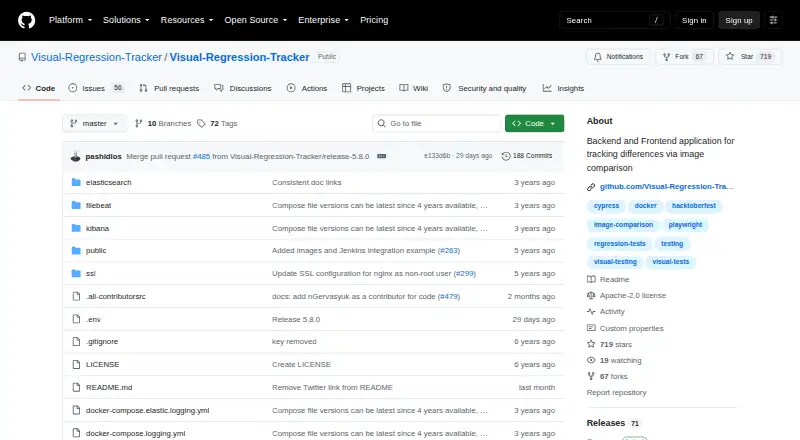
What Visual Regression Tracker is
Visual Regression Tracker is a free, open-source, self-hosted tool for detecting visual changes in screenshots. Submitted images are compared with accepted baselines, while baseline history records changes and selected image regions can be ignored. Projects can configure Pixelmatch, Looks-Same, Odiff, or a VLM comparison provider. A standalone JAR also compares PDFs and images from a folder. The dashboard provides side-by-side, diff, scrubber, and onion-skin views, with one-click approval. Feature branches inherit the main branch baseline until a change is approved, and builds can post commit status to GitHub or GitLab. Docker images are used for setup, and self-hosting keeps data inside the user’s intranet. Agents are listed for Playwright, Cypress, CodeceptJS, and Robot Framework; SDKs cover JavaScript, Java, Python, and .NET, with a REST API for other languages. Screenshot uploads are limited to 20 MB.
Good
- Open source and self-hosted
- Supports four comparison methods
- Offers multiple visual review views
- Integrates with GitHub and GitLab
- Provides SDKs and REST API
Watch out
- Screenshot upload limit is 20 MB
- Each project has one owner
- Docker setup is required
Who it suits
It suits development teams that need self-hosted visual checks across web, mobile, or desktop screenshots. It is especially relevant when CI/CD gating, baseline approval, and intranet data storage matter.
Verdict
Visual Regression Tracker provides baseline comparison, review controls, and CI status reporting in a self-hosted package. Its upload limit and owner-based permissions should be considered during setup.
The facts
Each one read from Visual Regression Tracker's own pages, with the date it was checked.
What it does
- Access control
- The project documentation says each project has one owner, and members can view snapshots and approve changes while owner-only actions are restricted.checked 4 Oct 2026
- API
- The README says REST API interfaces allow use from programming languages beyond the listed SDKs.checked 4 Oct 2026
- Baseline history
- The tool tracks how baseline images change over time and supports ignoring selected image regions.checked 9 Oct 2026
- Branch baselines
- The documentation says feature branches inherit the main branch baseline until a change is approved.checked 4 Oct 2026
- Comparison methods
- Available comparison providers include Pixelmatch, Looks-Same, Odiff, and a vision-language-model option, configurable per project.checked 9 Oct 2026
- Data location
- The project describes its self-hosted deployment as keeping data inside the user's intranet.checked 9 Oct 2026
- Deployment
- Setup uses Docker images, and Docker must be installed on the host machine.checked 9 Oct 2026
- Framework integrations
- The repository lists native agents for Playwright, Cypress, CodeceptJS, and Robot Framework.checked 9 Oct 2026
- Framework support
- The README lists agents for Playwright, Cypress, CodeceptJS, and Robot Framework, plus SDKs for JavaScript, Java, Python, and .NET.checked 4 Oct 2026
- How it works
- It compares submitted images pixel by pixel against accepted baseline images and reports unexpected changes.checked 9 Oct 2026
- License
- The GitHub repository identifies its license as Apache-2.0.checked 9 Oct 2026
- Logging
- Optional Elasticsearch logging can be monitored through Kibana and uses additional memory and CPU.checked 9 Oct 2026
- PDF comparison
- A standalone JAR can compare PDF files and images from a folder.checked 9 Oct 2026
- Pull request gating
- The documentation says builds can post commit status to GitHub or GitLab.checked 4 Oct 2026
- Purpose
- Visual Regression Tracker is an open-source, self-hosted tool for visual testing and managing test results.checked 9 Oct 2026
- Review workflow
- The dashboard supports side-by-side, diff, scrubber, and onion-skin comparisons, with one-click approval.checked 4 Oct 2026
- SDKs and API
- It provides JavaScript, Java, Python, and .NET SDKs, plus a REST API for other languages.checked 9 Oct 2026
- Support and community
- The README directs users to a Telegram group and invites bug reports, questions, ideas, and feedback through tickets.checked 9 Oct 2026
- Supported image inputs
- The README says it can compare PDFs as well as images using a standalone jar.checked 4 Oct 2026
- Upload limit
- The documented maximum screenshot upload payload is 20 MB.checked 4 Oct 2026
Where it runs
- Platform coverage
- It supports visual testing for web, mobile, and desktop wherever a screenshot can be captured.checked 9 Oct 2026