VaporBoy
VaporBoy is a free Game Boy and Game Boy Color emulator delivered as a progressive web app for browsers.
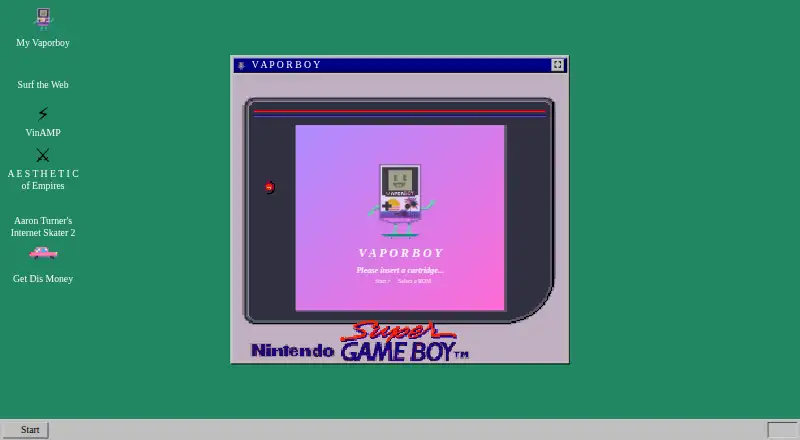
What VaporBoy is
VaporBoy is a free Game Boy and Game Boy Color emulator delivered as a progressive web app for browsers. It uses wasmBoy and WebAssembly, and accepts ROMs from a local device, preloaded open source selections, or cloud services including Google Drive. Keyboard, touch, and gamepad controls are supported, with portrait, landscape, and desktop layouts. The project says it works in Chrome, Firefox, and Safari. You can install it through desktop PWA support or add it to a mobile browser’s home screen. Configurable emulation and performance settings, save states, and video and audio effects are included. The project aimed to support screen readers and keyboard use and invites accessibility reports in its repository. VaporBoy’s repository displays an AGPL-3.0 license. The site says the project remains in beta and that some ROMs may not run correctly. Google Analytics is used for performance monitoring and popularity tracking; listed events send only event names.
Good
- Free browser-based emulator
- Keyboard, touch, and gamepad controls
- Local and cloud ROM loading
- Save states and configurable settings
- Chrome, Firefox, and Safari support
Watch out
- Still in beta
- Some ROMs may not run correctly
- Bugs are expected
- Google Analytics tracks listed event names
Who it suits
It suits players who want browser-based Game Boy or Game Boy Color emulation with local, open-source, or cloud ROM loading. It is also relevant to users wanting save states, gamepad input, and installable PWA access.
Verdict
VaporBoy offers broad browser controls, layouts, ROM sources, and save features at no cost. Its beta status and expected compatibility issues are important considerations.
The facts
Each one read from VaporBoy's own pages, with the date it was checked.
What it does
- Accessibility
- The maker says it aimed to make the app usable with a screen reader and keyboard, and invites accessibility issues in the project repository.checked 8 Oct 2026
- Analytics
- The project says Google Analytics receives event names for listed actions such as saving a state and loading a ROM.checked 8 Oct 2026
- Analytics events
- Listed analytics events include ROM loads, save state creation, settings changes, and Google Drive ROM loads.checked 8 Oct 2026
- Audio and video effects
- It offers effects that alter Game Boy video and audio.checked 8 Oct 2026
- Beta status
- The product site says VaporBoy is still in beta, is a work in progress, and that not all ROMs run correctly and bugs should be expected.checked 8 Oct 2026
- Cloud integration
- The project’s privacy notes identify Google Drive ROM loading.checked 8 Oct 2026
- Controls
- It supports keyboard, touch, and gamepad input.checked 8 Oct 2026
- Effects
- It offers video and audio altering effects.checked 8 Oct 2026
- Emulation
- It uses wasmBoy and WebAssembly to emulate Game Boy and Game Boy Color.checked 8 Oct 2026
- Installability
- It can be installed with desktop PWA support or a mobile browser’s Add to Homescreen feature.checked 8 Oct 2026
- Installation
- It can be installed through desktop PWA support or a mobile browser’s Add to Homescreen option.checked 8 Oct 2026
- Layouts
- It provides portrait, landscape, and desktop layouts.checked 8 Oct 2026
- License
- The GitHub repository displays an AGPL-3.0 license.checked 8 Oct 2026
- Privacy
- The project says Google Analytics is used for performance monitoring and popularity tracking, and that the listed events send only the event name.checked 8 Oct 2026
- Product
- VaporBoy is a Game Boy and Game Boy Color emulator delivered as a progressive web app.checked 8 Oct 2026
- ROM loading
- ROMs can be uploaded from a local device, preloaded open source ROMs, and cloud services.checked 8 Oct 2026
- Settings and saves
- It offers configurable emulation and performance settings and save states.checked 8 Oct 2026
Where it runs
- Browser support
- The project says it supports Chrome, Firefox, and Safari.checked 8 Oct 2026