
TubeBuddy
TubeBuddy provides YouTube tools for keyword research, SEO, content strategy, analytics, and channel management.
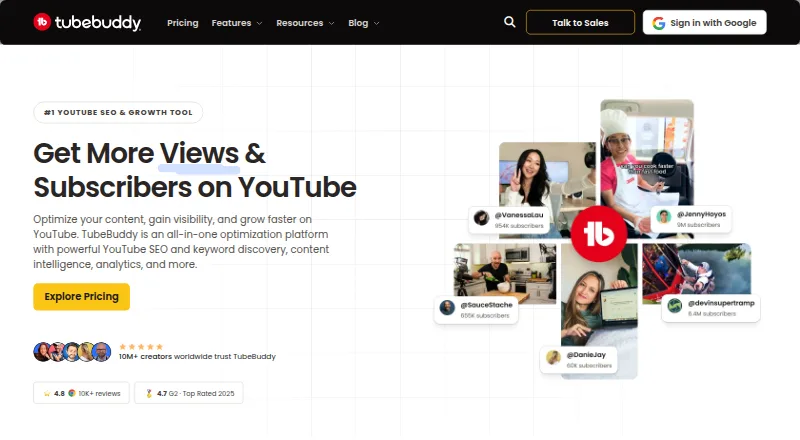
What TubeBuddy is
TubeBuddy provides YouTube tools for keyword research, SEO, content strategy, analytics, and channel management. Keyword Explorer helps creators find search terms and topics with high search volume and low competition. SEO Studio scores videos in real time and recommends ways to optimize titles, tags, and descriptions. TubeBuddy also describes an A/B testing tool that rotates variants, measures click-through rate, and identifies a winner. Its analytics track rankings, impressions, and revenue. The company says its tools work directly inside YouTube, and it also lists a Chrome extension plus mobile apps for iPhone and Android. A free plan is available, and users can start without a credit card. A standard license is tied to one YouTube channel. Starter, Pro, and Star licenses are limited to one user; Legend includes two seats, while Enterprise seats are negotiated by contract. Enterprise is aimed at brands with three or more channels and includes dedicated expert support, one-to-one training, and priority service. Prices are not shown for the listed plans.
Good
- Keyword Explorer identifies topics and search terms.
- SEO Studio recommends metadata changes in real time.
- A/B testing rotates variants and measures click-through rate.
- Free plan can be started without a credit card.
Watch out
- Plan prices are not shown.
- Standard license is tied to one YouTube channel.
- Starter, Pro, and Star allow one user.
Who it suits
TubeBuddy may suit new or growing creators, teams, and brands managing YouTube channels. Its standard license is channel-specific, so organizations with multiple channels may need to consider Enterprise options.
Verdict
TubeBuddy brings research, optimization, testing, and analytics tools into YouTube workflows, with a free plan available. Channel and seat limits may affect creators managing multiple channels or working in larger teams.
Plans and prices
From TubeBuddy's own pricing page, checked 29 Sep 2026.
| Plan | Price | What it gives you |
|---|---|---|
| Enterprise | Priced on request | for brands with 3+ channels · unlimited users · dedicated expert support · Custom pricing |
| Legend | — | includes Pro features · advanced analytics · full search and SEO access · bulk processing and editing · Monthly billing option shown; price not rendered on the page |
| Pro | — | limited Next Video Ideas · basic video and thumbnail tools · basic title and tag optimization · Monthly billing option shown; price not rendered on the page |
The facts
Each one read from TubeBuddy's own pages, with the date it was checked.
What it does
- A/B testing
- TubeBuddy says its A/B testing tool rotates variants, measures click-through rate, and identifies a winner.checked 29 Sep 2026
- Analytics
- Its analytics tools track rankings, impressions, and revenue to help identify content performance.checked 29 Sep 2026
- Audience
- The product is presented for new creators, growing creators, teams, and brands managing YouTube channels.checked 29 Sep 2026
- Cancellation and refunds
- Users can cancel through their account, and TubeBuddy states that it offers a 30-day refund policy.checked 29 Sep 2026
- Channel limit
- A standard TubeBuddy license is tied to one YouTube channel; multiple channels or larger organizations are directed to Enterprise options.checked 29 Sep 2026
- Keyword research
- Keyword Explorer helps creators find YouTube keywords and discover topics with high search volume and low competition.checked 29 Sep 2026
- Purpose
- TubeBuddy offers YouTube tools for keyword research, SEO, content strategy, analytics, and channel management.checked 29 Sep 2026
- Seat limits
- Starter, Pro, and Star licenses are limited to one user, Legend includes two seats, and Enterprise seats are negotiated by contract.checked 29 Sep 2026
- SEO
- SEO Studio scores videos in real time and provides recommendations for optimizing titles, tags, and descriptions.checked 29 Sep 2026
- Support
- Enterprise includes dedicated expert support, 1:1 training sessions, and priority service.checked 29 Sep 2026
- YouTube connection
- The site describes TubeBuddy tools as working directly inside YouTube.checked 29 Sep 2026
Where it runs
- Browser extension
- The TubeBuddy site links to its Chrome extension for installation.checked 29 Sep 2026
- Mobile apps
- TubeBuddy lists a mobile app and identifies iPhone and Android availability.checked 29 Sep 2026
Money
- Free access
- The site says creators can start for free without a credit card and refers to a free plan.checked 29 Sep 2026
The company
- Headquarters
- Frisco, Texas, United Stateschecked 23 Sep 2026
The full review of TubeBuddy
TubeBuddy is a YouTube-focused toolkit for creators who want research, video optimization, testing, and channel analytics in one workflow. It is best suited to creators refining a channel’s search strategy and performance; its one-channel standard license is a poor fit for teams managing several channels.
Overview
TubeBuddy brings its tools into YouTube and covers work from topic discovery through performance tracking. Keyword Explorer helps creators find search topics with stronger volume and less competition, while SEO Studio scores videos in real time and recommends changes to titles, tags, and descriptions. A/B testing and analytics extend the toolkit beyond publishing, though users should weigh those capabilities against the channel and seat limits attached to individual licenses.
The product is freemium, with a free plan that can be started without a credit card. It is offered on Android, iOS, the web, and as a browser extension. Creators can use it for keyword research, SEO, content strategy, analytics, and channel management without treating it as a standalone video editor or a general-purpose creator suite.
Key features
Research and optimization
Keyword Explorer helps identify potential YouTube topics by surfacing search volume and competition. That makes it useful when deciding what to cover, although the tracked-keyword allowance is 50, so creators monitoring a broad topic portfolio will need to prioritize. SEO Studio scores a video as it is optimized and gives recommendations for its title, tags, and description; this offers a more concrete workflow than relying on keyword discovery alone.
Testing and analytics
TubeBuddy’s A/B testing rotates variants, measures click-through rate, and identifies a winner. That gives creators a way to compare alternatives rather than choose a title or thumbnail solely by instinct. Analytics track rankings, impressions, and revenue, helping connect search visibility and audience response with channel performance.
Channel management
Channel audits, competitor analysis, metadata optimization, and rank tracking round out the toolkit. These capabilities are most relevant to creators who regularly review how a channel is performing and adjust its content and metadata. TubeBuddy also lists mobile apps for iPhone and Android and links to a Chrome extension, giving users both mobile and browser-based access.
Pricing
TubeBuddy has a free plan and paid licenses, but its paid plans do not have rendered prices. Pro and Legend show monthly billing options, while Enterprise uses custom pricing. Users can cancel through their account, and TubeBuddy states that it offers a 30-day refund policy.
- Free: A no-credit-card starting point for creators exploring TubeBuddy. A standard license is tied to one YouTube channel, and the listed tracked-keyword allowance is 50. The free-plan feature allocation is not detailed, so this is best approached as an entry point rather than a confirmed substitute for paid workflows.
- Pro: The monthly option includes limited Next Video Ideas, basic video and thumbnail tools, and basic title and tag optimization. It is a fit for a solo creator who needs a narrower set of publishing aids, but it gives up the broader access associated with Legend.
- Legend: The monthly option includes Pro features, advanced analytics, full search and SEO access, and bulk processing and editing. It is the stronger fit for creators who need deeper measurement and repeated channel-wide changes. It remains limited to one user and a standard license is tied to one channel, which makes it less suitable for multi-channel operations.
- Enterprise: Custom pricing is aimed at brands with three or more channels. It includes unlimited users, dedicated expert support, 1:1 training, and priority service. Negotiated seats and support make this the relevant tier for larger teams, rather than an economical upgrade for a solo creator.
Starter, Pro, and Star licenses are limited to one user; Legend includes two seats, while Enterprise seats are negotiated by contract. Since the standard license is tied to one channel, users managing multiple channels or larger organizations should look at Enterprise rather than assume one individual license covers their operation.
Platforms
TubeBuddy is available for Android, iOS, and the web, with a Chrome extension for browser use. That range can suit creators moving between desktop YouTube workflows and mobile access, while its tools’ direct integration with YouTube keeps the focus on channel work.
Who it's for
New creators can start with the free plan and use keyword research and basic optimization to shape early publishing decisions. Growing creators are better served by the wider search, testing, and analytics workflows, particularly when they are making regular decisions about metadata and performance. Teams and brands can use the channel-management tools, but the single-channel standard license and restricted seats make Enterprise the appropriate tier once multiple channels or a larger staff are involved.
TubeBuddy is less compelling for someone who needs only a one-off thumbnail or a lightweight collection of free utilities. Its value is in connecting ongoing research, optimization, and measurement, not simply supplying a single asset.
Pros and cons
- Pros: Keyword research, SEO guidance, testing, and analytics span the creator workflow, so users can move from topic selection to performance review within one toolkit.
- Pros: SEO Studio gives real-time scores and specific metadata recommendations, while A/B testing compares variants using click-through rate.
- Pros: The free entry point, mobile apps, web access, and browser extension give creators several ways to access the service.
- Cons: A standard license covers one YouTube channel, restricting creators who operate multiple channels unless they pursue Enterprise.
- Cons: Starter, Pro, and Star allow one user, and Legend only two seats, so most collaborative teams will need negotiated Enterprise access.
- Cons: Paid prices are not rendered, making it difficult to compare the cost of Pro and Legend before choosing between their feature sets.
- Cons: The 50-keyword tracking allowance may force creators with broader research programs to narrow what they monitor.
Alternatives
vidIQ is the closest broad freemium alternative for creators comparing YouTube research tools: its free plan includes 150 AI credits monthly, three keyword research results per search, eight Outliers results, and three personalized daily ideas. Choose it if those defined free-plan quotas matter more than TubeBuddy’s stated combination of SEO Studio, variant testing, and channel analytics.
YTThumbnail is a free option for personal, non-commercial use that requires no registration or payment. It is a better fit for someone seeking a simple free thumbnail tool rather than TubeBuddy’s wider channel workflow.
1of10 offers a free plan with 60 monthly credits, one channel, one user, and outlier and thumbnail search limited to five results. Consider it when those focused discovery limits fit the job; TubeBuddy is broader across optimization, testing, and analytics.
Vidlens has a free plan with 30 AI credits per month, one competitor channel, AI title, description, and tags, plus keyword research. It may suit a creator looking for those specific AI-assisted tasks; TubeBuddy adds stated testing and performance analytics capabilities.
YTStudio is a free web option with more than 40 tools and no signup requirement, making it worth considering for someone who wants free utilities without registering.
TubeSpanner is another freemium option for web users.
VidiScoop is another freemium option available on the web.
Globeany YouTube Toolkit is a free web-based alternative.
For category-wide browsing, see YouTube SEO Tools and Video Thumbnail Makers.
Verdict
TubeBuddy is a strong choice for solo YouTube creators who want a connected workflow for keyword discovery, metadata improvements, variant testing, and channel analytics, with a free way to begin. Its main drawback is the structure around channel ownership and seats: creators running several channels or teams that need broader access should look to Enterprise or choose a tool better suited to that scale.
Alternatives to TubeBuddy
- 1

vidIQ
Free planAndroidiOSWebAPI8.0From $19 a month - 2
BYSO
Free planWeb7.3Free plan - 3
OutlierKit
WebAPIExtension6.9From $299 a year - 4

1of10
Free planWebExtension6.7From $15 a month - 5
Rapidtags
Free planWeb6.6From $6 a month - 6
TubeSpanner
Free planWebExtension6.6From $14.99 a month