Timekpr-nExT
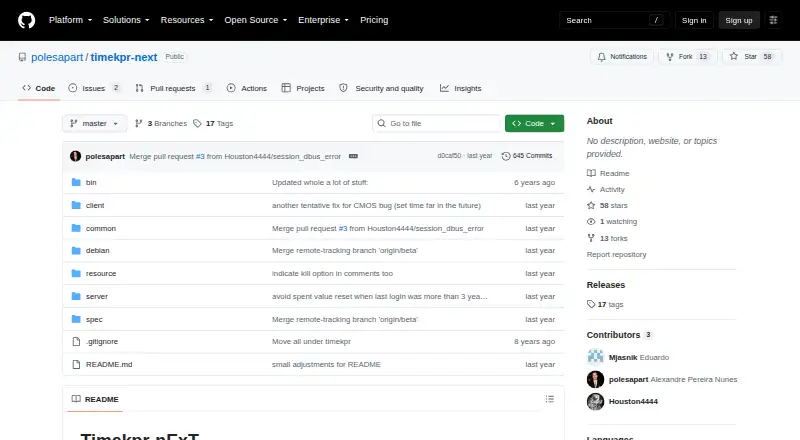
The facts below are what the maker publishes about Timekpr-nExT, checked and dated. Our editors have not written about it yet.
Plans and prices
From Timekpr-nExT's own pricing page, checked 12 Oct 2026.
| Plan | Price | What it gives you |
|---|---|---|
| Timekpr-nExT | Free | Stable and beta versions · Linux desktop application |
The facts
Each one read from Timekpr-nExT's own pages, with the date it was checked.
Where it runs
- App blocking
- Yeschecked 22 Sep 2026
- Application limits
- PlayTime can monitor selected applications or processes and terminate them when their configured allowance runs out.checked 12 Oct 2026
What it does
- Desktop compatibility
- The maintainer reports testing KDE, GNOME, Cinnamon, MATE, and XFCE across several Linux distributions, and says current testing is mostly on demand.checked 12 Oct 2026
- Installation
- The project lists packages or installation options for Ubuntu-compatible distributions, Arch Linux, Manjaro, Debian, Fedora, and openSUSE.checked 12 Oct 2026
- Interfaces
- The project says it uses systemd login1 and FreeDesktop DBus interfaces, and exposes its own DBus interfaces for compatible client applications or control panels.checked 12 Oct 2026
- Limitations
- The README warns that desktop environment differences can affect time accounting, locking, notifications, or session termination.checked 12 Oct 2026
- Lockout actions
- When a user's time runs out, configured actions include terminating or killing sessions, shutting down, or suspending the computer.checked 12 Oct 2026
- Maintenance
- The maintainer says they are no longer proactively developing features or doing long-term testing on newer distributions, and will address issues as free time allows.checked 12 Oct 2026
- Notifications
- Users can configure time-left thresholds and notification priorities, and can adjust options such as sound notifications.checked 12 Oct 2026
- Purpose
- Timekpr-nExT helps parents, supervisors, or individuals manage and limit time spent at a computer.checked 12 Oct 2026
- Schedules
- Supervisors can set daily, weekly, and monthly allowances and define the hours when each user may use the computer.checked 12 Oct 2026
- Screen-time schedules
- Yeschecked 22 Sep 2026
- Support
- Users are directed to Launchpad for bug reports and questions; the maintainer asks bug reports to include setup details and may request configuration and log files, which the README says contain usernames but nothing else sensitive.checked 12 Oct 2026
- Time accounting
- It accounts for computer usage every three seconds by default and tries not to count inactive sessions, sleep, or shutdown time.checked 12 Oct 2026
Alternatives to Timekpr-nExT
- 1
Kaspersky Safe Kids
Free planAndroidiOSWebmacOS8.8From $14.99 a year - 2

Qustodio
Free planAndroidiOSmacOSWindows8.6From $72.94 a year - 3

MMGuardian
AndroidiOSWebmacOS8.3From $59.90 a year - 4

OurPact
Free planAndroidiOS8.2From $69.99 a year - 5

Mobicip
AndroidiOSmacOSWindows8.0From $2.99 a month - 6

FamilyTime
AndroidiOSmacOSWindows8.0From $2.41 a month