The Devourer
The Devourer is a free, open-source portable Windows utility for best-effort shredding of individual files.
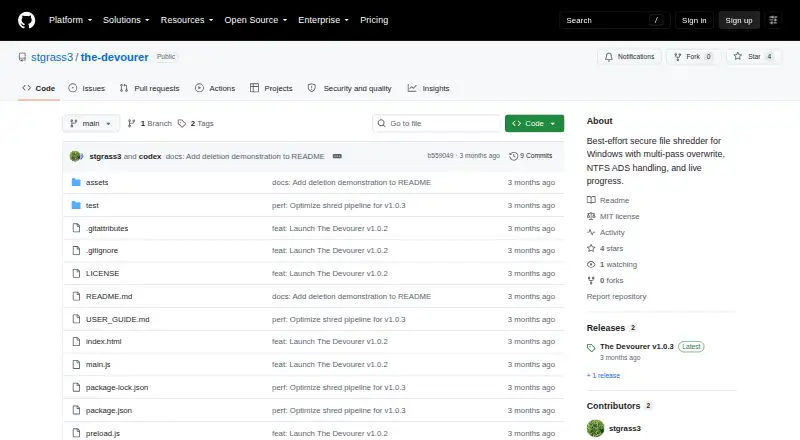
What The Devourer is
The Devourer is a free, open-source portable Windows utility for best-effort shredding of individual files. It overwrites a file’s primary stream and detected NTFS alternate data streams in four passes: zeroes, ones, cryptographically secure random data, then zeroes. Normal, Aggressive, and Extreme modes are available. Aggressive adds a Windows ReTrim request, while Extreme also fills same-volume free space with temporary random data. Before overwriting, the utility checks media type, TRIM, BitLocker, and Volume Shadow Copies and displays warnings when needed. It rejects directories, symbolic links, reparse points, files with multiple hard links, and files locked by another process. Files are processed locally, without telemetry, analytics, accounts, remote storage, automatic uploads, or runtime network API. The portable x64 release runs on Windows 10 or 11 and handles one regular file at a time without an installer. Administrator access is required only for Aggressive and Extreme modes. The project uses the MIT License. Its guide says the release executable is unsigned and recommends downloading from the official repository and checking its SHA-256 checksum. It cannot guarantee physical erasure across SSD wear leveling, snapshots, backups, cloud-sync replicas, or other copies.
Good
- Uses four overwrite passes
- Checks storage conditions and displays warnings
- Processes files locally without runtime network API
- Portable app requires no installer
- Free and released under the MIT License
Watch out
- Handles one regular file at a time
- Does not support folders or drive wiping
- Cannot guarantee physical erasure across all copies
- Release executable is not code-signed
Who it suits
The Devourer suits Windows users who need to overwrite one regular file at a time. Its guide describes Normal mode as appropriate for most users and Extreme as a special-case option that can take a long time and write heavily to a drive.
Verdict
The Devourer offers local, multi-pass shredding with safeguards and storage warnings, but it cannot assure physical erasure across every storage behavior or copy. The unsigned release and checksum guidance are worth noting before use.
Plans and prices
From The Devourer's own pricing page, checked 9 Oct 2026.
| Plan | Price | What it gives you |
|---|---|---|
| The Devourer | Free | Portable Windows x64 app · one regular file at a time · no installer |
The facts
Each one read from The Devourer's own pages, with the date it was checked.
What it does
- Deletion modes
- It offers Normal, Aggressive, and Extreme modes; Aggressive adds a Windows ReTrim request, and Extreme also fills same-volume free space with temporary random data.checked 9 Oct 2026
- Download
- The release page offers The-Devourer-1.0.3-portable-x64.exe for Windows 10/11 x64.checked 9 Oct 2026
- License
- The project is available under the MIT License.checked 9 Oct 2026
- Limitations
- It cannot guarantee physical erasure across SSD wear leveling, snapshots, backups, cloud-sync replicas, or other external copies.checked 9 Oct 2026
- Overwrite
- It overwrites the primary file stream and detected NTFS alternate data streams with four passes: zeroes, ones, cryptographically secure random data, and zeroes.checked 9 Oct 2026
- Privacy
- The runtime app processes files locally and has no telemetry, analytics, accounts, remote storage, automatic uploads, or runtime network API.checked 9 Oct 2026
- Purpose
- The Devourer is a portable Windows utility for best-effort, multi-pass local file shredding.checked 9 Oct 2026
- Requirements
- The packaged app runs on Windows 10 or Windows 11 x64, and administrator access is required only for Aggressive and Extreme modes.checked 9 Oct 2026
- Safety checks
- It rejects directories, symbolic links, reparse points, multiply hard-linked files, and files locked by another process.checked 9 Oct 2026
- Security architecture
- The Electron renderer is sandboxed with context isolation, disabled Node integration, and a narrow preload API.checked 9 Oct 2026
- Signing
- The user guide states that the release executable is not code-signed and advises downloading from the official repository and comparing its SHA-256 checksum.checked 9 Oct 2026
- Storage warnings
- Before overwriting, it checks media type, TRIM, BitLocker, and Volume Shadow Copies, and displays warnings where needed.checked 9 Oct 2026
- Support
- The user guide directs users with persistent problems to open an issue on the GitHub issue tracker and says not to attach the sensitive file.checked 9 Oct 2026
- Who it is for
- The user guide describes Normal mode as appropriate for most users and Extreme mode as a special-case option that can take a long time and write heavily to the drive.checked 9 Oct 2026
Alternatives to The Devourer
- 1
Active@ KillDisk
Free planLinuxmacOSWindows7.6$64.95 one-time - 2

BitRaser File Eraser
Free planAPILinuxmacOSWindows7.4From $39.99 a year - 3

BleachBit
Free planOpen sourceLinuxmacOSWindows7.4Free plan - 4
HDShredder
Free planLinuxmacOSSelf-hostedWindows7.4€19.90 one-time - 5

R-Wipe & Clean
Free planmacOSWindows7.4$28.99 one-time - 6

D-Secure File Eraser
WebAPILinuxmacOS7.2From $40 a year