TerminalShot
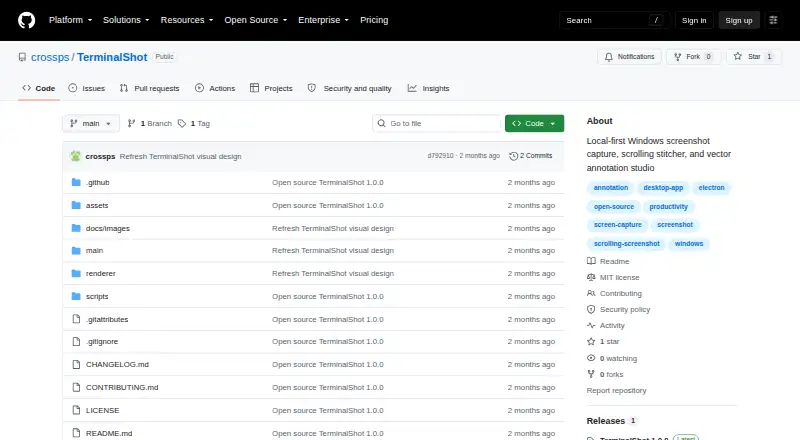
The facts below are what the maker publishes about TerminalShot, checked and dated. Our editors have not written about it yet.
The facts
Each one read from TerminalShot's own pages, with the date it was checked.
What it does
- Annotations
- Its editor supports arrows, shapes, text, highlighter, step markers, pixelation, and crop, with objects remaining editable until export.checked 11 Oct 2026
- Capture modes
- It supports full-page, area, window, full-screen, and manual scrolling capture.checked 11 Oct 2026
- Distribution caveat
- The README says Windows may show a SmartScreen notice because community builds are not code-signed.checked 11 Oct 2026
- Image handoff
- Users can drag a capture card’s PNG into Explorer, Discord, an issue, or a browser, or open it in the editor.checked 10 Oct 2026
- Integrations
- The README describes dragging PNGs into Explorer, Discord, an issue, or a browser.checked 11 Oct 2026
- License
- The repository is licensed under the MIT License.checked 11 Oct 2026
- Notable limits
- Horizontal scrolling is not stitched, and automatic scrolling cannot control an elevated window from a non-elevated TerminalShot process.checked 10 Oct 2026
- Privacy
- The project says it does not send capture data anywhere and that captures and settings stay on the user's PC.checked 11 Oct 2026
- Purpose
- TerminalShot is a tray-resident Windows screenshot tool for capture, annotation, and sharing.checked 11 Oct 2026
- Release
- The repository's latest release page lists version 1.0.0, dated 2026-07-18.checked 11 Oct 2026
- Scrolling capture
- Full-page capture rewinds and scrolls the selected content, then stitches the captures together.checked 10 Oct 2026
- Scrolling limits
- Horizontal scrolling is not stitched, manual scrolling needs overlapping frames, and automatic scrolling cannot control an elevated window from a non-elevated process.checked 11 Oct 2026
- Security boundary
- Automatic full-page capture sends window-addressed WM_MOUSEWHEEL messages and does not use system-wide input injection.checked 10 Oct 2026
- Security reporting
- The security policy asks users to report vulnerabilities through GitHub's Report a vulnerability flow rather than a public issue.checked 11 Oct 2026
- Sharing
- Captured PNGs appear in floating cards that can be dragged into other apps or opened in the editor.checked 11 Oct 2026
- Storage
- Settings are stored as JSON in the current user's application-data directory, and screenshots default to Pictures\\TerminalShot.checked 11 Oct 2026
- Support
- The project invites bug reports and focused pull requests, and directs security reports through GitHub's repository vulnerability reporting flow.checked 10 Oct 2026
- Supported system
- TerminalShot targets Windows 10/11 x64 and offers a portable Windows build that requires no installer.checked 11 Oct 2026
Where it runs
- Platform and download
- TerminalShot targets Windows 10/11 x64 and offers a portable Windows build with no installer; community builds are not code-signed.checked 10 Oct 2026