
SVG AI
SVG AI generates editable vector graphics from text prompts, with an optional reference image to guide the result.
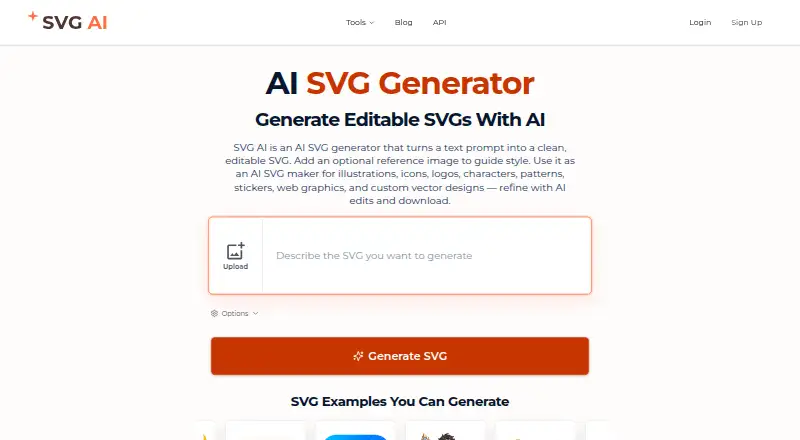
What SVG AI is
SVG AI generates editable vector graphics from text prompts, with an optional reference image to guide the result. It can create logos, icons, illustrations, typography graphics, stickers, patterns and other vector assets. Follow-up prompts let users adjust design details such as color, composition and style. The service supports image-to-vector conversion as well as text-to-vector generation, with export formats including SVG, PDF, AI and EPS. SVG export requires paid access, and generation and AI edits use credits. One-time credit packs start with 25 credits for $8.99, paid once; those purchased credits do not expire. Monthly subscription credits do not roll over. Paid plan cards include commercial usage rights. The service offers REST API and MCP access for generation and vectorization, using account credits and requiring paid access. Its MCP documentation describes connections to Claude, ChatGPT, Claude Code, Cursor, Windsurf, VS Code and other clients. Designs and reference images are retained for 7 days on Free or Starter and 30 days on Pro; uploaded conversion files are deleted after processing.
Good
- Generates editable vectors from text prompts
- Reference images can guide generated designs
- Supports image-to-vector conversion
- Paid plans include commercial usage rights
Watch out
- SVG export requires paid access
- Generation and AI edits use credits
- Monthly subscription credits do not roll over
- API and MCP access require a paid account
Who it suits
SVG AI suits people who want to generate or refine editable vector graphics from prompts or reference images. It may also suit developers who need API or MCP access, provided they have a paid account.
Verdict
SVG AI offers prompt-based vector creation, image conversion and follow-up editing, with multiple export formats on paid access. Consider the credit rules and retention period for the plan you choose.
Plans and prices
From SVG AI's own pricing page, checked 30 Sep 2026.
| Plan | Price | What it gives you |
|---|---|---|
| 25 Credits | $8.99, paid once | 25 credits · credits never expire · unlimited downloads and exports · commercial usage rights · designs saved for 7 days · one-time payment |
| 50 Credits | $14.99, paid once | 50 credits · credits never expire · unlimited downloads and exports · commercial usage rights · designs saved for 7 days · one-time payment |
| Starter | $19 a month | 100 credits monthly · unlimited downloads and exports · commercial usage rights · designs saved for 7 days · email support · monthly |
| Pro | $39 a month | 350 credits monthly · unlimited downloads and exports · commercial usage rights · designs saved for 30 days · priority support · monthly |
The facts
Each one read from SVG AI's own pages, with the date it was checked.
What it does
- AI editing
- Users can refine generated designs with follow-up prompts to adjust colors, details, composition, and style.checked 30 Sep 2026
- API and MCP
- The service offers REST API and MCP access for SVG generation and image vectorization, using the account's credits and requiring paid account access.checked 30 Sep 2026
- API limits
- The documentation lists rate limits of 20 generations and 30 vectorizations per minute per account.checked 30 Sep 2026
- Commercial use
- The paid plan cards include commercial usage rights.checked 30 Sep 2026
- Credit rules
- Monthly subscription credits do not roll over, while purchased credit-pack credits do not expire.checked 30 Sep 2026
- Data retention
- Generated designs and AI reference images are retained for 7 days on Free or Starter and 30 days on Pro; uploaded conversion files are deleted after processing.checked 30 Sep 2026
- Integrations
- The MCP documentation describes connections for Claude, ChatGPT, Claude Code, Cursor, Windsurf, VS Code, and other MCP clients.checked 30 Sep 2026
- Operations location
- The privacy policy says SVG AI is operated from Canada and that its primary data center is in the United States.checked 30 Sep 2026
- Output types
- The site describes creating logos, icons, illustrations, typography graphics, stickers, patterns, and other vector assets.checked 30 Sep 2026
- Privacy and model training
- The privacy policy says Google account data is not used to train AI models and personal data is not sold or rented to third parties.checked 30 Sep 2026
- Purpose
- SVG AI generates editable SVG graphics from text prompts, with an optional reference image to guide the result.checked 30 Sep 2026
- Security
- Listed security measures include HTTPS transfer encryption, encrypted database storage, bcrypt password hashing, row-level security policies, and regular security updates.checked 30 Sep 2026
- SVG export
- The site says SVG export requires paid access, while generation and AI edits use credits.checked 30 Sep 2026
The company
- Headquarters
- Canadachecked 28 Sep 2026
Alternatives to SVG AI
- 1

Recraft
Free planAndroidiOSWebAPI8.2Free plan - 2

Wix Logo Maker
Free planAndroidiOSWebAPI8.2Free plan - 3

Clearly Logo Maker
Free planWebAPImacOSWindows7.8From $29 a month - 4

DaVinci AI Photo Restoration
AndroidiOSWeb7.7From $39.99 a month - 5

AnnoMotion
Free planWebAPIWindows7.6From £4.50 a month - 6

LOGO.com
Free planWebAPI7.6Free plan