Stornaway
Stornaway is software for making interactive video experiences.
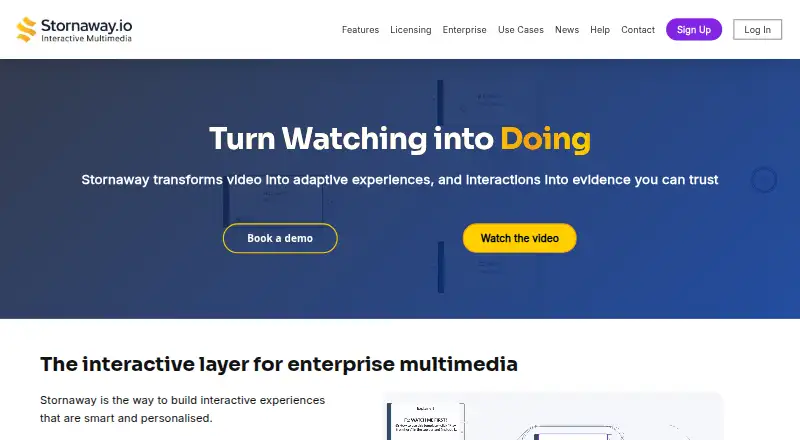
What Stornaway is
Stornaway is software for making interactive video experiences. Creators can build branching paths and add hotspots, quizzes, assessments, and annotations, giving viewers choices and interactive elements within a video. It also supports SCORM or xAPI. The Editing plan allows 5 Stornaways, 50 Islands per Stornaway, and 8 Buttons/Overlays per Island. Hosting allows 10 Stornaways, 150 Islands per Stornaway, and 12 Buttons/Overlays per Island. Prices for these plans are not listed. Premium adds removal of Stornaway branding, player color customization, advanced analytics, and SCORM integration. Enterprise & Corporate lists custom licensing and deployment, compliance and procurement support, and optional creative support. Stornaway has a free plan and is listed for Android, iOS, macOS, web, and Windows. It was founded in 2020 and is headquartered in Bristol, UK.
Good
- Supports branching paths and interactive hotspots.
- Includes quizzes, assessments, and annotations.
- Supports SCORM or xAPI.
- Free plan is available.
Watch out
- Plan prices are not listed.
- Editing is limited to 5 Stornaways.
- Hosting is limited to 10 Stornaways.
Who it suits
Stornaway suits creators who want video viewers to navigate branching routes or interact with added elements. Its SCORM or xAPI support may suit projects that require those formats.
Verdict
Stornaway offers tools for building interactive, branching video projects, with different listed capacity limits for Editing and Hosting. Review the plan details carefully, since prices are not provided.
Plans and prices
From Stornaway's own pricing page, checked 20 Sep 2026.
| Plan | Price | What it gives you |
|---|---|---|
| Editing | Priced on request | 5 Stornaways · 50 Islands per Stornaway · 8 Buttons/Overlays per Island |
| Hosting | Priced on request | 10 Stornaways · 150 Islands per Stornaway · 12 Buttons/Overlays per Island |
| Premium | Priced on request | Remove Stornaway branding · Player color customization · Advanced analytics · SCORM integration |
| Enterprise & Corporate | Priced on request | Custom licensing · Custom deployment · Compliance and procurement support · Optional creative support |
The facts
Each one read from Stornaway's own pages, with the date it was checked.
The company
- Founded
- 2020checked 23 Sep 2026
- Headquarters
- Bristol, UKchecked 23 Sep 2026
The full review of Stornaway
Overview
Stornaway is software for creating interactive video experiences, with branching paths and in-video interactions. It suits creators who need viewers to make choices or complete assessments as they watch. Its tiered capacity gives projects room to grow, though the missing price figures make it harder to judge the cost of that room.
Key features
Branching paths let creators shape experiences around viewer choices, while hotspots and buttons or overlays add interactive points within a video. Quizzes and assessments make Stornaway a fit for learning and comprehension checks; annotations can supply context alongside the video.
Capacity is measured in Stornaways, Islands per Stornaway, and Buttons/Overlays per Island. Editing allows 5 Stornaways, 50 Islands per Stornaway, and 8 Buttons/Overlays per Island. Hosting raises those limits to 10, 150, and 12 respectively. That makes Hosting the more suitable tier for larger or more involved projects, while the lower Editing caps may be enough for a smaller portfolio.
SCORM or xAPI support is included among Stornaway’s capabilities. Premium adds SCORM integration, advanced analytics, player color customization, and removal of Stornaway branding, useful for organizations that need a more tailored player or learning-system integration.
Pricing
Stornaway uses a freemium model with a free plan. Editing and Hosting have custom pricing: Editing provides 5 Stornaways, 50 Islands per Stornaway, and 8 Buttons/Overlays per Island; Hosting provides 10 Stornaways, 150 Islands per Stornaway, and 12 Buttons/Overlays per Island. Choose between them based on the scale and interaction density of your projects, rather than assuming the larger caps are necessary.
Premium adds branding removal, player color customization, advanced analytics, and SCORM integration. Enterprise & Corporate offers custom licensing and deployment, compliance and procurement support, and optional creative support. Both are custom pricing. The free plan is a way to start without a stated fee, but its capacity limits are not given; confirm what it permits before relying on it for a substantial project.
Platforms
Stornaway supports Android, iOS, macOS, web, and Windows. That range accommodates mobile and desktop users, though it does not establish that every creation or management task works identically across platforms.
Who it's for
Stornaway is best suited to video creators, educators, and organizations building experiences that depend on viewer choices, embedded checks, or structured learning content. Hosting’s higher project and interaction caps suit larger workloads; Premium and Enterprise & Corporate address branding, analytics, integration, deployment, and procurement needs. For a simple linear video workflow without interactive elements, its branching and assessment capabilities may be unnecessary.
Pros and cons
- Pros: Branching, hotspots, quizzes, assessments, and annotations support more than passive viewing.
- Pros: Hosting substantially increases the listed project, island, and button/overlay limits over Editing.
- Pros: Premium adds branding control, analytics, and SCORM integration; Enterprise & Corporate adds deployment and procurement support.
- Cons: Editing and Hosting capacity is capped, so projects that exceed their limits may need a higher tier.
- Cons: Plan prices are custom, making it difficult to compare costs before contacting the provider.
Alternatives
For a broader comparison, browse Interactive Video Software. Consider TouchPoint Studio if a freemium tool with a one-time Wall option at 5.00 USD is a better fit; its Wall plan includes one hotspot and unlimited videos. Cinema8 is another freemium choice, with a free tier that includes one seat, 2 GB storage, 500 GB bandwidth, and 10 videos.
Near-Life may suit a small project that fits its free tier of one project, 2D media, 5GB storage, and up to 100 plays. Choose Show by Animaker if its free plan’s monthly email and contact allowances, video bandwidth, and basic analytics better match your needs. H5P is the alternative to consider if free, open-source, self-hosted software is the priority.
Edpuzzle and Interakly are also free-plan alternatives. Yo Scenario offers paid Lite and Pro plans for readers comparing scenario-oriented options.
Verdict
Choose Stornaway if your work calls for branching video, embedded interactions, and assessment features, especially when Hosting’s higher capacity or Premium’s SCORM integration and analytics meet a clear need. Look elsewhere if predictable published pricing or known free-plan limits are essential to your decision.
Alternatives to Stornaway
- 1

Cinema8
Free planAndroidiOSWebAPI8.1From $12 a month - 2
Videowise
Free planAndroidiOSWebAPI8.1From $9 a month - 3
H5P
Free planOpen sourceWebAPISelf-hosted8.0From $1,560 a year - 4

Mindstamp
AndroidiOSWebAPI7.6From $83 a month - 5

Edpuzzle
Free planAndroidiOSWebExtension7.4From $13.75 a month - 6

Adventr
Free planAndroidiOSWebmacOS7.3From $290 a year