SQL Mocker
SQL Mocker is a web app that turns natural-language questions into SQL using a reviewed copy of database schema metadata.
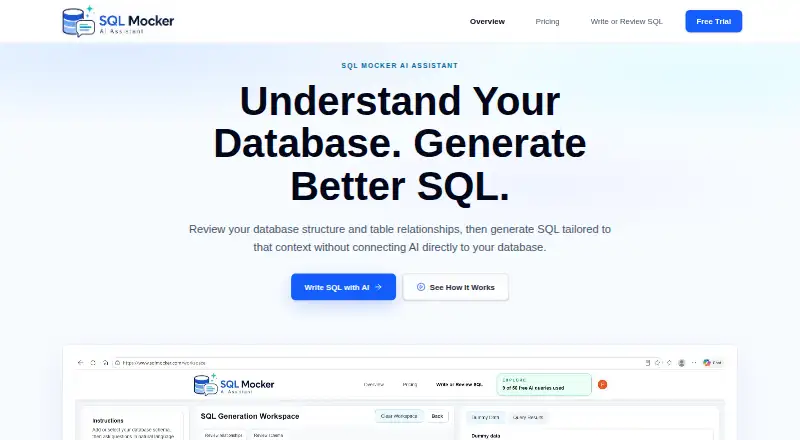
What SQL Mocker is
SQL Mocker is a web app that turns natural-language questions into SQL using a reviewed copy of database schema metadata. You can provide a schema by uploading a file, pasting metadata, building it manually, or running an extraction script in your own database and supplying the results. Its workspace can detect and let you review, edit, or add table relationships, including ones missing from the original metadata. You can also submit existing SQL for explanation, review, improvement, formatting, conversion, troubleshooting, or mapping columns and joins. The app generates dummy data from a schema so you can preview results and check query logic without production rows. Its homepage lists support for 17 database systems, including SQL Server, PostgreSQL, MySQL, Snowflake, BigQuery, and MongoDB. SQL Mocker says it needs no database credentials for schema-based generation and does not connect to a live customer database. It presents generated SQL for you to review and copy; you run it yourself. The free Explore plan includes 50 AI queries total and five saved projects. Paid plans are listed as coming soon.
Good
- Accepts schema files, pasted metadata, manual entry, or extraction results.
- Can identify and edit relationships missing from source metadata.
- Reviews, formats, converts, and troubleshoots existing SQL.
- Generates dummy data for previewing query logic without production rows.
- Free plan includes 50 AI queries total.
Watch out
- Generated SQL may be wrong and needs review and validation.
- Users must run copied SQL in their own database tool.
- Paid plans are marked coming soon.
- Users may manually submit sensitive content in prompts or uploads.
Who it suits
SQL Mocker suits analysts, consultants, and report builders preparing SQL for Power BI or database tools. It does not connect directly to Power BI, so users copy SQL into Power BI Desktop or another database tool.
Verdict
SQL Mocker covers schema-based SQL generation as well as review of existing queries, with dummy data available for previews. Check generated SQL before use, and review prompts and uploads before sending sensitive content.
Plans and prices
From SQL Mocker's own pricing page, checked 30 Sep 2026.
| Plan | Price | What it gives you |
|---|---|---|
| Explore | Free | 1 user · 50 AI queries total · 5 saved projects · No credit card required |
| Starter | $10 a month | 1 user · 100 AI queries/month · 20 saved projects · Coming soon; join waitlist · $10/month |
| Pro | $20 a month | 1 user · 300 AI queries/month · 100 saved projects · Coming soon; join waitlist · $20/month |
| Business | $39 a month | 1 user · 1,000 AI queries/month · Custom saved projects · Coming soon; join waitlist · $39/month |
| Enterprise | Priced on request | Multiple users · Custom query limits · Custom saved projects · Coming soon; join waitlist · Custom Plan |
The facts
Each one read from SQL Mocker's own pages, with the date it was checked.
What it does
- Credentials and connection
- SQL Mocker says it does not require database credentials for schema-based SQL generation and does not connect to a live customer database.checked 30 Sep 2026
- Database support
- The homepage lists 17 supported systems: SQL Server, PostgreSQL, MySQL, Oracle, SQLite, MariaDB, Snowflake, BigQuery, Amazon Redshift, Databricks, SAP HANA, IBM Db2, Teradata, Microsoft Access, ClickHouse, DuckDB, and MongoDB.checked 30 Sep 2026
- Data handling
- Saved projects sync to the user's SQL Mocker account and are cached in the browser on the user's device; users can also save a backup file from History to their PC.checked 30 Sep 2026
- Integrations and use case
- The maker describes preparing SQL for Power BI, then copying it into Power BI Desktop or a database tool; it says SQL Mocker does not connect directly to Power BI.checked 30 Sep 2026
- Intended users
- The maker describes SQL Mocker as useful for analysts, consultants, and report builders preparing SQL for Power BI or database tools.checked 30 Sep 2026
- Limitations
- The maker says AI-generated SQL may be wrong and advises users to review, test, and validate it before use.checked 30 Sep 2026
- Preview
- The app generates dummy data from a schema so users can preview results and test query logic without using production rows.checked 30 Sep 2026
- Privacy caveat
- The security page says users could manually submit sensitive content and advises reviewing prompts and uploads before sending them.checked 30 Sep 2026
- Purpose
- SQL Mocker generates SQL from natural-language questions using a reviewed copy of database schema metadata.checked 30 Sep 2026
- Relationships
- The workspace can detect, review, edit, or add table relationships, including relationships missing from the source metadata.checked 30 Sep 2026
- Schema input
- Users can upload a schema file, paste metadata, build a schema manually, or run a generated extraction script in their own database and provide its results.checked 30 Sep 2026
- SQL execution
- Generated SQL is presented for review and copying; users run it themselves in their own database tool.checked 30 Sep 2026
- SQL review
- Users can upload or paste existing SQL to explain, review, improve, format, convert, troubleshoot, or map its output columns and joins.checked 30 Sep 2026
The full review of SQL Mocker
SQL Mocker is a browser workspace for turning natural-language requests into SQL and for examining queries you already have. It suits analysts, consultants, and report builders who need schema-aware drafts for Power BI or database tools without granting an application live database access. Its strongest case is controlled query preparation; the output still belongs in a human review and testing workflow.
Overview
SQL Mocker builds its context from database schema information that you provide. You can upload a schema file, paste metadata, construct the schema manually, or run an extraction script in your own database and submit the results. Because the service says it does not require database credentials or connect to a live customer database, it is a sensible boundary between an AI drafting tool and production systems. The corresponding limitation is just as important: generated SQL is presented for copying, not executed for you, so correctness and performance remain your responsibility.
The maker positions the workflow for preparing SQL for Power BI, but SQL Mocker does not connect directly to Power BI. Projects synchronize to your SQL Mocker account and are cached in your browser; History also offers a backup file you can save to your PC. Review prompts and uploads before submitting sensitive material, and validate every generated query before relying on it.
Key features
Schema-led generation
Natural-language requests are grounded in reviewed schema metadata rather than an assumed database structure. The workspace can detect table relationships and lets you inspect, edit, or add them, including links absent from the source metadata. That is valuable when joins need explicit correction before a query is drafted, although an inaccurate or incomplete schema will still produce an unreliable result.
Query review and improvement
Existing SQL can be pasted or uploaded for explanation, review, improvement, formatting, conversion, troubleshooting, and mapping of output columns and joins. This makes the product useful beyond first-draft generation: teams can use it to understand inherited queries or prepare them for another dialect. It remains an advisory step, not a substitute for running the revised statement in the target system.
Dummy-data previews
SQL Mocker can generate dummy data from a schema so you can preview expected results and exercise query logic without using production rows. That reduces the need to expose real records during early validation, but a preview based on synthetic data cannot prove that a query behaves correctly against live distributions, permissions, or edge cases.
Broad database coverage
The homepage names 17 supported systems: SQL Server, PostgreSQL, MySQL, Oracle, SQLite, MariaDB, Snowflake, BigQuery, Amazon Redshift, Databricks, SAP HANA, IBM Db2, Teradata, Microsoft Access, ClickHouse, DuckDB, and MongoDB. This range helps consultants working across client stacks, while dialect-specific behavior still deserves checking in the destination database tool.
Pricing
SQL Mocker is freemium. Explore costs nothing for one user, 50 AI queries total, and five saved projects; no credit card is required. It is the practical starting point for occasional evaluation, but the lifetime query cap makes it unsuitable for sustained work.
Starter is $10 a month, billed $10/month, for one user, 100 AI queries per month, and 20 saved projects. Pro is $20 a month, billed $20/month, with one user, 300 monthly queries, and 100 saved projects. Business is $39 a month, billed $39/month, for one user, 1,000 monthly queries, and custom saved projects. Starter, Pro, and Business are marked coming soon with a waitlist, so they are not currently usable subscriptions. Enterprise uses custom pricing and provides multiple users, custom query limits, and custom saved projects; it is also coming soon. None of these plans adds live execution or removes the need to check AI output.
Platforms
SQL Mocker is delivered as a web application with cloud deployment. Its browser cache and account synchronization support work across devices, while execution remains in the user's own database environment.
Who it's for
Choose SQL Mocker if you are an analyst, consultant, or report builder preparing schema-based SQL for Power BI Desktop or another database tool. It is especially fitting when credentials must stay outside the generation workflow, when relationships need review, or when synthetic previews are preferable to production rows. It is a weaker fit for teams seeking direct Power BI integration, automatic execution, or an AI system that can be trusted without query testing.
Pros and cons
- Pros: schema metadata and editable relationships give natural-language generation a defined database context.
- Pros: query explanation, formatting, conversion, troubleshooting, and column/join mapping cover maintenance as well as creation.
- Pros: dummy-data previews help inspect logic without using production records.
- Pros: no database credentials or live customer-database connection are required.
- Cons: SQL is not executed by the service, so users must copy, run, and validate it themselves.
- Cons: AI output may be wrong, and sensitive prompts or uploads require user judgment.
- Cons: the free tier ends after 50 total AI queries, while paid tiers are still waitlist-only.
Alternatives
For a broader shortlist, see AI SQL Generators.
Natural Language SQL is the better choice if you want a free, GPL-3.0 open-source engine that can run locally across API, Linux, macOS, self-hosted, and web environments.
Outerbase AI fits teams needing a freemium workspace with up to five users on its free plan, a base, dashboards, and saved queries.
NatureQuery is an option when a free plan with 50 queries per month, one database connection, Excel and CSV export, and 30 days of query history matches your workflow.
Savvina AI suits users seeking a community plan centered on PostgreSQL and MySQL with unlimited connections.
SQLer is worth considering when a free allowance of 50 NL2SQL queries per month or its larger paid query tiers is the priority.
Wren AI is an alternative with a free open-source context engine for individual developers, used through CLI and MCP without a UI.
QueryPlane may suit users who prefer self-hosting or a free plan covering up to three apps, one database connection, and 50 AI prompts monthly.
IDERA AI SQL Query Generator is a free web alternative.
Verdict
SQL Mocker is a good choice for professionals who want schema-aware SQL drafting and query review while keeping live credentials and execution in their own tools. Pick it for the relationship-aware workflow and synthetic previews; look elsewhere if you need direct integrations, automated execution, or paid capacity that is available immediately.
Alternatives to SQL Mocker
- 1

Outerbase AI
Free planOpen sourceWebAPILinuxmacOS8.2From $9 a month - 2

Wren AI
Free planWebAPISelf-hosted6.9From $179 a month - 3
Natural Language SQL
Free planWebAPILinuxmacOS6.8Free plan - 4

Savvina AI
Free planWebAPISelf-hosted6.7From €39 a month - 5

NatureQuery
Free planWebAPI6.6From $20 a month - 6
SQLer
Free planWebAPI6.6From $199 a month