SmartSense ONE: Schedule
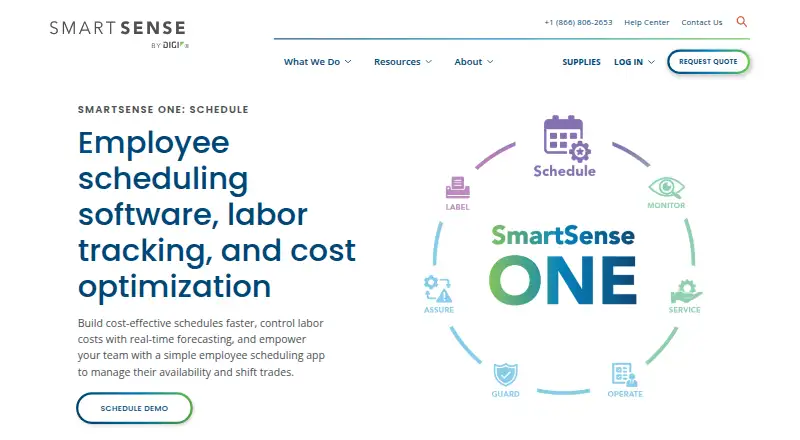
The facts below are what the maker publishes about SmartSense ONE: Schedule, checked and dated. Our editors have not written about it yet.
Plans and prices
From SmartSense ONE: Schedule's own pricing page, checked 8 Oct 2026.
| Plan | Price | What it gives you |
|---|---|---|
| Schedule | Priced on request | Pricing requires a custom quote; the product page directs customers to request a demo |
The facts
Each one read from SmartSense ONE: Schedule's own pages, with the date it was checked.
What it does
- Admin roles
- Scheduling Admin permission allows a user to view, edit, and publish schedules and approve time-off and availability requests.checked 8 Oct 2026
- Availability and time off
- Employees can submit recurring availability and one-time time-off requests in the mobile app, and managers approve them.checked 8 Oct 2026
- Conflict warnings
- Approved availability and time-off requests appear in the schedule builder, which warns managers about conflicting shifts.checked 8 Oct 2026
- Intended users
- The product page describes Schedule as employee scheduling software for business owners and operators and presents it for retail grocery, food service, healthcare, education, life sciences, and supply chain industries.checked 8 Oct 2026
- Payroll reporting
- Managers can export approved hours for payroll and review built-in reports.checked 8 Oct 2026
- Pricing
- The Schedule page provides no listed price and directs prospective customers to request a demo.checked 8 Oct 2026
- Purpose
- Schedule is employee scheduling software for business owners and operators.checked 8 Oct 2026
- Sales and pricing
- The Schedule page invites visitors to request a demo and does not state a price.checked 8 Oct 2026
- Schedule reuse
- Managers can copy a day or week with assigned employees or reuse a template of shifts without employee assignments.checked 8 Oct 2026
- Schedule templates
- Users can copy a day or week with its employee assignments, or save a template of shifts without employee assignments.checked 8 Oct 2026
- Scheduling rules
- Managers can block time-off requests on selected days, limit requests by role, and receive warnings about overtime and maximum weekly hours.checked 8 Oct 2026
- Support
- SmartSense lists technical support by email or help site and gives support hours as Monday through Friday, 8am to 8pm EST.checked 8 Oct 2026
- Time clock
- Schedule includes time-clock functionality, and the page says its photo verification feature helps stop time theft.checked 8 Oct 2026
- Time clock verification
- The product page says its time clock includes photo verification and integrates with scheduling.checked 8 Oct 2026
- Web access
- Employees can view their schedules through the Jolt Web Portal.checked 8 Oct 2026
The company
- Maker
- SmartSense is a business unit of Digi International.checked 8 Oct 2026
- Team communication
- Schedule provides a centralized system for messages, announcements, and alerts, including mass email and SMS messaging.checked 8 Oct 2026
- Team messaging
- Schedule provides centralized messages, announcements, and alerts, including mass email and SMS messaging.checked 8 Oct 2026
Where it runs
- Mobile app
- The Jolt app is available through the iPhone App Store and Google Play Store, and employees can use it to view shifts and request time off when enabled.checked 8 Oct 2026
Alternatives to SmartSense ONE: Schedule
- 1
ComplyFlow
Free planAndroidiOSWebAPI8.1Free plan - 2

Safesite
Free planAndroidiOSWebAPI8.1From $16 a month - 3

Survtapp
Free planAndroidiOSWebAPI8.1From $19 a month - 4

myInspections
Free planAndroidiOSWeb8.0Free plan - 5

SafetyCulture (now Mitti)
Free planAndroidiOSWeb7.6From $24 a month - 6

GoCanvas
AndroidiOSWebAPI7.2