
Siemens NX
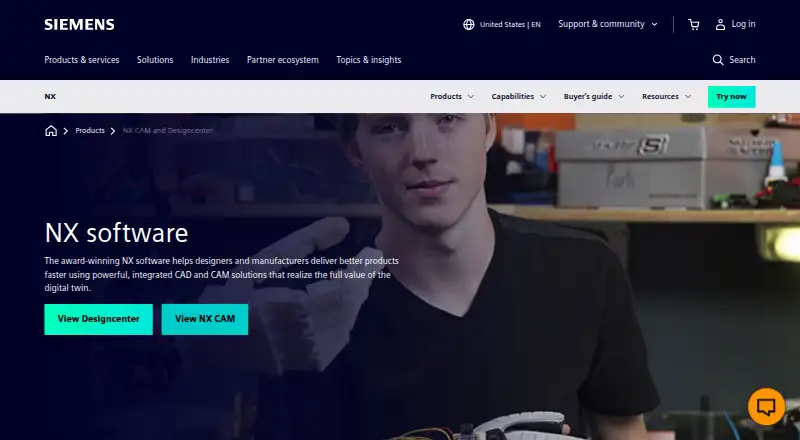
Siemens NX is product design and engineering software for Windows desktop, with browser access available through NX X Design, its cloud SaaS option.
What Siemens NX is
Siemens NX is product design and engineering software for Windows desktop, with browser access available through NX X Design, its cloud SaaS option. Its hybrid modeling approach supports assembly design, sheet-metal work, and surface modeling, while cloud collaboration supports shared work. NX handles IGES, STEP AP203, STEP AP214, DXF/DWG, STL, and 3MF file exchange. NX X data exchange also lists JT, Solid Edge, and SolidWorks open. The listed platforms are web and Windows; the browser-based access is through NX X Design. Siemens NX is paid, has no free plan, and lists pricing on request. A 30-day trial is available. For teams choosing product engineering software, the key considerations are its stated modeling and assembly tools, supported file formats, and the distinction between Windows desktop and browser-based NX X Design access.
Good
- Supports assembly design and sheet-metal tools
- Includes surface modeling
- Offers cloud collaboration
- Exchanges IGES, STEP, DXF/DWG, STL, and 3MF files
Watch out
- No free plan
- Pricing is available on request
Who it suits
It suits product engineering teams that need hybrid modeling, assembly design, sheet-metal tools, or surface modeling. It may also fit teams looking for Windows desktop software with a browser-access option through NX X Design.
Verdict
Siemens NX combines several product-design capabilities with cloud collaboration and a broad list of supported exchange formats. Consider whether Windows desktop or browser-based NX X Design access fits your workflow; pricing is on request.
Plans and prices
From Siemens NX's own pricing page, checked 9 Oct 2026.
| Plan | Price | What it gives you |
|---|---|---|
| NX X Design Essentials, Standard, Advanced and Premium | Priced on request | Four cloud CAD tiers with progressively added functionality; prices not stated on the opened Siemens pages |
The facts
Each one read from Siemens NX's own pages, with the date it was checked.
What it does
- AI assistance
- Design Copilot NX answers natural-language questions using documentation for the specific NX version and can link to documentation and launch mentioned commands.checked 9 Oct 2026
- AI assistant
- Design Copilot NX answers questions using documentation for the user's specific NX version and can link to documentation and launch mentioned commands.checked 9 Oct 2026
- Assembly design
- Yeschecked 23 Sep 2026
- CAD tiers
- NX X Design is offered in Essentials, Standard, Advanced and Premium tiers built on a common core set of capabilities.checked 9 Oct 2026
- Cloud CAD
- NX X provides cloud based CAD with built in data management in a SaaS environment.checked 9 Oct 2026
- Cloud collaboration
- Yeschecked 23 Sep 2026
- Cloud security
- NX X Manufacturing is described as a cloud based SaaS solution with security and scalability benefits.checked 9 Oct 2026
- Data management
- Each NX X Design tier includes built-in data management in a cloud-native SaaS environment.checked 9 Oct 2026
- File formats
- NX X Manufacturing Essentials can import, export, and visualize Parasolid, IGES, DXF, STEP, STL, and JT models.checked 9 Oct 2026
- File import and export
- IGES, STEP AP203, STEP AP214, DXF/DWG, STL, 3MF; NX X data exchange also lists JT, Solid Edge and SolidWorks openchecked 23 Sep 2026
- Immersive design
- NX Immersive Designer lets users create, view, and edit CAD designs in virtual or augmented reality with bidirectional interaction with NX CAD.checked 9 Oct 2026
- Inspection
- NX Inspector adds model based characteristics for downstream quality and manufacturing processes.checked 9 Oct 2026
- Interoperability
- NX X is interoperable with other Siemens Xcelerator software and can share data without translation across its tiers.checked 9 Oct 2026
- Manufacturing collaboration
- NX X Manufacturing Essentials includes cloud file management, revision control, discussion threads, and task assignments for design and manufacturing collaboration.checked 9 Oct 2026
- Manufacturing entry tier
- NX X Manufacturing Essentials is intended for visualizing and interacting with 3D part models and manufacturing information when NC programming is not required.checked 9 Oct 2026
- Manufacturing formats
- NX X Manufacturing Essentials can import, export and visualize models in Parasolid, IGES, DXF, STEP, STL and JT formats.checked 9 Oct 2026
- Modeling method
- hybridchecked 23 Sep 2026
- Product inspection
- NX Inspector adds model-based characteristics to a product’s digital twin for downstream quality and manufacturing processes.checked 9 Oct 2026
- Product purpose
- NX is the heart of Designcenter, Siemens’ product development software suite.checked 9 Oct 2026
- Product scope
- NX is a product development software suite spanning design, engineering, and manufacturing.checked 9 Oct 2026
- Routed systems
- NX routed-systems tools define assembly paths for tubes, pipes, conduit, raceways and HVAC ducts, with design-rule checking.checked 9 Oct 2026
- Sheet-metal tools
- Yeschecked 23 Sep 2026
Where it runs
- Design applications
- Designcenter supports browser and desktop applications with data fidelity across them.checked 9 Oct 2026
Money
- Free plan
- Nochecked 23 Sep 2026
Alternatives to Siemens NX
- 1
Rhino 3D
Free planiOSAPILinuxmacOS8.8Free plan - 2

Onshape
Free planAndroidiOSWeb8.6From $1,500 a year - 3
SOLIDWORKS
WebmacOSWindows8.3From $48 a year - 4
Shapr3D
Free planmacOSWindows8.1From $299 a year - 5

Plasticity
Free planLinuxmacOSWindows7.9$175 one-time - 6

OpenSCAD
Free planOpen sourceWebAPILinuxmacOS7.9Free plan