
SC2 Tools
SC2 Tools is a free StarCraft II utility for replay analysis, build practice, and stream production.
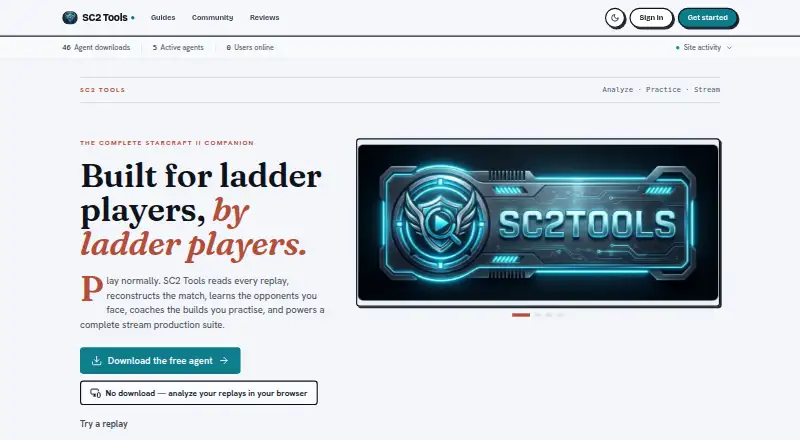
What SC2 Tools is
SC2 Tools is a free StarCraft II utility for replay analysis, build practice, and stream production. Its analysis detects more than 100 openings and includes 3D replay viewing, opponent dossiers, MMR trends, and analysis of maps, matchups, macro, and losses. Practice tools include a visual and voice Ghost Build coach, custom build rules, Build Roulette, community builds, and 18 replay-powered Arcade modes. Stream Studio offers OBS widgets, virtual sets, automatic scene switching, layouts, B-roll, polls, alerts, and clip markers. It can combine chat from Twitch, Kick, YouTube, and TikTok, and supports creator events such as follows, subscriptions, gifts, rewards, cheers, and raids. The desktop agent uploads replay data and original files to a private account library; Instant Analysis keeps reports in the browser unless games are saved to an account. Windows installation requires Windows 10 or later and a live StarCraft II installation with at least one ranked game on disk. macOS and Linux installs are currently from source.
Good
- Detects 100+ replay openings.
- Includes a visual and voice build coach.
- Offers 18 replay-powered Arcade modes.
- Combines chats from four streaming platforms.
- All features are free.
Watch out
- Requires a live StarCraft II install and ranked game.
- Windows installation requires Windows 10 or later.
- macOS and Linux installs are from source.
- Desktop agent uploads original replay files to an account library.
Who it suits
SC2 Tools suits StarCraft II players who want replay analysis and structured build practice, as well as streamers who want production tools. It is free, though setup requirements differ across desktop platforms.
Verdict
SC2 Tools brings replay review, practice features, and stream production into one StarCraft II-focused toolkit. Check the game and platform requirements before choosing its desktop installation.
Plans and prices
From SC2 Tools's own pricing page, checked 2 Oct 2026.
| Plan | Price | What it gives you |
|---|---|---|
| SC2 Tools | Free | All features free for every player · voluntary one-time tips do not unlock features |
The facts
Each one read from SC2 Tools's own pages, with the date it was checked.
What it does
- Analytics
- Google Analytics loads only after cookie-banner opt-in, and the policy says IP anonymization is enabled and advertising signals are disabled.checked 2 Oct 2026
- Data controls
- Users can export structured account data, download replay originals, or permanently delete replay history or their account in settings.checked 2 Oct 2026
- Integrations
- Stream Studio combines Twitch, Kick, YouTube, and TikTok chat and supports official creator events such as follows, subscriptions, gifts, rewards, cheers, and raids.checked 2 Oct 2026
- Practice
- Practice features include a visual and voice Ghost Build coach, custom build rules, Build Roulette, community builds, and 18 replay-powered Arcade modes.checked 2 Oct 2026
- Purpose
- SC2 Tools analyzes StarCraft II replays, provides build coaching and opponent intelligence, and offers stream production tools.checked 2 Oct 2026
- Replay analysis
- It detects 100+ openings and offers 3D replay viewing, opponent dossiers, MMR trends, and map, matchup, macro, and loss analysis.checked 2 Oct 2026
- Replay privacy
- The desktop agent uploads parsed replay data and original replay files to a private account library; Instant Analysis on the /try page keeps reports in the browser unless the user saves games to an account.checked 2 Oct 2026
- Security
- The site says data is sent over TLS and replay downloads require a signed-in account and a short-lived private link.checked 2 Oct 2026
- Streaming
- Stream Studio provides 30 OBS widgets, seven virtual sets, automatic scene switching, layouts, B-roll, polls, alerts, and clip markers.checked 2 Oct 2026
- Support
- The maker invites code contributions and bug reports through GitHub tickets, and offers voluntary tips through Streamlabs or PayPal.checked 2 Oct 2026
Where it runs
- Other desktop platforms
- The download page says macOS and Linux currently install from source.checked 2 Oct 2026
- Windows requirement
- The agent requires Windows 10 or later for the listed Windows installation; the product also requires a live StarCraft II install with at least one ranked game on disk.checked 2 Oct 2026
The full review of SC2 Tools
Overview
SC2 Tools is a StarCraft II-focused toolkit for replay analysis, practice, and stream production. It suits players and creators who want those jobs together, provided they can meet the game and desktop requirements. Its broad feature set is a strong fit for dedicated StarCraft II users, but it does not serve other games.
Key features
Replay analysis and opponent insight
Automated analysis detects more than 100 openings and offers performance reports, 3D replay viewing, opponent dossiers, and MMR trends. Map, matchup, macro, and loss analysis give players several ways to find patterns across their games; the opponent tools also make it useful for preparing around rival players.
Practice tools
The visual and voice Ghost Build coach, custom build rules, Build Roulette, and community builds support different approaches to practicing openings. Eighteen replay-powered Arcade modes add another way to work from game data. This range favors players who want more than a post-game breakdown, though the tools remain specific to StarCraft II.
Stream production
Stream Studio includes 30 OBS widgets, seven virtual sets, automatic scene switching, layouts, B-roll, polls, alerts, and clip markers. It combines chat from Twitch, Kick, YouTube, and TikTok, and supports creator events including follows, subscriptions, gifts, rewards, cheers, and raids. That makes it a substantial companion for StarCraft II broadcasts; streamers seeking a general-purpose production toolkit may prefer a broader fit.
Privacy and data controls
The desktop agent uploads parsed replay data and original replay files to a private account library. Instant Analysis on the /try page keeps reports in the browser unless games are saved to an account. The site says data is sent over TLS, and replay downloads require sign-in and use a short-lived private link. Users can export structured account data, download replay originals, or permanently delete replay history or an account in settings. Google Analytics loads only after cookie-banner opt-in; the policy says IP anonymization is enabled and advertising signals are disabled.
Pricing
SC2 Tools: free. Every feature is free for every player, and voluntary one-time tips do not unlock features. There is no free trial because the product is free. With no paid tier, players do not have to trade features against a subscription price; the tradeoff is the narrow focus on one game.
Platforms
SC2 Tools lists Linux, macOS, web, and Windows. The Windows agent requires Windows 10 or later and a live StarCraft II installation with at least one ranked game on disk. macOS and Linux desktop installations currently require building from source, which is a more involved route than a ready-made installer. The supported game is StarCraft II.
Who it's for
Choose SC2 Tools if you play StarCraft II and want replay review, structured practice, opponent insight, or broadcast features in one free toolkit. It is less suitable for players looking for multi-game support or a straightforward desktop installation on macOS or Linux.
Pros and cons
- Pros: Replay analysis, coaching, and stream production are combined without a feature-gated paid plan, so dedicated players can use the full toolkit for free.
- Pros: Browser-based Instant Analysis keeps reports local unless games are saved to an account, while account settings support data export and permanent deletion.
- Cons: The live game installation and ranked-game requirement rule out using the desktop agent without a prepared StarCraft II install.
- Cons: macOS and Linux desktop users must install from source, making setup less direct than on Windows.
- Cons: Its single-game focus limits its value to StarCraft II players and creators.
Alternatives
For a wider comparison, browse Game Replay Analyzers. Freezetime is a free alternative for Linux, macOS, web, and self-hosted use, with a public archive and a self-hosted full studio at no per-use cost. CS2 Demo Analysis Kit is free on macOS and Windows, with DAK Studio under AGPL-3.0-only and ecosystem packages and a Python exporter under MIT. DataCoach is a web coaching option with a free Player Basic plan capped at 10 monthly replays and 10 DataCoach Chat tokens, alongside training plans, core coaching output, and progression tracking. Gamescan is a web freemium alternative; its paid plans include monthly credits and game-analysis features, for readers who prefer a paid tiered offering. my-csmanager Demo Viewer is a web freemium alternative. CS2 Demo Analyzer is a free web alternative. SC2 Replay AI Coach is a free web option with no sign-up and no stated replay-count limit. ReplayLabs is a web freemium alternative.
Verdict
SC2 Tools is the strongest fit for StarCraft II players who want replay insight, practice aids, and stream production without paying for features. Choose it for that game-specific breadth; look elsewhere if you need multi-game coverage or a ready-to-install macOS or Linux desktop agent.
Getting started
- Open https://sc2tools.com/.
- Use the /try page for Instant Analysis, or choose a desktop installation route.
- For Windows, use Windows 10 or later and have a live StarCraft II installation with at least one ranked game on disk.
- For macOS or Linux, install from source.
- Create or sign in to an account if you want desktop-agent replay uploads stored in a private library.
Limits worth knowing
There is no paid feature tier: all features are free, and voluntary one-time tips do not unlock features. The Windows agent requires Windows 10 or later and a live StarCraft II installation with at least one ranked game on disk; macOS and Linux installs currently come from source.
Questions
How much does SC2 Tools cost?
The listed plan is free at no cost. Voluntary one-time tips do not unlock features.
What does SC2 Tools analyze?
It analyzes StarCraft II replays, detects 100+ openings, and provides 3D viewing, opponent dossiers, MMR trends, and map, matchup, macro, and loss analysis.
Which platforms are supported?
The listed platforms are Linux, macOS, web, and Windows. The Windows agent requires Windows 10 or later; macOS and Linux currently install from source.
What happens to replay data?
The desktop agent uploads parsed replay data and original replay files to a private account library. Instant Analysis on the /try page keeps reports in the browser unless you save games to an account.
Does SC2 Tools have account data controls?
Users can export structured account data, download replay originals, or permanently delete replay history or their account in settings.
What game does it support?
SC2 Tools supports StarCraft II. The listed Windows installation also requires a live game install with at least one ranked game on disk.
Alternatives to SC2 Tools
- 1
Freezetime
Free planOpen sourceWebAPILinuxmacOS8.0From €4.99 a month - 2

DataCoach
Free planWeb7.4From $11 a month - 3

ballchasing.com
Free planWebAPIExtension7.3From $2 a month - 4
CaptureAge
Free planWindows7.2From €5 a month - 5

Gamescan
Free planWeb6.6From $4.99 a month - 6
my-csmanager Demo Viewer
Free planWeb6.6From €1.99 a month