ReportServer
ReportServer is an open-source business intelligence platform for companies, with tools for producing reports, analyzing data and sharing results.
What ReportServer is
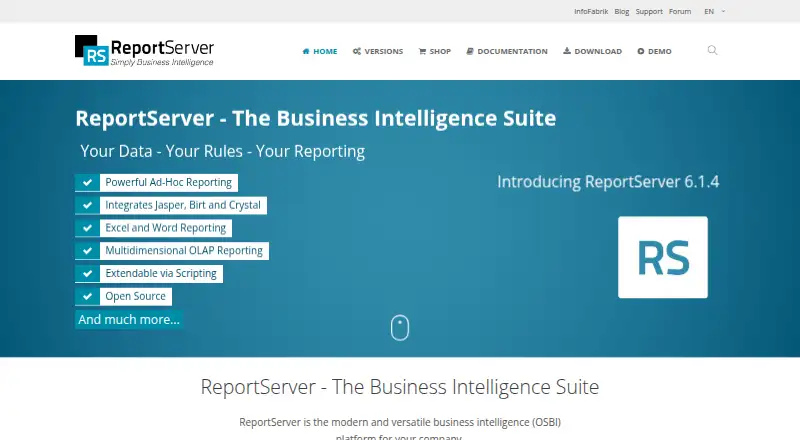
ReportServer is an open-source business intelligence platform for companies, with tools for producing reports, analyzing data and sharing results. It supports Eclipse BIRT, JasperReports, SAP Crystal Reports, script reports, ad-hoc analysis, Mondrian OLAP, and Excel or Word reporting. Dynamic Lists produce ad-hoc reports with Excel, PDF or XML output. Users can configure dashboards and add reports or HTML5 micro-apps; reports and maintenance scripts can also run on recurring schedules. Access controls use hierarchical objects, groups, ACLs, ACEs and user variables. Authentication supports usernames and passwords, with Active Directory or scripted single sign-on options. ReportServer connects to relational databases and can deliver data to destinations such as FTP, email, cloud storage services or local files. It runs as a Java Servlet web application, with metadata stored in a relational database. Community Edition is free under an AGPL license; Enterprise Edition costs €3,999 once, including one year of upgrades, with a €1,999 renewal. The platform is available for Linux, Windows, web and self-hosted deployment.
Good
- Supports several report engines and ad-hoc analysis.
- Dashboards can include reports and HTML5 micro-apps.
- Supports recurring report and maintenance-script schedules.
- Community Edition is free with unlimited users.
- Offers numerous database and delivery integrations.
Watch out
- Enterprise Edition costs €3,999 once.
- Community Edition support is through forums and documentation.
- Requires an application server and relational database for metadata.
Who it suits
It suits organizations that need scheduled reporting, configurable dashboards and access controls across business data. Community Edition may suit teams looking for a free option with community forum and documentation support.
Verdict
ReportServer covers reporting, dashboards, scheduling and access control in one platform. Its free Community Edition and paid Enterprise Edition offer distinct support and upgrade arrangements.
Plans and prices
From ReportServer's own pricing page, checked 1 Oct 2026.
| Plan | Price | What it gives you |
|---|---|---|
| Community Edition | Free | AGPL license · unlimited users |
| Enterprise Edition | €3,999, paid once | per server · one-year upgrades included · €1999 renewal · includes upgrades for one year |
The facts
Each one read from ReportServer's own pages, with the date it was checked.
What it does
- Access control
- Its authorization model uses ACLs and ACEs, hierarchical objects, user groups and user variables.checked 1 Oct 2026
- Authentication
- The platform supports standard username/password authentication and can be integrated with Active Directory or single sign-on through scripting.checked 1 Oct 2026
- Community support
- Community Edition users receive free support through community forums and freely available documentation.checked 1 Oct 2026
- Dashboards
- Users can create unlimited, freely configurable dashboards and embed reports or HTML5 micro-apps.checked 1 Oct 2026
- Data destinations
- Supported datasinks include FTP, SFTP, FTPS, email, Amazon S3, OneDrive/SharePoint, Google Drive, Dropbox, Box and local filesystems.checked 1 Oct 2026
- Deployment
- ReportServer runs as a Java Servlet web application in an application server and stores metadata in a relational database.checked 1 Oct 2026
- Dynamic lists
- Dynamic Lists support ad-hoc list reports with Excel, PDF and XML output formats.checked 1 Oct 2026
- Integrations
- Supported relational databases include MySQL, PostgreSQL, Oracle, SQL Server, SAP HANA, Google BigQuery and many others.checked 1 Oct 2026
- Operating systems
- The Java application supports operating systems with a Java runtime and supported application server; Windows installers and Linux manual or Docker installations are available.checked 1 Oct 2026
- Purpose
- ReportServer is a modern, versatile open-source business intelligence platform for companies.checked 1 Oct 2026
- Report engines
- It supports Eclipse BIRT, JasperReports, SAP Crystal Reports, script reports, ad-hoc analyses, Mondrian OLAP and Excel or Word reporting.checked 1 Oct 2026
- Scheduling
- ReportServer can execute reports at recurring intervals and run maintenance scripts.checked 1 Oct 2026
- Security controls
- Administrators can configure expression blacklists, URL whitelists, password policies, account lockout thresholds and cryptographic keystores.checked 1 Oct 2026
The company
- Founded
- 2005checked 23 Sep 2026
- Headquarters
- Wiesbaden, Germanychecked 23 Sep 2026
- Maker
- InfoFabrik GmbH describes itself as a business-intelligence consulting and software company that develops ReportServer.checked 1 Oct 2026
The full review of ReportServer
ReportServer is a self-hosted business intelligence platform for organizations that need reporting, analysis and controlled distribution. It suits teams with Java application-server capability and varied reporting needs; its free, unlimited-user edition is a strong entry point, while Enterprise brings a significant per-server cost.
Overview
ReportServer combines report creation, dashboards and scheduled delivery in a Java web application, with metadata stored in a relational database. Its support for multiple report engines and data destinations makes it a practical fit for businesses working across established tools and systems. The trade-off is operational: this is software to deploy and maintain, not a hosted service that removes infrastructure work.
Key features
Reporting and analysis
ReportServer supports Eclipse BIRT, JasperReports, SAP Crystal Reports, script reports, ad-hoc analyses, Mondrian OLAP and Excel or Word reporting. That range is useful for organizations that need to accommodate different reporting approaches rather than commit to a single engine. Dynamic Lists let users build ad-hoc list reports and export results in Excel, PDF or XML, making them suitable for tabular reporting and downstream use.
Dashboards and automation
Users can create unlimited configurable dashboards and embed reports or HTML5 micro-apps. Recurring execution and maintenance scripts can automate routine work, while scheduled delivery supports distribution beyond interactive web access. Destinations include email, FTP, SFTP and FTPS, cloud storage services such as Amazon S3, OneDrive or SharePoint, Google Drive, Dropbox and Box, as well as local filesystems. That breadth is valuable where reports need to reach different teams or systems, though it also means administrators must manage a self-hosted deployment.
Access and security
Access control uses ACLs and ACEs, hierarchical objects, user groups and user variables. Authentication can use standard usernames and passwords, Active Directory, or single sign-on through scripting. Administrators can configure expression blacklists, URL whitelists, password policies, account lockout thresholds and cryptographic keystores. These controls support organizations with defined access and security requirements, but the flexibility places configuration responsibility on the organization.
Data connections and deployment
Supported relational databases include MySQL, PostgreSQL, Oracle, SQL Server, SAP HANA and Google BigQuery, among others. ReportServer runs as a Java Servlet web application in an application server and relies on a relational database for metadata. Windows installers and Linux manual or Docker installations are available; other operating systems can run it where the Java runtime and supported application server are available. This flexibility helps teams fit the software to existing infrastructure, but requires suitable hosting and administration.
Pricing
The Community Edition costs nothing, is AGPL-licensed and allows unlimited users. It is the clearest choice for teams able to rely on community forums and documentation for support; it avoids seat caps, but does not include the Enterprise support and upgrade arrangement.
The Enterprise Edition costs €3,999, paid once, per server, with upgrades included for one year. Renewal costs €1999. This structure suits organizations that want the Enterprise Edition and its year of upgrades, but the per-server purchase is a substantial commitment compared with the free edition. A 45-day trial is available for evaluation.
Platforms
ReportServer is available for Linux, Windows, web and self-hosted environments. Its Java application can run on operating systems with a Java runtime and supported application server, with Windows installers and Linux manual or Docker deployment options.
Who it's for
ReportServer is best for organizations that need several reporting engines, configurable dashboards, recurring delivery and granular access controls, and have the capacity to operate Java web software themselves. It is less suitable for teams seeking a fully managed service or those unwilling to take on deployment, database and ongoing administration.
Pros and cons
- Pros: Broad report-engine support lets organizations work with BIRT, JasperReports, Crystal Reports, OLAP and office-document reporting in one platform.
- Pros: The free Community Edition permits unlimited users, making it viable to evaluate or deploy without per-seat charges.
- Pros: Configurable dashboards, scheduled runs and varied delivery destinations support both interactive and automated reporting workflows.
- Cons: Self-hosting requires an application server, Java runtime and relational database for metadata, adding operational work.
- Cons: Enterprise costs €3,999, paid once per server, with a €1999 renewal after the included one-year upgrade period.
- Cons: Community users depend on forums and documentation for support rather than the Enterprise arrangement.
Alternatives
Compare reporting software if you want to survey the category before choosing a platform.
FastReport is worth considering if you need broader platform coverage, including mobile and desktop platforms, or a cloud free tier capped at one user and 25 MB each of template, report and export storage.
SeekTable offers a free account for individual use, a possible fit for narrower personal reporting needs.
Exago BI is a paid alternative for teams comparing other API and self-hosted reporting options.
FineReport may suit teams that need its 30-day full-feature trial, which allows two concurrent users, or want its broader mobile and desktop platform range.
Jaspersoft is a natural alternative for teams focused on JasperReports and its related tools, with a free Community edition and a paid commercial edition.
Bold Reports is another paid option for teams considering API, Linux, self-hosted, web and Windows deployment.
Power My Analytics is better aligned with teams seeking a web-based data integration tool, including a free sample-data plan with unlimited sources and destinations.
Porter Metrics may fit teams focused on connected data-source reporting, with a free plan limited to three connected accounts, 30-day history and 100 monthly AI credits for automation.
Verdict
Choose ReportServer if your organization needs broad reporting-engine support, detailed access control and scheduled multi-destination delivery, and can run the Java-based platform itself. Its unlimited-user free edition is a meaningful advantage, but teams that want managed hosting, lighter operations or a lower-cost supported enterprise deployment should look elsewhere.
Alternatives to ReportServer
- 1
FastReport
Free planAndroidiOSWebAPI7.8Free plan - 2
SeekTable
Free planWebAPILinuxmacOS7.8From $25 a month - 3

Power My Analytics
Free planWebAPIExtensionSelf-hosted7.4From $41.63 a month - 4

Stimulsoft Reports
WebAPILinuxmacOS7.1From $1,899.95 a year - 5

ActiveReports
AndroidiOSWebLinux7.0From $899 a year - 6
ezzyScorecard
Free planWeb6.9From A$75 a month