Remote Collab
Remote Collab is a free, open-source plugin for SublimeText that lets multiple developers work on the same project in real time.
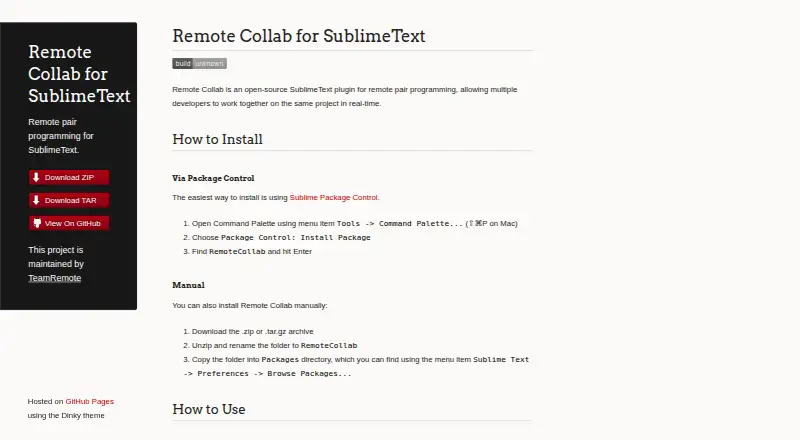
What Remote Collab is
Remote Collab is a free, open-source plugin for SublimeText that lets multiple developers work on the same project in real time. One person hosts a session from the file the group wants to edit, and a colleague joins in SublimeText using the “Remote: Connect to Session” command and entering the host’s IP address. The host needs to share that address with the colleague. The plugin can be installed through Sublime Package Control or manually from a ZIP or TAR.GZ archive. It is made for SublimeText and lists Linux, macOS, and Windows as platforms. The project’s GitHub repository lists an MIT license, and TeamRemote maintains the project. TeamRemote identifies four members and says they are students at Allegheny College. The listed plan costs nothing.
Good
- Free and open source
- Supports real-time shared project work
- Installable through Sublime Package Control
- Lists Linux, macOS, and Windows
Watch out
- Made for SublimeText
- Host must share their IP address
Who it suits
Remote Collab may suit developers who use SublimeText and want to edit a project with colleagues in real time. It is available for Linux, macOS, and Windows.
Verdict
Remote Collab provides real-time collaboration through a host session in SublimeText. Colleagues need the host’s IP address to connect.
Plans and prices
From Remote Collab's own pricing page, checked 4 Oct 2026.
| Plan | Price | What it gives you |
|---|---|---|
| Remote Collab | Free | Open-source SublimeText plugin; multiple developers can collaborate on the same project in real time |
The facts
Each one read from Remote Collab's own pages, with the date it was checked.
What it does
- Collaboration
- It lets multiple developers work together on the same project in real time.checked 4 Oct 2026
- Editor
- The product is made for SublimeText.checked 4 Oct 2026
- Hosting
- A user can host a session from the file they want to edit collaboratively.checked 4 Oct 2026
- Installation
- The plugin can be installed through Sublime Package Control or manually from a ZIP or TAR.GZ archive.checked 4 Oct 2026
- Joining
- A colleague joins by choosing “Remote: Connect to Session” and entering the host’s IP address.checked 4 Oct 2026
- License
- The project’s GitHub repository lists an MIT license.checked 4 Oct 2026
- Maintainers
- The project is maintained by TeamRemote.checked 4 Oct 2026
- Network requirement
- The host shares their IP address with the remote colleague so they can connect to the session.checked 4 Oct 2026
- Purpose
- Remote Collab is an open-source SublimeText plugin for remote pair programming.checked 4 Oct 2026
The company
- Team
- TeamRemote identifies four members and says they are students at Allegheny College.checked 4 Oct 2026
Alternatives to Remote Collab
- 1

Hopp
Free planOpen sourceWebmacOSSelf-hostedWindows7.9From $15 a month - 2
Drovio
Free planWebLinuxmacOSSelf-hosted7.7From $15 a month - 3

Visual Studio
Free planAPIWindows7.6Free plan - 4

Zed
Free planLinuxmacOSWindows7.6From $10 a month - 5

HackerRank
WebAPImacOSWindows7.4From $165 a month - 6

Coterm
Free planOpen sourceiOSAPImacOSSelf-hosted7.3Free plan