Raccoin
Raccoin is a free, open-source desktop application for tracking cryptocurrency balances and transaction history and producing capital gains income tax reports.
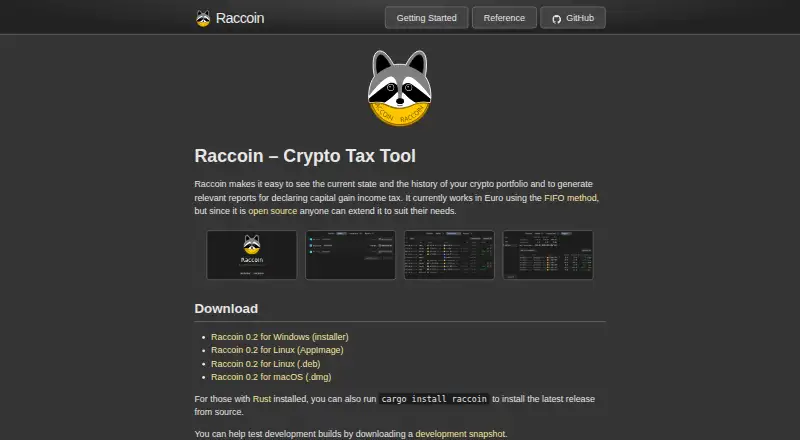
What Raccoin is
Raccoin is a free, open-source desktop application for tracking cryptocurrency balances and transaction history and producing capital gains income tax reports. It runs on Linux, macOS, and Windows. Calculations currently use EUR and the FIFO method. Portfolio data is stored in local JSON files and saved automatically when changed; the maker says users can keep portfolio files and data sources in a local git repository. Raccoin imports transaction CSV files and detects their format, with documented sources including Binance, Kraken, Bitcoin Core, Electrum, and Trezor Suite. It produces yearly and all-time reports with summaries and individual capital gain events, and exports transaction data as Raccoin JSON or CSV in CryptoTaxCalculator’s custom import format. Bitcoin wallet synchronization is listed. Ethereum and Stellar synchronization require a development snapshot because their APIs and protocols need updates. Lost, stolen, burn, and swap transactions are supported. Lost, stolen, and burn transactions count as sales with zero proceeds, which may not suit every tax region. The maker intended to maintain the software, respond to questions, and review contributions.
Good
- Free and open source under GPL-3.0.
- Imports CSV files from listed exchanges and wallets.
- Creates yearly and all-time reports.
- Portfolio JSON files save automatically when modified.
- Runs on Linux, macOS, and Windows.
Watch out
- Calculations currently use EUR and FIFO.
- Ethereum and Stellar sync require a development snapshot and updates.
- Lost, stolen, and burn entries use zero sale proceeds.
- Blockchain wallet sources could not be added through the UI in release 0.2.
Who it suits
Raccoin may suit cryptocurrency holders who want local portfolio files and EUR-based FIFO tax reports, particularly those working with Germany-related tax reporting. Users should check whether its tax treatment fits their region.
Verdict
Raccoin offers local portfolio storage, CSV imports, and tax reports across desktop platforms. Its EUR and FIFO calculation basis, limited sync status, and zero-proceeds treatment for some transactions deserve attention before use.
The facts
Each one read from Raccoin's own pages, with the date it was checked.
What it does
- Blockchain sync
- The reference lists Bitcoin, Ethereum, and Stellar wallet synchronization, but says Ethereum and Stellar sync require a development snapshot because their APIs and protocols need updates.checked 8 Oct 2026
- Calculation
- It currently works in EUR and uses the FIFO method.checked 8 Oct 2026
- CSV imports
- The UI imports CSV transaction files and automatically detects their format.checked 8 Oct 2026
- Development status
- The maker said development was expected to slow, while intending to maintain the software, respond to questions, and review contributions.checked 8 Oct 2026
- Direct synchronization
- The reference lists Bitcoin, Ethereum, and Stellar wallet synchronization, but says Ethereum and Stellar syncing require a development snapshot and updates.checked 8 Oct 2026
- Downloads
- The site lists version 0.2 downloads for Windows, Linux, and macOS, plus installation from source with Cargo.checked 8 Oct 2026
- Exports
- Users can export transaction data as Raccoin JSON or CSV in CryptoTaxCalculator’s custom import format.checked 8 Oct 2026
- Imports
- The UI imports CSV files and automatically detects their format.checked 8 Oct 2026
- Import sources
- Documented CSV formats include Binance, Kraken, Bitcoin Core, Electrum, Trezor Suite, and other exchanges and wallets.checked 8 Oct 2026
- Known limitation
- Adding blockchain wallet sources through the UI was not available in the maker's 0.2 release notes.checked 8 Oct 2026
- License
- The maker describes Raccoin as open source.checked 8 Oct 2026
- Open source
- The project is open source under the GPL-3.0 license.checked 8 Oct 2026
- Portfolio data
- Portfolios are saved as local JSON files and are automatically saved when modified.checked 8 Oct 2026
- Portfolio storage
- Portfolios are saved as JSON files, and the portfolio is automatically saved when modified.checked 8 Oct 2026
- Purpose
- Raccoin tracks crypto portfolio balances and history and generates reports for capital gains income tax.checked 8 Oct 2026
- Reports
- Raccoin generates yearly and all-time reports, including report summaries and individual capital gain events.checked 8 Oct 2026
- Support and maintenance
- The maker said they intend to maintain the software, respond to questions, and review contributions, and invites users to open issues.checked 8 Oct 2026
- Supported sources
- CSV import formats include Binance, Kraken, Bitcoin Core, Electrum, Trezor Suite, and other wallets and exchanges.checked 8 Oct 2026
- Supported transaction types
- The 0.2 release added lost, stolen, burn, and swap transactions; lost, stolen, and burn are treated as sales with zero sale price, which may not be correct for every tax region.checked 8 Oct 2026
- Tax calculation
- It currently works in EUR and uses the FIFO method.checked 8 Oct 2026
- Tax region caveat
- The maker cautions that lost, stolen, and burn transactions are treated as sales at zero proceeds and this may not be correct in a user's tax region.checked 8 Oct 2026
The company
- Data ownership
- The maker says users can keep portfolios and their data sources in a local git repository.checked 8 Oct 2026
- Maker
- The site credits Thorbjørn Lindeijer.checked 8 Oct 2026
Money
- Price history limit
- The 0.1 release says Raccoin cannot download cryptocurrency price history on demand.checked 8 Oct 2026
Alternatives to Raccoin
- 1
rotki
Free planOpen sourceWebAPILinuxmacOS8.4From €25 a month - 2

Coinpanda
Free planAndroidiOSWebAPI8.1From $79 a year - 3

CoinTracking
Free planAndroidiOSWebAPI8.1From $49 a year - 4

Kryptos
Free planAndroidiOSWebAPI7.3From $39 a year - 5
Waltio
Free planiOSWeb7.1From €39 a year - 6

CoinLedger
Free planWeb7.0$49 one-time