QualityScaler
The facts below are what the maker publishes about QualityScaler, checked and dated. Our editors have not written about it yet.
The facts
Each one read from QualityScaler's own pages, with the date it was checked.
What it does
- Batch processing
- Yeschecked 20 Sep 2026
- Distribution
- The repository's tags page lists downloadable ZIP and tar.gz archives for releases, including QualityScaler 2026.2.checked 10 Oct 2026
- GPU support
- The app supports multiple GPUs and requires a DirectX 12 compatible GPU with at least 4 GB of VRAM.checked 10 Oct 2026
- Image and video formats
- It supports JPG, PNG, TIF, BMP, WEBP and HEIC images, and MP4, WEBM, MKV, FLV, GIF, AVI, MOV, MPG, QT and 3GP video.checked 10 Oct 2026
- Image processing
- The app supports image upscaling and lists JPG, PNG, TIF, BMP, WebP, and HEIC as compatible formats.checked 9 Oct 2026
- Image tiling
- Automatic image tiling helps avoid GPU VRAM limitations.checked 10 Oct 2026
- Implementation
- The project says it is written in Python from backend to frontend and lists PyTorch, ONNX, ONNX Runtime DirectML, CustomTkinter, OpenCV and PyInstaller among its technologies.checked 10 Oct 2026
- Large images
- Automatic image tiling is provided to avoid GPU VRAM limitations.checked 9 Oct 2026
- License
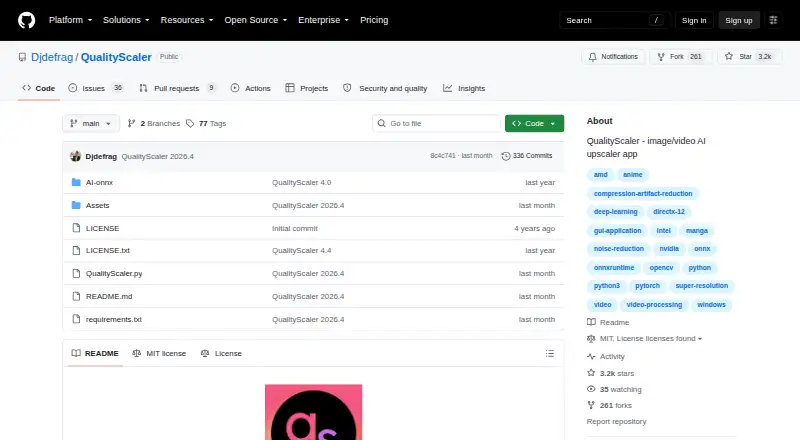
- The GitHub repository displays an MIT license.checked 10 Oct 2026
- Privacy
- The project says no internet connection is required and everything runs on the user's PC.checked 10 Oct 2026
- Processing controls
- Users can resize media before upscaling, interpolate between the original and upscaled file, and stop and resume video upscaling.checked 9 Oct 2026
- Purpose
- QualityScaler is a Windows app that uses AI to enhance, upscale and denoise photographs and videos.checked 10 Oct 2026
- Resize and interpolation
- Users can resize images or video before upscaling and interpolate between the original and upscaled file.checked 10 Oct 2026
- Setup
- The README's manual setup instructions require Python, VS Code, downloaded AI models and ffmpeg.exe.checked 10 Oct 2026
- System requirements
- The listed minimum requirements are Windows 10 or 11, 8 GB or more of RAM, and a DirectX 12 compatible GPU with at least 4 GB of VRAM.checked 10 Oct 2026
- Technology
- The project says it is written in Python and lists PyTorch, ONNX, ONNX Runtime DirectML, CustomTkinter, OpenCV, and PyInstaller among its technologies.checked 9 Oct 2026
- Video processing
- Video upscaling can be stopped and resumed.checked 10 Oct 2026
- What it does
- QualityScaler is a Windows app that uses AI to enhance, upscale, and denoise photographs and videos.checked 9 Oct 2026
The company
- Maker
- The GitHub account identifies its owner as Annunziata Gianluca.checked 10 Oct 2026
Alternatives to QualityScaler
- 1
TensorPix
Free planAndroidiOSWebAPI8.3From $5.50 a month - 2

Pollo AI
Free planAndroidiOSWebAPI8.2Free plan - 3

Remaker AI
Free planAndroidiOSWebAPI8.2Free plan - 4

Vidnoz AI
Free planAndroidiOSWebAPI8.2From $13.50 a month - 5

Media.io AI Video Upscaler
Free planAndroidiOSWebAPI8.1From $167.88 a year - 6

Dzine
Free planiOSWebAPI7.8From $8.99 a month