OpenTune
OpenTune is a free, open-source vocal pitch correction tool for macOS and Windows.
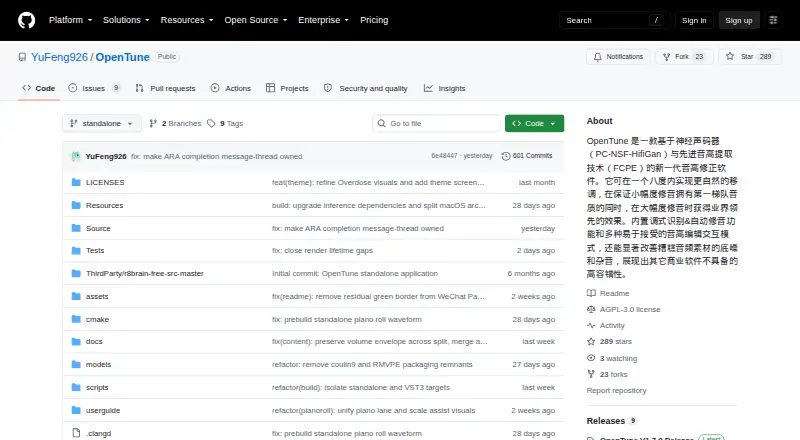
What OpenTune is
OpenTune is a free, open-source vocal pitch correction tool for macOS and Windows. It regenerates vocals with a neural vocoder while preserving formants, and offers real-time correction, formant control, and hand-drawn, note, and anchor-based pitch editing. Automatic key detection works with Chromatic, Major, Minor, Pentatonic, Dorian, Mixolydian, and Harmonic Minor scales. Per-note EQ lets you adjust individual notes. The software imports WAV, FLAC, OGG, and MP3 files and is available as a standalone app or a VST3 plugin with ARA2 support. Its pitch extraction and vocoder processing run through ONNX Runtime; GPU acceleration uses DirectML on Windows and CoreML on macOS. The interface supports Chinese, English, Japanese, Russian, and Spanish. OpenTune is permanently free and licensed under AGPL V3.0. On macOS, its release packages are ad-hoc signed without Apple notarization, so the first launch may prompt you to verify the developer.
Good
- Permanently free, with no paid plan listed.
- Offers hand-drawn, note, and anchor pitch tools.
- Detects keys and supports seven scale types.
- Includes per-note EQ and formant control.
- Available as standalone software and a VST3 plugin.
Watch out
- macOS packages are not Apple-notarized.
- Windows and macOS are the only listed platforms.
Who it suits
OpenTune suits musicians and audio editors who want detailed vocal pitch correction on macOS or Windows, either as a standalone app or in a VST3/ARA2 workflow. Its available scales, per-note EQ, and formant control offer options for note-level work.
Verdict
OpenTune provides vocal pitch correction with key detection, per-note EQ, and formant preservation at no cost. macOS users should expect a developer verification prompt on first launch.
Plans and prices
From OpenTune's own pricing page, checked 4 Oct 2026.
| Plan | Price | What it gives you |
|---|---|---|
| OpenTune | Free | Permanently free; standalone app and VST3 plugin with ARA2 support |
The facts
Each one read from OpenTune's own pages, with the date it was checked.
What it does
- AI engine
- Its AI engine combines FCPE pitch extraction with a PC-NSF HifiGAN vocoder using ONNX Runtime inference.checked 4 Oct 2026
- Audio formats
- It imports WAV, FLAC, OGG, and MP3 audio.checked 4 Oct 2026
- DAW integration
- OpenTune is available as a standalone executable and a VST3 plugin, with ARA2 extension support.checked 4 Oct 2026
- GPU acceleration
- GPU-accelerated inference uses DirectML on Windows and CoreML on macOS.checked 4 Oct 2026
- Key detection
- The software includes automatic key detection and supports Chromatic, Major, Minor, Pentatonic, Dorian, Mixolydian, and Harmonic Minor scales.checked 4 Oct 2026
- Languages
- The interface supports Chinese, English, Japanese, Russian, and Spanish.checked 4 Oct 2026
- License
- The project is licensed under AGPL V3.0.checked 4 Oct 2026
- Per-note EQ
- OpenTune supports per-note EQ processing for fine-grained editing.checked 4 Oct 2026
- Pitch editing
- It provides hand-drawing, note, and anchor tools in an Auto-Tune- or Melodyne-like workflow.checked 4 Oct 2026
- Purpose
- OpenTune is an open-source vocal pitch correction tool that uses a neural vocoder to regenerate vocals while preserving formants.checked 4 Oct 2026
- Support
- The project invites users to report bugs through GitHub Issues, and says donations do not affect issue handling order.checked 4 Oct 2026
Where it runs
- macOS signing
- Release packages use ad-hoc signing without Apple notarization, so macOS may show a developer verification prompt on first launch.checked 4 Oct 2026
The full review of OpenTune
OpenTune is an open-source vocal pitch editor for producers who want detailed note-level correction in a standalone app or DAW. Its mix of key detection, per-note EQ, and formant-preserving processing makes it a capable free option, though macOS users may encounter a verification prompt at launch.
Overview
Rather than simply shifting a vocal’s pitch, OpenTune regenerates it with a neural vocoder designed to preserve formants. That gives it a more considered approach to vocal correction, while hand-drawn edits, note tools, and anchors offer different ways to shape the result. Real-time correction is also supported.
OpenTune imports WAV, FLAC, OGG, and MP3. Its processing combines FCPE pitch extraction with a PC-NSF HifiGAN vocoder, running through ONNX Runtime. GPU acceleration is available through DirectML on Windows and CoreML on macOS.
Key features
Note-level control and scales
Hand-drawing, note, and anchor tools provide a familiar style of pitch-editing workflow. Automatic key detection can help set a correction target, with Chromatic, Major, Minor, Pentatonic, Dorian, Mixolydian, and Harmonic Minor scales to choose from. Per-note EQ adds another layer of control when a vocal needs more than pitch adjustment alone.
Standalone and DAW use
OpenTune runs as a standalone executable or as a VST3 plugin, with ARA2 support. That range suits both users who prefer a dedicated editor and those who want to work within a compatible DAW. The interface supports Chinese, English, Japanese, Russian, and Spanish.
Pricing
OpenTune — free. The permanently free plan includes the standalone app and VST3 plugin with ARA2 support. There is no cheaper tier that trades away features: the project is free and open source under AGPL V3.0. That makes it a straightforward fit for anyone seeking pitch editing without a software charge.
Platforms
OpenTune supports macOS and Windows. GPU acceleration uses CoreML on macOS and DirectML on Windows. macOS release packages use ad-hoc signing and are not Apple-notarized, so the operating system may show a developer verification prompt on first launch.
Who it's for
Its standalone, VST3, and ARA2 options make it relevant to different workflows, while formant-preserving regeneration is useful when preserving a vocal’s character matters. It is less suitable for someone who needs a notarized macOS app or a commercial support arrangement: bug reports go through GitHub Issues, and donations do not change their handling order.
Pros and cons
Pros
- Broad editing control: hand-drawn, note, and anchor tools pair with per-note EQ for detailed vocal work.
- Useful workflow options: standalone use, VST3, and ARA2 support accommodate different editing setups.
- No-cost entry: the permanently free plan includes the app and plugin, rather than reserving them for a paid tier.
- GPU acceleration on both supported systems: Windows uses DirectML and macOS uses CoreML.
Cons
- macOS first launch can require an extra step: ad-hoc signing without notarization may trigger a developer verification prompt.
- Issue handling is community-based: users are directed to GitHub Issues, and donations do not affect issue order.
- Platform choice is limited to desktop: OpenTune supports macOS and Windows, not mobile systems.
Alternatives
Compare pitch correction software if you want to weigh OpenTune against other tools category by category.
- OpenVoxTuner is another free option under AGPLv3, with a full plugin and support for Linux, macOS, and Windows; consider it if Linux support matters.
- Auburn Sounds Graillon 3 has a free edition with a pitch shifter, formant shifting, pitch correction, three pitch engines, and built-in effects. Choose it if those effects or pitch engines are a better fit; its full edition adds PTM, vocal doubler, and keyboard tuning.
- Voloco offers a free mobile app for iPhone and Android with five free effects, alongside a Producer Monthly plan at $14.99 a month. Pick it if mobile use or its paid monthly option suits your workflow.
- AutoTune Pro 11 is a paid macOS and Windows alternative with a perpetual license and a free month of AutoTune Unlimited.
- Melodyne offers paid pitch and timing editing, including monophonic, percussive, and complex audio algorithms, in standalone and plugin forms.
- GVST GSnap is a free VST audio effect plugin for Linux, macOS, and Windows.
- MeldaProduction MAutoPitch is a free option for Windows and macOS.
- Universal Audio Topline Vocal Tune costs $99, paid once, with an intro price of $79 USD, and is also included in UAD Spark Subscription. Consider it if its license terms suit you; the license allows three activations and requires an iLok account.
Verdict
Choose OpenTune if you want a free, open-source vocal editor with detailed note tools, key detection, per-note EQ, and standalone or DAW workflows. Its strongest case is the breadth of control available without a price tag. Look elsewhere if you need a notarized macOS first launch, mobile support, or a different commercial workflow.
Alternatives to OpenTune
- 1

OpenVoxTuner
Free planOpen sourceLinuxmacOSWindows7.2Free plan - 2

Voloco
Free planAndroidiOSmacOSWindows7.2From $99.99 a year - 3

Auburn Sounds Graillon 3
Free planLinuxmacOSWindows6.7$29 one-time - 4
MeldaProduction MAutoPitch
Free planmacOSWindows6.6Free plan - 5
Melodyne
macOSWindows6.4€99 one-time - 6
Synchro Arts RePitch
macOSWindows6.3From $99 a year