Open Pair
Open Pair is a free, open-source extension for real-time collaborative editing between VS Code-compatible editors and Neovim, or between two compatible VS Co…
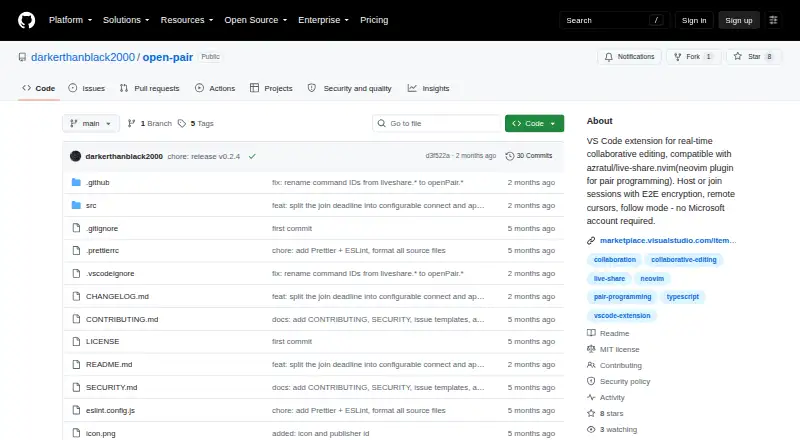
What Open Pair is
Open Pair is a free, open-source extension for real-time collaborative editing between VS Code-compatible editors and Neovim, or between two compatible VS Code editors. Users can host sessions or join sessions hosted by others, including mixed VS Code and Neovim sessions. Hosts approve or deny incoming connections and assign read-write or read-only access. Participants get remote cursors and selections and a follow mode; the shared terminal is still marked as work in progress. The project describes direct TCP connections with AES-256-GCM end-to-end encryption, placing the key in the share URL fragment. Compatible editors include VS Code 1.85+, VSCodium, Cursor, Windsurf, and Google Antigravity. Neovim requires live-share.nvim protocol version 3 or later. Connections can use localhost.run, serveo.net, ngrok, bore.pub, or local network and VPN links. Hosting shares only the first workspace folder, and active network access is required.
Good
- Free and MIT licensed
- Supports VS Code and Neovim collaboration
- Read-write or read-only guest permissions
- AES-256-GCM end-to-end encryption
- Several tunnel and local-network options
Watch out
- No offline mode
- Only the first workspace folder is shared
- Shared terminal remains work in progress
- Neovim requires live-share.nvim protocol version 3 or later
Who it suits
It suits developers who want collaborative editing across supported VS Code editors and Neovim without a Microsoft account. Hosts needing read-only guest access and connection approval may find its controls useful.
Verdict
Open Pair provides focused, encrypted collaborative editing with host-controlled permissions and broad listed editor support. Its network requirement, workspace limit, and unfinished terminal feature are important constraints.
The facts
Each one read from Open Pair's own pages, with the date it was checked.
What it does
- Access control
- Hosts can approve or deny each incoming connection and assign read-write or read-only access.checked 11 Oct 2026
- Accounts
- The product description says no Microsoft account is required.checked 11 Oct 2026
- Collaboration features
- Supported features include remote cursors and selections, follow mode, and read-only guest access.checked 11 Oct 2026
- Compatible editors
- The README lists VS Code 1.85+, VSCodium, Cursor, Windsurf, and Google Antigravity as compatible editors.checked 11 Oct 2026
- Editing features
- Listed features include remote cursors and selections, follow mode, and a read-only guest role.checked 4 Oct 2026
- Editor compatibility
- The project lists VS Code 1.85+, VSCodium, Cursor, Windsurf, and Google Antigravity as compatible editors.checked 4 Oct 2026
- Encryption
- The project describes direct TCP connections with AES-256-GCM end-to-end encryption.checked 4 Oct 2026
- Host and guest modes
- Users can host sessions or join sessions hosted by VS Code-compatible editors or Neovim running live-share.nvim.checked 4 Oct 2026
- Hosting and joining
- Users can host or join sessions, and VS Code and Neovim participants can join the same session simultaneously.checked 11 Oct 2026
- License
- The project is licensed under the MIT License.checked 11 Oct 2026
- Limitations
- Hosting shares only the first workspace folder, the product has no offline mode, and Neovim compatibility requires live-share.nvim protocol version 3 or later.checked 11 Oct 2026
- Neovim integration
- Neovim interoperability uses the live-share.nvim plugin, which must be running as host for a VS Code client to join a Neovim session.checked 11 Oct 2026
- Network requirement
- The project has no offline mode and requires an active network connection.checked 4 Oct 2026
- No Microsoft account
- The project says a Microsoft account is not required.checked 4 Oct 2026
- Purpose
- Open Pair enables real-time collaborative editing between VS Code and Neovim or between two VS Code-compatible editors.checked 11 Oct 2026
- Requirements
- Using localhost.run or serveo requires ssh in PATH, while ngrok requires its CLI and an authentication token.checked 11 Oct 2026
- Security
- The project describes direct TCP connections with AES-256-GCM end-to-end encryption and includes the encryption key in the share URL fragment.checked 11 Oct 2026
- Security reporting
- The security policy asks users to report vulnerabilities privately through GitHub Security Advisories and says a response will arrive within 7 days.checked 11 Oct 2026
- Security reports
- The security policy asks users to report vulnerabilities privately through GitHub Security Advisories and says a response will arrive within 7 days.checked 4 Oct 2026
- Shared terminal
- The shared terminal feature is marked as work in progress.checked 11 Oct 2026
- Tunnel options
- Listed connection options include localhost.run, serveo.net, ngrok, bore.pub, and local network or VPN connections without a tunnel.checked 4 Oct 2026
- Tunnels
- Documented tunnel options include localhost.run, serveo.net, ngrok, and local network or VPN connections.checked 11 Oct 2026
- Workspace limit
- When hosting, only the first workspace folder is shared.checked 4 Oct 2026
Where it runs
- Approval controls
- The host can approve or deny incoming connections and assign read-write or read-only access.checked 4 Oct 2026
Alternatives to Open Pair
- 1

Hopp
Free planOpen sourceWebmacOSSelf-hostedWindows7.9From $15 a month - 2
Drovio
Free planWebLinuxmacOSSelf-hosted7.7From $15 a month - 3

Visual Studio
Free planAPIWindows7.6Free plan - 4

Zed
Free planLinuxmacOSWindows7.6From $10 a month - 5

HackerRank
WebAPImacOSWindows7.4From $165 a month - 6

Coterm
Free planOpen sourceiOSAPImacOSSelf-hosted7.3Free plan