
OctaneRender
OctaneRender is a GPU render engine from OTOY for producing renders from 3D scenes.
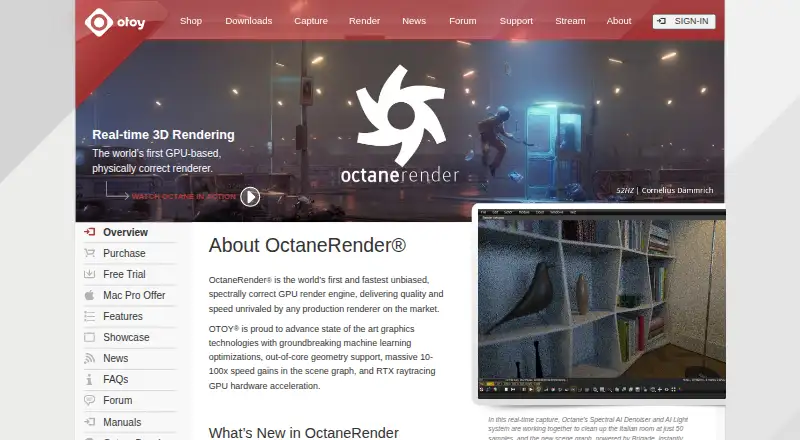
What OctaneRender is
OctaneRender is a GPU render engine from OTOY for producing renders from 3D scenes. OTOY describes it as unbiased and spectrally correct. Rendering capabilities include physically based spectral light transport, volume rendering, out-of-core textures, multiple GPUs, and network rendering. Its interactive viewport updates when scene settings change; OTOY says the on-screen view represents the final render. Material options include Open Shading Language, procedural materials, complex PBR textures, toon shading, and the OctaneLive material database. The software supports more than 21 plugins, including integrations for Blender, Cinema 4D, Maya, Houdini, Nuke, and SketchUp, and .ORBX scene interchange between supported modeling tools. OctaneRender Prime is free for personal and commercial use, with one GPU maximum and no network rendering. Studio+ includes Render Network cloud rendering and neural rendering tools. Studio+ costs €19.99 a year (billed 19.99 €/month (Billed yearly)) or €23.95 a month. Windows and Linux require a CUDA 10 capable NVIDIA graphics card; Octane X 2023 and later requires Apple M1 or newer GPUs with macOS 14 or later.
Good
- Supports multiple GPUs and network rendering.
- Interactive viewport updates with scene changes.
- Supports more than 21 plugins.
- Free Prime tier allows personal and commercial use.
- Studio+ includes cloud rendering and neural rendering tools.
Watch out
- Prime is limited to one GPU.
- Prime does not include network rendering.
- Standalone demo restricts output and prevents saving.
- Windows and Linux require a CUDA 10 capable NVIDIA GPU.
Who it suits
OctaneRender is aimed at artists and studios creating 3D renders. Its GPU rendering, plugin integrations, and scene interchange may suit those working across supported modeling tools.
Verdict
OctaneRender offers a free Prime tier and paid Studio+ plans, with rendering features and integrations for artists and studios. Check the listed hardware requirements and trial limits before choosing a version.
Plans and prices
From OctaneRender's own pricing page, checked 30 Sep 2026.
| Plan | Price | What it gives you |
|---|---|---|
| OctaneRender Studio+ (Annual) | €19.99 | 10 render nodes maximum by default · Windows/Linux require a CUDA 10 capable NVIDIA graphics card · 19.99 €/month (Billed yearly) |
| OctaneRender Studio+ (Monthly) | €23.95 a month | 10 render nodes maximum by default · Windows/Linux require a CUDA 10 capable NVIDIA graphics card · 23.95 €/month (Billed monthly) |
The facts
Each one read from OctaneRender's own pages, with the date it was checked.
What it does
- Cloud rendering
- Studio+ includes access to the Render Network for on-demand GPU cloud rendering and neural rendering tools.checked 30 Sep 2026
- DCC integrations
- OTOY says OctaneRender supports more than 21 plugins and lists integrations including Blender, Cinema 4D, Maya, Houdini, Nuke, and SketchUp in its demo and product materials.checked 30 Sep 2026
- GPU acceleration
- OTOY says NVIDIA RTX acceleration brings 2–5× render speed increases on ray-tracing GPUs with multi-GPU support.checked 30 Sep 2026
- Intended users
- OTOY describes Studio+ as providing OctaneRender VFX software and its ecosystem to artists and studios.checked 30 Sep 2026
- Interactive viewport
- OTOY says the on-screen viewport is the final render and updates instantly when scene settings change.checked 30 Sep 2026
- Interchange
- OctaneRender supports the .ORBX interchange format for moving scenes between supported modeling tools.checked 30 Sep 2026
- Licensing requirement
- OTOY says the software requires an internet connection to its licensing server, while annual subscriptions can use a separately sold offline USB dongle.checked 30 Sep 2026
- Materials and shading
- It supports Open Shading Language, procedural materials, complex PBR textures, toon shading, and the OctaneLive material database.checked 30 Sep 2026
- Rendering
- It supports physically based spectral light transport, multiple GPUs, network rendering, volume rendering, and out-of-core textures.checked 30 Sep 2026
- Security and privacy
- OTOY's privacy policy says it uses reasonable organizational, technical, and administrative steps to protect personal information and cannot guarantee security absolutely.checked 30 Sep 2026
- Support
- OTOY provides product manuals and support through its help site, and recommends trying the demo to check hardware compatibility before subscribing.checked 30 Sep 2026
- Supported systems
- The purchase page specifies CUDA 10 capable NVIDIA graphics on Windows and Linux, and Apple M1 or newer GPUs with macOS 14 or later for Octane X 2023 and later.checked 30 Sep 2026
- What it does
- OctaneRender is a GPU render engine described by OTOY as unbiased and spectrally correct.checked 30 Sep 2026
The company
- Founded
- 2008checked 23 Sep 2026
- Headquarters
- Los Angeles, California, United Stateschecked 23 Sep 2026
Money
- Free tiers
- OTOY offers OctaneRender Prime as a free tier for personal and commercial use, with one GPU maximum and no network rendering.checked 30 Sep 2026
- Trial limits
- The standalone demo limits output to 1000×600 pixels, prevents saving projects or renders, watermarks output, and excludes LiveDB and network rendering.checked 30 Sep 2026
The full review of OctaneRender
Overview
OctaneRender is OTOY’s GPU render engine for artists building still images or animations from 3D scenes. It suits people whose workflow can use NVIDIA or Apple GPUs and who want rendering integrated with established modeling and compositing tools. Its combination of spectral rendering, broad plugin support and optional cloud rendering is compelling, but hardware and licensing requirements make it a poor fit for anyone seeking a renderer unconstrained by GPU or internet access.
Key features
Rendering and viewport
Physically based spectral light transport and path tracing put OctaneRender’s emphasis on rendered lighting, while support for animation, denoising and volume rendering covers more than still-image work. It can use multiple GPUs, network rendering and out-of-core textures, useful when scenes or jobs outgrow a single card. OTOY says NVIDIA RTX acceleration can increase render speed 2–5× on ray-tracing GPUs; that is a vendor claim, not a guarantee for every scene or system.
The interactive viewport is designed to show the final render and update as scene settings change. That makes it easier to judge adjustments in the rendered result rather than relying on a separate preview. Materials support Open Shading Language, procedural creation, complex PBR textures and toon shading, while OctaneLive provides a material database.
Integrations and cloud
OTOY lists more than 21 plugins, including Blender, Cinema 4D, Maya, Houdini, Nuke and SketchUp. The .ORBX format supports moving scenes between supported modeling tools, a practical advantage for workflows that cross applications. Studio+ also includes access to the Render Network for on-demand GPU cloud rendering and neural rendering tools. Those capabilities make the paid tier more relevant to artists and studios with heavier or variable workloads than to someone who only needs a one-GPU renderer.
Pricing
OctaneRender uses a freemium model, with OctaneRender Prime free for personal and commercial use. Prime is capped at one GPU and excludes network rendering, so it is a useful way to work within a single-GPU setup but not a free route to distributed rendering.
OctaneRender Studio+ Annual is shown at €19.99 a year, billed 19.99 €/month (Billed yearly). Studio+ Monthly is €23.95 a month, billed 23.95 €/month (Billed monthly). Both plans default to a maximum of 10 render nodes. The annual option suits people prepared to commit to yearly billing; monthly billing costs more per month but avoids that term. Studio+ adds Render Network access and neural rendering tools, making it the relevant choice for users needing those capabilities.
A standalone demo is available, but its limits make it a compatibility check rather than an unrestricted trial: output is capped at 1000×600 pixels, projects and renders cannot be saved, output is watermarked, and LiveDB and network rendering are unavailable. The software requires an internet connection to OTOY’s licensing server. Annual subscribers can use a separately sold offline USB dongle, so offline use adds a separate purchase rather than coming with the subscription.
Platforms
OctaneRender is offered for Windows, macOS, Linux and iOS. Windows and Linux require a CUDA 10-capable NVIDIA graphics card. For Octane X 2023 and later on macOS, the requirement is an Apple M1 or newer GPU with macOS 14 or later. Those requirements are central to the choice: check the relevant hardware before subscribing, particularly if you expect to use the free Prime tier as a route into a particular workflow.
Who it's for
OctaneRender is best suited to 3D artists and studios whose work benefits from GPU rendering, a final-render interactive viewport, and integration with tools such as Blender, Cinema 4D or Maya. Prime is a sensible starting point for personal or commercial work that fits on one GPU and does not need network rendering. Studio+ is the stronger fit when cloud rendering or a larger render setup matters. It is less suitable for users without compatible graphics hardware or those who need licensing that works offline without buying a dongle.
Pros and cons
- Pro: Prime permits both personal and commercial use at no cost, with a clear one-GPU boundary.
- Pro: More than 21 plugins, named DCC integrations and .ORBX interchange support give it reach across supported creative tools.
- Pro: Studio+ combines Render Network access with neural rendering tools for users whose local GPU capacity is not enough.
- Con: Prime excludes multi-GPU and network rendering workflows; that limits its usefulness for larger jobs.
- Con: The demo’s save restrictions, watermark and low output resolution prevent meaningful finished work during evaluation.
- Con: Compatible GPU requirements and the licensing-server connection narrow the options for unsupported systems or offline work.
Alternatives
Browse 3D Rendering Software for more options by category.
Choose D5 Render if a Windows renderer with a free community plan is a better fit; its free tier is non-commercial and includes 2,100+ official assets and 50 AI trial credits.
LuxCoreRender is a free option for private and commercial use across Windows, Mac OS X and Linux.
Consider Arnold for a paid single-user subscription on Linux, macOS or Windows.
Bforartists is a free, open-source 3D creation suite for Windows, macOS and Linux.
Maxwell Render is a paid alternative with a 5-node floating-license pack priced at $245, paid once, or a 5 Studio nodelocked license priced at $595, paid once.
Redshift, RenderMan and NVIDIA Iray are other alternatives to compare.
Verdict
OctaneRender is a strong choice for artists and studios with compatible GPUs who want spectral GPU rendering, a viewport aimed at showing the final result, and integrations across common creative tools. Prime makes that workflow accessible on one GPU, while Studio+ adds cloud rendering and neural tools. Look elsewhere if your hardware does not meet the platform requirements, you need network rendering without a paid plan, or an always-online license is a deal-breaker.
Alternatives to OctaneRender
- 1

D5 Render
Free planWebWindows7.6From $360 a year - 2
Terragen
Free planAPILinuxmacOSWindows7.6From $96 a year - 3
LuxCoreRender
Free planOpen sourceAPIExtensionLinuxmacOS7.3Free plan - 4
Picogen
Free planOpen sourceLinuxWindows7.2Free plan - 5
Twinmotion
Free planWebmacOSWindows7.0From $445 a year - 6
KeyShot
WebAPIExtensionLinux6.9