music21
music21 is a free, BSD-licensed Python toolkit for computer-aided musicology.
What music21 is
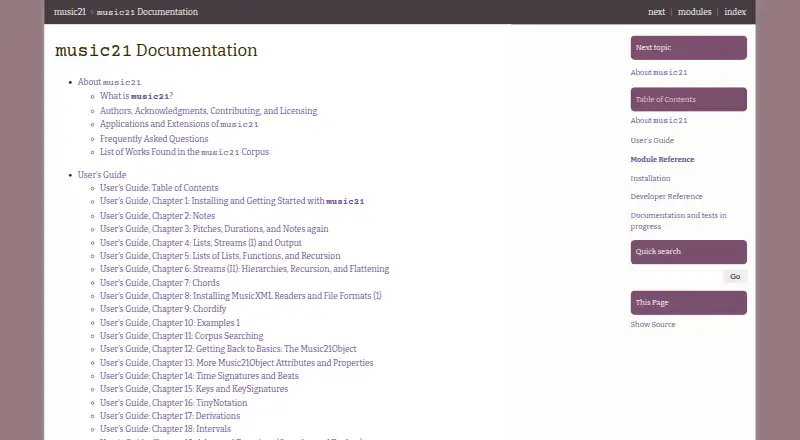
music21 is a free, BSD-licensed Python toolkit for computer-aided musicology. It helps users study music datasets, create musical examples, teach music theory, edit notation, analyze scores, and compose. The package includes a corpus containing thousands of encoded musical works. Search tools, pitch plots, and advanced analysis such as nPVI support research and exploration. music21 handles MIDI and MusicXML and can be extended to additional formats. For notation viewing and editing, its documentation recommends MuseScore and describes MusicXML readers for Finale, Sibelius, and Dorico. Optional connections to LilyPond, Matplotlib, SciPy, PyAudio, and Pygame support score rendering, plotting, audio searching, recording, and realtime MIDI work. It can also run in the web-based Jupyter Notebook. The toolkit is available for Linux, macOS, Windows, and the web, with both local and web deployment options. Users should have some Python familiarity. music21 works with symbolic musical information rather than sound waves, and it cannot read notation directly from images or PDF files. Individual corpus works may carry their own licensing restrictions.
Good
- Free BSD-licensed toolkit
- Includes thousands of encoded works
- Supports MIDI and MusicXML
- Provides corpus search and advanced analysis
- Works with Jupyter Notebook in a browser
- Offers optional notation, plotting, and MIDI integrations
Watch out
- Requires some familiarity with Python
- Focuses on symbolic data, not sound waves
- Cannot read notation from images or PDFs
- Corpus works may have separate licensing restrictions
Who it suits
music21 suits musicologists, programmers, composers, performers, and music enthusiasts who can work with Python. It is useful for symbolic-score analysis, notation workflows, music education, and computational composition across desktop or web environments.
Verdict
Pick music21 for Python-based study, teaching, analysis, notation work, or algorithmic composition using symbolic music data. Consider another tool if your primary need is audio-wave processing or automatic reading of scores from images and PDFs.
Plans and prices
From music21's own pricing page, checked 8 Oct 2026.
| Plan | Price | What it gives you |
|---|---|---|
| music21 | Free | BSD-licensed toolkit · corpus works may have separate restrictions |
The facts
Each one read from music21's own pages, with the date it was checked.
What it does
- Analysis
- Its tools include corpus searching, pitch plotting, and advanced analysis functions such as nPVI.checked 8 Oct 2026
- Audience and requirements
- The documentation says users need some familiarity with Python and identifies musicologists, programmers, composers, performers, and music enthusiasts among potential contributors.checked 8 Oct 2026
- Corpus
- The toolkit includes a corpus of thousands of encoded musical works.checked 8 Oct 2026
- Corpus restrictions
- Some corpus encodings may not be used commercially or may have other restrictions, so users are directed to check the licenses for individual works or directories.checked 8 Oct 2026
- Deployment
- bothchecked 22 Sep 2026
- Formats
- The FAQ says music21 can work with common formats including MIDI and MusicXML, and can be extended to support more.checked 8 Oct 2026
- Jupyter
- The documentation describes using music21 in the web-based Jupyter Notebook.checked 8 Oct 2026
- Limits
- music21 primarily manipulates symbolic musical data rather than sound waves, and it cannot read music directly from images or PDFs.checked 8 Oct 2026
- MIDI support
- Yeschecked 22 Sep 2026
- MusicXML support
- Yeschecked 22 Sep 2026
- Notation integrations
- The documentation recommends MuseScore for viewing and editing notation and describes support for MusicXML readers including Finale, Sibelius, and Dorico.checked 8 Oct 2026
- Other integrations
- The documentation describes optional integrations with LilyPond, Matplotlib, SciPy, PyAudio, and Pygame for tasks such as score rendering, plotting, audio searching, recording, and realtime MIDI.checked 8 Oct 2026
- Parts extraction
- Yeschecked 22 Sep 2026
- Purpose
- music21 is a Python-based toolkit for computer-aided musicology.checked 8 Oct 2026
- Security and licensing
- The toolkit is BSD-licensed; its configuration assistant asks whether music21 can access the Internet, and the documentation says Internet access is not required.checked 8 Oct 2026
- Support
- The community mailing list offers help, while paid consulting is available at rates that vary by project.checked 8 Oct 2026
- Tablature support
- Yeschecked 22 Sep 2026
- Uses
- People use it to study music datasets, generate musical examples, teach music theory, edit notation, analyze music, and compose.checked 8 Oct 2026
Money
- Free plan
- Yeschecked 22 Sep 2026
The full review of music21
music21 is a free, BSD-licensed Python toolkit for working with symbolic music rather than recorded audio. It suits musicologists, programmers, teachers, composers, performers, and serious music students who are comfortable writing Python; readers seeking visual notation editing or automatic score transcription should choose something else.
Overview
music21 turns encoded musical works into material for study, teaching, analysis, notation workflows, and algorithmic composition. Its included corpus contains thousands of works, giving researchers and instructors a substantial starting point for dataset-based questions and classroom examples. The emphasis is programmatic investigation: you manipulate musical objects and generate results in code instead of working primarily in a polished, stand-alone score editor.
The toolkit is free under the BSD license. Corpus licensing is a separate practical concern: individual works or directories can prohibit commercial use or impose other conditions, so commercial projects must check the terms attached to the material they use. A configuration assistant asks about Internet access, but Internet access is not required to use the software.
Key features
Corpus search and analysis
Corpus searching helps users investigate recurring material across many encoded scores. Pitch plotting makes melodic or harmonic patterns easier to inspect visually, while advanced analysis functions such as nPVI support more specialized rhythmic and comparative work. These capabilities are valuable for research and teaching because they replace one-score-at-a-time inspection with repeatable, data-oriented analysis.
Formats, parts, and tablature
music21 reads and writes common symbolic formats including MIDI and MusicXML, and its format support can be extended. Part extraction is useful when an analysis or generated example needs an individual instrumental line, and tablature support broadens its relevance beyond conventional staff notation. It cannot read music directly from images or PDFs, so scanned pages still require another transcription workflow.
Notation and optional integrations
The documentation recommends MuseScore for viewing and editing notation, while MusicXML readers such as Finale, Sibelius, and Dorico can participate in the workflow. Optional integrations with LilyPond, Matplotlib, SciPy, PyAudio, and Pygame cover score rendering, plotting, audio searching, recording, and realtime MIDI. Jupyter Notebook support also makes browser-based, cell-by-cell exploration practical. These integrations expand what a Python workflow can do, but they add setup and dependency decisions rather than delivering a single all-in-one application.
Pricing
| Plan | Price | What it includes |
|---|---|---|
| music21 | free | BSD-licensed toolkit; corpus works may have separate restrictions |
There is no paid tier, seat charge, quota, trial period, or renewal term to weigh. The free plan is therefore the right fit for independent learners, educators, researchers, and developers who can work in Python. Its main qualification is not a software cap but the licensing of particular corpus works, plus the time and technical knowledge required to configure optional integrations.
Platforms
music21 is available on Linux, macOS, Windows, and the web, with both local and web deployment options. That range supports desktop Python environments as well as browser-based Jupyter use. The platform breadth is useful for classrooms and mixed-device teams, although the toolkit’s Python requirement remains central regardless of where it runs.
Who it's for
Choose music21 when your work involves encoded scores, corpus research, computational musicology, teaching demonstrations, notation-data conversion, or algorithmic composition. Python familiarity is expected, making it a natural fit for programmers and technically inclined musicologists, composers, performers, and enthusiasts. It is less suitable for someone who wants immediate drag-and-drop notation editing, audio-wave processing, or optical music recognition from scans.
Pros and cons
Pros
- Deep symbolic-music toolkit: search, plotting, nPVI and other analysis functions support serious, repeatable investigation.
- Large starting corpus: thousands of encoded works make dataset exploration possible without assembling every example from scratch.
- Broad interoperability: MIDI, MusicXML, part extraction, tablature, and extensible formats connect it to established notation workflows.
- Free and permissively licensed: the BSD license removes software subscription costs and suits teaching, research, and development.
- Expandable workflow: Jupyter and optional rendering, scientific, audio, and MIDI integrations let advanced users build specialized environments.
Cons
- Python is a prerequisite: users without programming experience face a steeper entry point than with dedicated notation or theory apps.
- Not an audio or scanning solution: it manipulates symbolic data and cannot turn recordings or image/PDF scores into notation.
- Notation editing is external: serious visual editing depends on MuseScore or compatible MusicXML applications.
- Corpus rights vary: some included works cannot be used commercially, requiring work-by-work license checks.
- Integrations add complexity: optional tools broaden capability but require additional setup and maintenance.
Alternatives
For broader music-theory practice and interactive exercises, browse Music Theory Software. For dedicated score creation and editing, see Music notation software.
- Harmonia is a freemium option on Android, iOS, macOS, web, and Windows, with free independent practice and a Classroom Connect plan priced at 20.95 for up to four weeks; choose it when guided practice and feedback matter more than Python analysis.
- note-noodle offers freemium ear training across Android, Linux, macOS, web, and Windows, including 10 daily sessions and three monthly Play Along uploads on its free plan; pick it for structured listening practice.
- ChordIQ is a freemium Android, iOS, and macOS app; choose it when a focused chord-learning tool is preferable to a programmable research toolkit.
- Music Master provides free website lessons and practice questions without an account, suited to straightforward web study.
- Musicca keeps all content free, with an account unlocking all content and removing ads; choose it for accessible browser-based learning.
- MyMusicTheory is a freemium Android, iOS, and macOS app with more than 100 free exercises, aimed at exercise-based study.
- Study Music Theory includes its full course and eight trainers free, without ads or paywalls, for a guided curriculum.
- MusicTheory.net offers all site content free and without ads on iOS and the web, making it a simple reference and practice alternative.
Verdict
Pick music21 if you need a free, extensible Python environment for analyzing, teaching, searching, or generating symbolic music across a sizeable corpus. Its main reason to choose it is the combination of serious computational analysis and broad notation-data interoperability. Look elsewhere if your priority is audio processing, automatic reading of scanned scores, or immediate visual notation editing without programming.
Getting started
- Open the music21 website
- Use it on Linux, macOS, Windows, or through web deployment
- Work in Python or a web-based Jupyter Notebook
- Load MIDI or MusicXML material
- Browse the included corpus and run searches or analysis
- Connect MuseScore or other optional integrations when needed
- Check the license for each corpus work before commercial use
Limits worth knowing
music21 primarily manipulates symbolic musical data rather than sound waves and cannot read music directly from images or PDFs. Some corpus encodings have commercial or other restrictions, so each work’s license may limit use.
Questions
Is music21 free?
Yes. The toolkit is BSD-licensed and its listed plan is free.
Which systems can run it?
It is available for Linux, macOS, Windows, and the web, with both local and web deployment.
What file formats does it support?
It works with common formats including MIDI and MusicXML and can be extended to support more.
Can it display or edit notation?
The documentation recommends MuseScore for viewing and editing notation and describes MusicXML readers including Finale, Sibelius, and Dorico.
Does it process audio recordings?
Its main focus is symbolic musical data rather than sound waves. Optional integrations include tools for audio searching, recording, and realtime MIDI.
Is help available?
A community mailing list offers help, while paid consulting is available at project-dependent rates.
Alternatives to music21
- 1
Harmonia
Free planAndroidiOSWebmacOS8.0$20.95 one-time - 2
ChordIQ
Free planAndroidiOSWebmacOS7.6Free plan - 3
note-noodle
Free planAndroidWebLinuxmacOS7.4From €7 a month - 4

Complete Rhythm Trainer
AndroidiOSWebmacOS7.0From €9.99 a year - 5

Musition
AndroidiOSWebmacOS7.0From $39 a year - 6
Musicca
Free planAndroidiOSWeb6.7Free plan