
Moises
Moises is a music toolset for musicians to practice, perform, produce, and collaborate.
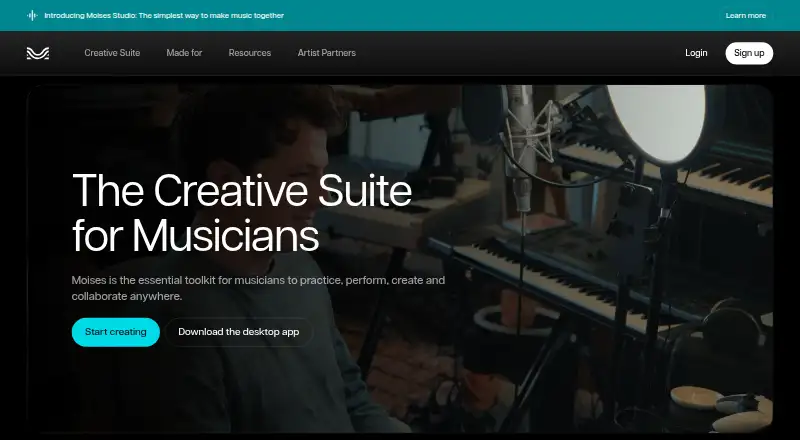
What Moises is
Moises is a music toolset for musicians to practice, perform, produce, and collaborate. It can separate vocals, drums, bass, guitar, keys, and other parts from audio; its homepage describes 27 stem types. Other tools include chord finding, speed adjustment, and lyric transcription. Moises Studio lets bandmates, producers, and co-writers arrange, record, and edit one session together in a browser in real time. The free plan allows up to 5 uploads per month, with files up to 5 minutes long and limited stem-separation options. Premium and Pro plans are listed, but their prices are not provided; both allow uploads up to 20 minutes, with different listed features. Moises also integrates with Fender Studio Pro 8.1 for stem separation, stem generation, and voice conversion, requiring an internet connection. Its free integration allowance is 10 audio separations, 120 stem-generation credits (60 minutes), and 5 voice conversions per month. The service is available on Android, iOS, macOS, Windows, web, and as an extension. Moises says it does not train on users' data, but its privacy policy says it collects usage data that may include upload history, processed files, library activity, and uploaded media.
Good
- Separates vocals, drums, bass, guitar, keys, and more
- Includes chord finding, speed changes, and lyric transcription
- Browser sessions support real-time collaboration
- Available on mobile, desktop, web, and extension
Watch out
- Free plan limits uploads to 5 monthly
- Free plan limits files to 5 minutes
- Fender Studio Pro integration requires internet
- Privacy policy includes usage and uploaded-media data
Who it suits
Moises suits musicians who need audio-part separation, practice tools, or browser-based collaboration. The free plan may suit occasional users who can work within its upload and file-length limits.
Verdict
Moises combines audio separation and practice features with a collaborative browser studio and several device options. Check the free-tier limits and the privacy policy's described data collection before uploading music.
Plans and prices
From Moises's own pricing page, checked 19 Sep 2026.
| Plan | Price | What it gives you |
|---|---|---|
| Free | Free | Up to 5 uploads per month · Files up to 5 minutes long · Limited stem-separation options |
| Premium | — | Unlimited uploads · Files up to 20 minutes long · Additional separation options · Priority processing |
| Pro | — | Hi-Fi stem-separation models · Premium features · Up to 20-minute uploads |
The facts
Each one read from Moises's own pages, with the date it was checked.
What it does
- AI training data
- Moises says it trains its models on licensed materials and does not train on music without the owner's approval.checked 29 Sep 2026
- Collaborative studio
- Moises Studio lets bandmates, producers, and co-writers arrange, record, and edit the same session together in a browser in real time.checked 29 Sep 2026
- Creative suite
- Moises offers tools for musicians to practice, perform, produce, and collaborate, including stem separation, chord finding, speed changing, and lyric transcription.checked 29 Sep 2026
- DAW integration
- Moises integrates with Fender Studio Pro 8.1, providing stem separation, stem generation, and voice conversion inside the DAW; an internet connection is required.checked 29 Sep 2026
- Privacy and deletion
- The privacy policy says users may request deletion or anonymization of personal data, subject to stated legal and business exceptions.checked 29 Sep 2026
- Privacy policy
- Moises' privacy policy says it collects usage data that may include upload history, processed files, library activity, and media files users choose to upload.checked 29 Sep 2026
- Stem separation
- Moises can separate vocals, drums, bass, guitar, keys, and other parts from audio; its homepage describes 27 stem types.checked 29 Sep 2026
- Uploaded data
- Moises says it will not train its models on users' data.checked 29 Sep 2026
The company
- Company identity
- The website identifies the service operator as Moises Systems, Inc.checked 29 Sep 2026
- Headquarters
- A Moises newsroom announcement is datelined Salt Lake City, Utah.checked 29 Sep 2026
Money
- Free integration allowance
- The Fender Studio Pro integration includes 10 audio separations, 120 stem-generation credits (60 minutes), and 5 voice conversions per month on the free plan.checked 29 Sep 2026
- Free plan
- Yeschecked 19 Sep 2026
- Free tier
- Moises offers a free tier with a limited number of monthly uploads and access to selected features; full pricing and feature details require logging in.checked 29 Sep 2026
Where it runs
- Platforms
- Moises is available as a web app and as desktop, iPhone, iPad, and Android apps; its Help Center specifies macOS and Windows desktop apps.checked 29 Sep 2026
The full review of Moises
Overview
Moises is a music practice and production service built around separating songs into instrument and vocal stems, with tools for arranging and collaborating as well. It suits musicians who want to learn or work with existing recordings, especially those who also need a browser-based space to develop sessions with collaborators. Its breadth is appealing, but the free plan’s upload caps and the privacy policy’s treatment of uploaded media deserve attention before you commit.
Key features
Moises separates vocals, drums, bass, guitar, keys and other parts; its homepage describes 27 stem types, ranging from vocal and guitar variants to orchestral instruments. That range can make it useful for isolating a specific part to practice or for preparing material for production. Chord finding, speed adjustment and lyric transcription add practical tools for working through a song without changing apps.
Moises Studio lets bandmates, producers and co-writers arrange, record and edit one session together in a browser in real time. That makes it more than a solo practice tool, though its value depends on whether your collaborators want to work in a shared browser studio.
For DAW users, the Fender Studio Pro 8.1 integration brings stem separation, stem generation and voice conversion into the DAW, but it requires an internet connection. On the free plan, the integration allows 10 audio separations, 120 stem-generation credits (60 minutes) and 5 voice conversions per month. Batch processing, API access and MP3, WAV, FLAC, M4A and OGG exports round out the offering.
Moises says it trains its models on licensed material and not on music without the owner's approval, and says it will not train on users' data. Its privacy policy nevertheless says usage data may include upload history, processed files, library activity and uploaded media. Users can request deletion or anonymization of personal data, subject to legal and business exceptions; anyone handling sensitive or unreleased recordings should weigh that collection policy before uploading.
Pricing
| Plan | Price | What it includes |
|---|---|---|
| Free | free | Up to 5 uploads per month, files up to 5 minutes long, and limited stem-separation options. |
| Premium | Custom pricing | Unlimited uploads, files up to 20 minutes long, additional separation options and priority processing. |
| Pro | Custom pricing | Hi-Fi stem-separation models, premium features and uploads up to 20 minutes long. |
Free is enough to try short tracks, but five monthly uploads and limited separation choices make it a constrained option for regular practice or production. Premium removes the upload quota and raises the file-length cap to 20 minutes, making it the more natural fit for frequent use. Pro is for users who specifically want Hi-Fi separation models; both paid tiers have custom pricing. The service's full pricing and feature details require logging in, so compare those terms before choosing a paid plan.
Platforms
Moises is available on Android, iOS, macOS, Windows and the web, with an extension also listed. A desktop app is available. This spread makes it accessible across mobile, desktop and browser workflows, while the collaborative studio is specifically browser-based.
Who it's for
Moises is a strong fit for musicians who learn songs by isolating parts, want practice tools alongside separation, or collaborate on arrangements in a shared browser session. Producers working in Fender Studio Pro 8.1 may value having separation and generation tools inside the DAW, provided an internet connection and the free integration quotas meet their needs.
It is less compelling for occasional users who need only a few separations but want long uploads, or for anyone who is uncomfortable uploading music under a policy that describes collection of media and activity data. The free cap of five uploads per month and five-minute files is particularly limiting for regular work.
Pros and cons
- Pro: A broad set of stem types and practice tools supports both learning parts and preparing music for production.
- Pro: Real-time browser collaboration lets bandmates and co-writers work on the same session rather than exchanging separate edits.
- Pro: Multiple export formats, batch processing and API access support workflows beyond casual listening.
- Con: The free plan allows only five monthly uploads, each no longer than five minutes, with limited separation options.
- Con: Premium and Pro use custom pricing, and full pricing and feature details require logging in.
- Con: The privacy policy says uploaded media and activity such as upload history and processed files may be collected, a meaningful consideration for unreleased music.
Alternatives
For a broader comparison, see Stem Separation Software and AI Stem Splitters; for wider editing workflows, browse Audio Editing Software.
- LALAL.AI is another freemium option with mobile, desktop, web and API availability; its free Starter plan offers 10 minutes in a relaxed queue, a 200 MB per-file limit and previews, but no full downloads.
- AudioShake has a free plan and trial, plus a 200-credit starting allowance, MP3 export, files up to 10 minutes, stem separation and lyric editing; consider it if those stated limits suit your work.
- Pymss is free and open source, and runs locally; choose it if local operation is the priority.
- Fadr offers a free Basic plan with vocals, melodies, drums and bass, MP3 downloads, MIDI detection and a Remix Maker; its Plus plan is $10 a month.
- MVSEP offers an unregistered free option with 50 daily separations, 100+ AI models and low queue priority, but caps files at 10 minutes and 100 MB and allows one concurrent job.
- StemDeck is free forever, with no account, quota, uploads or subscription, though it processes one job at a time.
- Sonura is another freemium option.
- Ultimate Vocal Remover is a free, open-source alternative for Linux, macOS and Windows.
Verdict
Choose Moises if you want stem separation tied to song-practice tools and a real-time browser studio, with mobile, desktop and web access. Its main advantage is the combination of those workflows; its main drawbacks are the tightly capped free tier, custom-priced paid plans and the privacy policy's stated collection of uploaded media and activity. If those constraints fit your use, it is a versatile choice; if not, compare alternatives around your preferred limits or local workflow.
Getting started
- Open https://moises.ai/
- Choose the Free plan or review Premium and Pro options
- Use Moises on Android, iOS, macOS, Windows, the web, or its extension
- Upload audio for separation or other creative tools
- Export results in MP3, WAV, FLAC, M4A, or OGG
Limits worth knowing
The Free plan costs nothing and allows up to five uploads per month, files up to five minutes, and limited stem-separation options. Fender Studio Pro's free integration allowance is 10 audio separations, 120 stem-generation credits (60 minutes), and 5 voice conversions per month.
Questions
Is Moises free?
Yes. The Free plan costs nothing and includes up to five monthly uploads.
Which platforms support Moises?
Moises is available on Android, iOS, macOS, Windows, the web, and as an extension. A desktop app is also available.
What file formats can Moises export?
Exports include MP3, WAV, FLAC, M4A, and OGG.
Does Moises provide an API?
Yes. API access is supported.
Does Moises train on uploaded user data?
Moises says it does not train its models on users' data and trains on licensed materials.
Alternatives to Moises
- 1
Jamzone
AndroidiOSmacOSWindows5.2 - 2
Riffloop
AndroidiOSWeb5.2 - 3
StrumLab Jam
AndroidiOSWeb5.2 - 4
Homeoke
iOSmacOS4.8 - 5
Band-in-a-Box
macOSWindows4.7 - 6
ChronoZoom
Web4.7