Minish Cap Randomizer
Minish Cap Randomizer changes item locations in The Legend of Zelda: The Minish Cap to create replayable playthroughs.
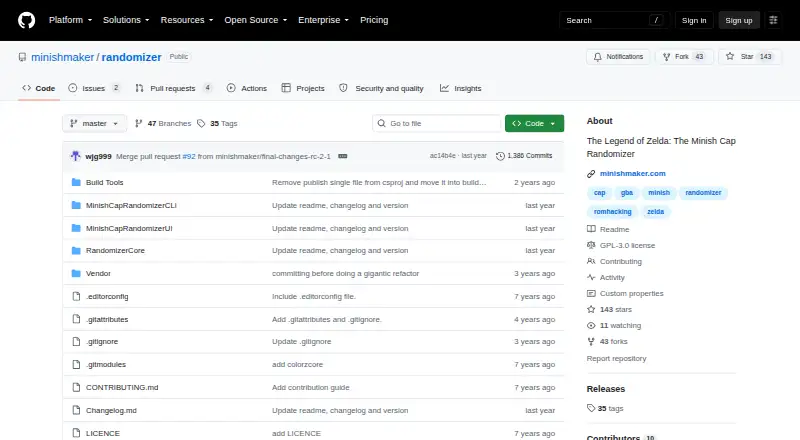
What Minish Cap Randomizer is
Minish Cap Randomizer changes item locations in The Legend of Zelda: The Minish Cap to create replayable playthroughs. It guarantees a glitchless route through the game, although players may still need to work out where to go. Settings can shuffle items, dungeon items, Kinstones, Elements, figurines, timer clocks, music and dungeon entrances. Optional changes include faster text, removing cutscene and textbox triggers, quickwarp, and alternate controls for the Pegasus Boots and Ocarina. The command-line version runs on Windows and Linux, supports interactive commands and command files, and can save a randomized ROM, patch and spoiler log. The graphical application is Windows-only; the project says Mac and Linux users can run it through a Windows virtual machine. The graphical randomizer requires the European game version in .gba format, and its interface supports Windows display scaling set to 100%. The project recommends EmoTracker for item tracking and points players to Discord for questions and help interpreting spoiler logs. The software is free under GPL-3.0. The README identifies version 1.0.0-rc2.1 as a prerelease before 1.0 proper.
Good
- Guarantees a glitchless path through the game.
- Offers a range of shuffle settings.
- CLI runs on Windows and Linux.
- Can save ROMs, patches and spoiler logs.
- Free under GPL-3.0.
Watch out
- Graphical randomizer requires the European .gba game version.
- GUI is Windows-only and requires 100% display scaling.
- Version 1.0.0-rc2.1 is a prerelease.
Who it suits
It suits players who want replayable Minish Cap runs with configurable item and game-element shuffling. Command-line users can run it on Windows or Linux; the graphical version is for Windows.
Verdict
Minish Cap Randomizer offers configurable playthroughs and a command-line option for Windows and Linux. Check the game-version and graphical-interface requirements before using the GUI.
The facts
Each one read from Minish Cap Randomizer's own pages, with the date it was checked.
What it does
- CLI
- The command-line version runs on Linux and Windows and supports interactive commands and command files for automated actions.checked 7 Oct 2026
- Command line
- The CLI supports command files for tasks including loading a ROM, choosing a seed, randomizing, and saving a ROM, patch, or spoiler log.checked 7 Oct 2026
- Community support
- The project directs users to Discord for questions and help interpreting spoiler logs, and invites discussion and testing.checked 7 Oct 2026
- Download
- The README directs users to download the latest release from GitHub and extract the ZIP before running the program.checked 7 Oct 2026
- Emulators
- The README recommends BizHawk and mGBA for PC, Mac, or Linux play, and RetroArch for Android and other platforms.checked 7 Oct 2026
- Game version requirement
- The graphical randomizer requires the European version of the game in .gba format.checked 7 Oct 2026
- Known limitation
- The README says the UI supports Windows machines with display scaling set to 100%.checked 7 Oct 2026
- Known UI limitation
- The project says its UI supports Windows machines with display scaling set to 100%.checked 7 Oct 2026
- License
- The repository identifies its license as GPL-3.0.checked 7 Oct 2026
- Operating systems
- The README describes the GUI as Windows-only and says the CLI runs on Windows and Linux.checked 7 Oct 2026
- Output files
- The CLI can save a randomized ROM, a patch and a spoiler log for a generated seed.checked 7 Oct 2026
- Progression logic
- The randomizer guarantees a glitchless path through the game, though the player may need to work out where to go.checked 7 Oct 2026
- Purpose
- The program randomizes item locations in The Legend of Zelda: The Minish Cap to create replayable, completable playthroughs.checked 7 Oct 2026
- Quality of life
- Optional changes include removing cutscene and textbox triggers, speeding up text, quickwarp and alternate controls for Pegasus Boots and the Ocarina.checked 7 Oct 2026
- Randomization options
- Settings can shuffle items including dungeon items, Kinstones, Elements, figurines, timer clocks, music and dungeon entrances.checked 7 Oct 2026
- Release status
- The README identifies version 1.0.0-rc2.1 as a prerelease before 1.0 proper.checked 7 Oct 2026
- Required game
- The GUI randomizer requires the European version of The Minish Cap in .gba format.checked 7 Oct 2026
- Shuffled content
- Depending on settings, the randomizer can shuffle items, dungeon items, Kinstones, Elements, music, and dungeon entrances.checked 7 Oct 2026
- Tracker integration
- The README recommends EmoTracker and mentions regularly updated Minish Cap packages for tracking item locations.checked 7 Oct 2026
- Trackers
- The README recommends EmoTracker for PC players who want a map tracker and points to regularly updated Minish Cap packages.checked 7 Oct 2026
Where it runs
- Desktop app
- The README describes the main application as Windows only and says Mac and Linux users can run it through a Windows virtual machine.checked 7 Oct 2026
Alternatives to Minish Cap Randomizer
- 1
FF6 Beyond Chaos Randomizer
Free planOpen sourceLinuxmacOSSelf-hostedWindows7.2Free plan - 2

Randovania
Free planOpen sourceLinuxmacOSSelf-hostedWindows7.2Free plan - 3

Ocarina of Time Randomizer
Free planAndroidiOSWebLinux7.0Free plan - 4

Wind Waker Randomizer
Free planLinuxmacOSWindows6.6Free plan - 5

MultiworldGG
WebLinuxmacOSWindows6.2 - 6
Universal Pokémon Randomizer FVX
Free planLinuxmacOSWindows6.1Free plan