
Meme Maker Pro
Meme Maker Pro is an app for making memes, GIFs and collages.
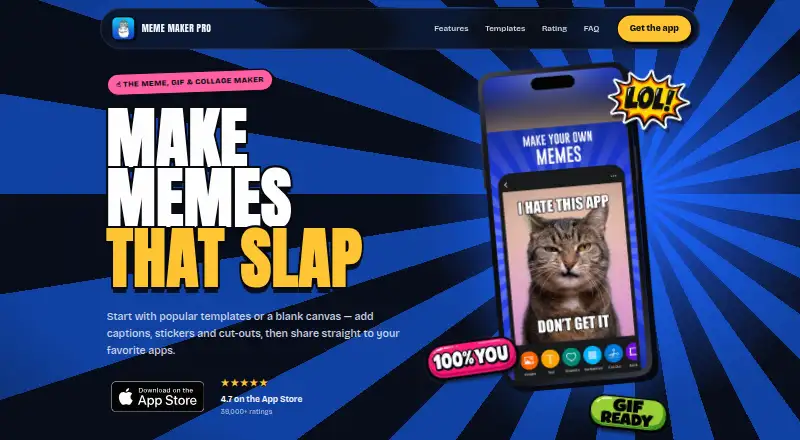
What Meme Maker Pro is
Meme Maker Pro is an app for making memes, GIFs and collages. Users can begin with a template or blank canvas, then add captions, stickers and cut-outs. Its library includes thousands of templates and images, with formats such as classic memes, Keep Calm designs, quote cards and then-versus-now layouts. The app advertises more than 4,500 stickers and a one-tap background eraser. Finished creations can be exported as images, video memes or animated GIFs, then shared to other apps. The optional PRO subscription adds templates and images, background removal, an AI image maker, premium fonts, stickers, stock images and an ad-free experience. The app is free to download and use, and a 7-day trial is listed. Subscriptions renew automatically unless cancelled at least 24 hours before the current period ends; users can manage or cancel them in App Store account settings. The iOS app supports iPhone, iPad and iMessage and requires iOS 16.0 or later. Its privacy summary says diagnostics are collected without identity linkage and no data is shared with third parties.
Good
- Templates or a blank canvas start each creation.
- More than 4,500 stickers are listed.
- Exports include images, video memes and GIFs.
- Free to download and use.
Watch out
- iOS requires version 16.0 or later.
- Subscriptions renew unless cancelled 24 hours before period end.
- Additional features require optional PRO.
Who it suits
Meme Maker Pro suits people creating and sharing memes, GIFs or collages on supported devices. Those wanting its additional templates and editing options can consider the optional PRO subscription.
Verdict
Meme Maker Pro provides several formats for creating and exporting shareable designs, with a free starting option. Check iOS compatibility and the PRO renewal terms if you plan to subscribe.
Plans and prices
From Meme Maker Pro's own pricing page, checked 15 Oct 2026.
| Plan | Price | What it gives you |
|---|---|---|
| Free | Free | Free download and use · ads · fewer templates, images, fonts, stickers and stock content |
| Meme Maker Pro Monthly | $9.99 a month | All layouts, templates and images · AI background remover · AI Magic Image Maker · no ads · 367 fonts · 10,000+ stickers · 2.6 million stock images · 7-day free trial · billed monthly |
| Meme Maker Pro Annual | $59.99 a year | All layouts, templates and images · AI background remover · AI Magic Image Maker · no ads · 367 fonts · 10,000+ stickers · 2.6 million stock images · 7-day free trial · billed yearly ($4.99/month equivalent) |
The facts
Each one read from Meme Maker Pro's own pages, with the date it was checked.
What it does
- AI tools
- The optional Pro tier includes an AI image maker and an AI-powered background remover.checked 15 Oct 2026
- API and SDK availability
- The public product and support pages describe consumer apps and sharing features but publish no public API, SDK or developer documentation.checked 15 Oct 2026
- Background removal
- A one-tap background eraser cuts subjects from photos and supports custom shapes.checked 15 Oct 2026
- Compatibility
- The app supports iPhone, iPad and iMessage and requires iOS 16.0 or later.checked 4 Oct 2026
- Developer restrictions
- The terms prohibit copying, selling, sublicensing, redistribution, scraping, reverse engineering and creating competing services from piZap materials.checked 15 Oct 2026
- Documentation and support
- Support is provided by email at [email protected], with a short FAQ covering subscriptions, GIFs, video memes and supported devices.checked 15 Oct 2026
- Editing
- Users can start with templates or a blank canvas and add captions, stickers and cut-outs.checked 4 Oct 2026
- Exports
- Users can export creations as images, video memes or animated GIFs.checked 4 Oct 2026
- Graphic-design uses
- Google Play describes tools for collages, posters, invitations, photo grids, logos and social-media stories in addition to memes.checked 15 Oct 2026
- Integrations and providers
- The privacy policy names Apple, Google, Facebook/Meta, X/Twitter, Dropbox, Pinterest, OpenAI, Together.ai, Unsplash and Pixabay among integrations or service providers.checked 15 Oct 2026
- License
- Terms grant users a limited, non-exclusive, non-transferable and revocable right to use the services; the software, code, templates and graphics remain owned by Digital Palette or licensors.checked 15 Oct 2026
- Limit: crashes
- A UK App Store reviewer reported that the app repeatedly crashed on launch after an update.checked 15 Oct 2026
- Limit: paywall complaints
- Multiple App Store reviews complain that updates moved formerly free cutouts, speech bubbles, images, fonts or other functions behind Pro.checked 15 Oct 2026
- Limit: pricing complaints
- Some reviewers say the subscription price is hard to justify for occasional use or for individual design elements.checked 15 Oct 2026
- Limit: workflow changes
- A reviewer says a 2025 redesign made navigation cluttered, icons harder to distinguish and common tasks slower.checked 15 Oct 2026
The company
- Company headquarters
- LinkedIn places the company in Los Gatos, United States, and Google Play lists a Los Gatos, California address.checked 15 Oct 2026
- Company size
- LinkedIn lists Digital Palette LLC as a privately held technology, information and internet company with 2–10 employees.checked 15 Oct 2026
- Founded
- A 2013 PRWeb release says piZap was founded in 2008 and is owned and operated by Digital Palette LLC.checked 15 Oct 2026
- Funding and ownership
- The PRWeb company description characterizes Digital Palette as privately held and self-funded.checked 15 Oct 2026
- Headquarters
- Los Gatos, California, United Stateschecked 28 Sep 2026
- Maker legal name
- The app and privacy pages identify Digital Palette LLC as the maker and owner.checked 15 Oct 2026
Where it runs
- Limit: Android background eraser
- A Google Play reviewer says the background eraser opens zoomed in and cannot zoom out, making adjustment unusable.checked 15 Oct 2026
- Limit: Android editing glitches
- A Google Play reviewer reports problems resizing text, moving elements and zooming accurately.checked 15 Oct 2026
- Limit: Android project saving
- A Google Play reviewer reports that saved projects sometimes disappear instead of reopening, forcing work to be recreated.checked 15 Oct 2026
The full review of Meme Maker Pro
Meme Maker Pro is a mobile editor for memes, GIFs and collages, supporting both ready-made templates and blank-canvas projects. It fits creators who want still and animated exports in one place, especially on iPhone, iPad or Android. Its broad toolkit is appealing, but background removal and several premium assets require the optional PRO subscription.
Overview
The editor combines captions, stickers and cut-outs with thousands of templates and images. You can begin with a familiar meme format or build a composition from scratch, then export it as an image, video meme or animated GIF. Direct sharing to other apps makes it suited to quick social publishing rather than a long, multi-stage production workflow.
A one-tap background eraser and more than 4,500 stickers expand the creative range. The eraser is reserved for PRO, however, so one of the most useful cut-out tools is not part of the free experience. The app also advertises an AI image maker, giving subscribers a way to generate imagery instead of relying only on the supplied library.
Key features
Templates and composition
The template library covers classic memes, free-style designs, Keep Calm layouts, quote cards and then-versus-now formats, alongside thousands of images. That variety helps when speed matters or when a post depends on a recognizable visual convention. A blank canvas is the better route for original layouts that do not fit those categories. Captions, stickers and cut-outs provide the essential building blocks, while premium fonts and stickers broaden the subscription tier.
Exports and creation tools
Support for image, video-meme and animated-GIF exports means one project can serve different sharing contexts. GIF and video output are meaningful advantages over tools limited to static files, while users who only need a single captioned image may not benefit from the additional formats. PRO adds more templates and images, background removal, the AI image maker, premium fonts, stickers, stock images and an ad-free experience.
Pricing
The Free plan costs nothing, is free to download and use, and includes an optional PRO subscription path. It is the sensible starting point for occasional meme makers who can work within the standard template and asset selection and do not need background removal or premium materials.
PRO is an optional subscription with a 7-day trial. It is aimed at frequent creators who need the expanded template and image library, AI image generation, background erasing, premium fonts, stickers, stock images and an ad-free interface. A subscription renews automatically unless cancelled at least 24 hours before the current period ends; management and cancellation are handled in App Store account settings. That renewal condition matters if you only intend to use the trial or a single billing period. No PRO price is given, so the free tier is the only plan with a stated amount.
Platforms
Meme Maker Pro is available on Android, iOS and macOS. The iOS app supports iPhone, iPad and iMessage and requires iOS 16.0 or later. That requirement may rule it out on older Apple hardware, while Android and macOS users avoid that specific iOS constraint. The app can share creations directly to favorite apps, which suits mobile-first publishing.
Who it's for
Choose Meme Maker Pro if you want a single editor for memes, collages, GIFs and video memes, or if a large selection of established meme formats matters more than a minimal interface. It is also a reasonable fit for creators prepared to subscribe for AI imagery, background removal and premium assets. It is less suitable for someone who needs unlimited free access to every editing tool, a known low-cost PRO price, or a browser-only workflow.
Pros and cons
- Pros: Thousands of templates and images support both fast remixes and varied formats.
- Pros: Image, video-meme and animated-GIF exports cover static and moving posts in one app.
- Pros: More than 4,500 stickers, cut-outs and a blank canvas allow work beyond fixed templates.
- Pros: PRO adds AI image creation, background removal and an ad-free experience for heavier users.
- Cons: Background removal and premium fonts, stickers, stock images and expanded libraries require PRO.
- Cons: Automatic renewal and the 24-hour cancellation deadline make the 7-day trial something to monitor.
- Cons: iOS users need iOS 16.0 or later, excluding older devices.
Alternatives
AI Meme Generators is the better starting point when AI-focused tools are the priority. For a broader category comparison, see Meme Makers.
Fai suits users wanting unlimited free web memes and videos without sign-up, with an API option priced at $0.07 per use. Groki is preferable when you want credit bundles without a subscription; its free plan includes 20 welcome credits and bundles start at 1.00 USD for 100 credits. Meem AI fits Android and iOS users comfortable earning tokens through rewarded ads, while MemeClip.ai offers a limited monthly free tier across web, mobile, API and extension use for personal projects.
MemeFast is a free option with 2,000-plus templates, but its FREE plan includes watermarks and ads. memeOS is the stronger choice for unlimited online memes with no watermarks, no sign-up and PNG downloads. AI Photo Cartoonizer is for turning uploaded photos into AI-styled images on the web rather than making a general meme workflow. Imgflip Meme Generator offers more than one million templates and broad platform coverage, though its free output carries an Imgflip watermark and ads.
Verdict
Meme Maker Pro is a good choice for mobile creators who want templates, original compositions and image, video and GIF exports in one editor. Its main reason to choose it is the combination of a large format library with optional AI and cut-out tools. Look elsewhere if you require a fully free feature set, transparent PRO pricing, or an unrestricted browser-based maker.