LiveFaceSwap AI
LiveFaceSwap AI applies face swaps to live camera video and also offers live Try-On and Restyle effects.
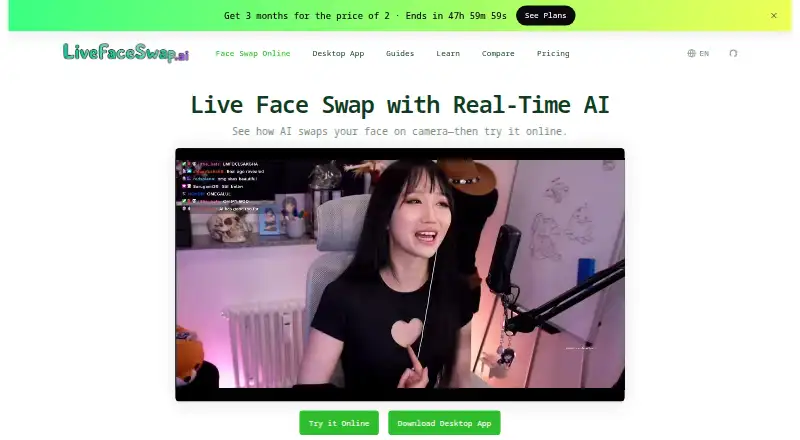
What LiveFaceSwap AI is
LiveFaceSwap AI applies face swaps to live camera video and also offers live Try-On and Restyle effects. The service sends camera video to cloud AI processing and says the output returns with less than 500 ms latency. Its desktop app provides a virtual camera, LiveFaceSwap Camera, to send processed output to compatible software such as OBS Studio, Zoom, Microsoft Teams, Google Meet, and Discord. The stated uses include livestreaming, video calls and meetings, and creative exploration. Users can sign up for up to 90 seconds free. Paid plans share monthly credits between browser and desktop: Basic is $12 a month with 650 credits, Pro is $23 a month with 2,500 credits, and Max is $55 a month with 7,500 credits. The browser experience has no controls for recording, downloading, exporting, or saving live output. The privacy policy says signed-in live sessions may store limited compressed camera, reference, and sampled output frames for up to 90 days.
Good
- Offers face swap, Try-On, and Restyle effects.
- Desktop app provides a virtual camera.
- Up to 90 seconds of free access is available.
- Monthly credits are shared between browser and desktop.
Watch out
- Browser output cannot be recorded, downloaded, exported, or saved.
- Camera video is sent to cloud AI processing.
- Signed-in sessions may retain limited media for up to 90 days.
- Intended only for users at least 18.
Who it suits
LiveFaceSwap AI suits adults seeking live camera effects for streams, calls, meetings, or creative exploration. The desktop virtual camera is relevant for users sending effects into compatible apps.
Verdict
LiveFaceSwap AI offers several live camera effects and desktop routing through a virtual camera. Before using it, note its cloud processing, browser output limits, and stated media retention.
Plans and prices
From LiveFaceSwap AI's own pricing page, checked 4 Oct 2026.
| Plan | Price | What it gives you |
|---|---|---|
| Basic | $12 a month | 650 credits / month · 18 min XMAX live face swap or 3 min Lucy live face swap · Live Face Swap, Try-On, Restyle · Browser + Desktop shared credits · No watermark · Unused credits carry over · Billed $36 / 3 months |
| Pro | $23 a month | 2,500 credits / month · 69 min XMAX live face swap or 11 min Lucy live face swap · Live Face Swap, Try-On, Restyle · Browser + Desktop shared credits · No watermark · Credit top-ups available · Unused credits carry over · Billed $69.60 / 3 months |
| Max | $55 a month | 7,500 credits / month · 3h 28m XMAX live face swap or 34m Lucy live face swap · Live Face Swap, Try-On, Restyle · Browser + Desktop shared credits · No watermark · Credit top-ups available · Unused credits carry over · Billed $165.60 / 3 months |
| 10,000 Credit Pack | — | 10,000 credits · 4h 38m XMAX live face swap or 46m Lucy live face swap · Credits never expire · Browser + Desktop shared credits · No watermark · One-time purchase |
| 4,000 Credit Pack | — | 4,000 credits · 111 min XMAX live face swap or 19 min Lucy live face swap · Credits never expire · Browser + Desktop shared credits · No watermark · One-time purchase |
The facts
Each one read from LiveFaceSwap AI's own pages, with the date it was checked.
What it does
- Age requirement
- The privacy policy says LiveFaceSwap AI is intended only for users at least 18 years old.checked 4 Oct 2026
- Camera data
- The privacy policy says signed-in live sessions may store one compressed input-camera frame, a compressed uploaded reference image, and periodic sampled AI-output frames for compliance, abuse prevention, safety, and audit purposes.checked 4 Oct 2026
- Desktop output
- The desktop app provides a virtual camera called LiveFaceSwap Camera to send AI output to other software.checked 4 Oct 2026
- Integrations
- The desktop page lists OBS Studio, Streamlabs Desktop, PRISM Live Studio, TikTok LIVE Studio, XSplit Broadcaster, vMix, Zoom, Microsoft Teams, Google Meet, Webex, Slack, Discord, WhatsApp, and Telegram as compatible apps.checked 4 Oct 2026
- Intended uses
- The homepage describes livestreaming, video calls and meetings, and creative exploration as use cases.checked 4 Oct 2026
- Limits
- The browser experience does not provide controls to record, download, export, or save live output.checked 4 Oct 2026
- Media retention
- The policy says those limited private media copies may be retained for up to 90 days, and cloud AI providers may have their own retention requirements.checked 4 Oct 2026
- Processing
- Live camera video is sent to cloud AI for processing, and the product says output returns in real time with less than 500 ms latency.checked 4 Oct 2026
- Product
- LiveFaceSwap AI swaps faces on live camera video and also offers live Try-On and Restyle effects.checked 4 Oct 2026
- Security
- The privacy policy says the service uses safeguards including protections for data in transit and access controls where applicable, while noting that no system guarantees absolute security.checked 4 Oct 2026
- Support
- The maker directs users to [email protected] for help with setup, sessions, billing, credits, subscriptions, and account issues.checked 4 Oct 2026
Money
- Free access
- The homepage says users can sign up and get up to 90 seconds free.checked 4 Oct 2026
Where it runs
- Platforms
- Desktop requirements list Windows 11, Apple Silicon Macs running macOS 13 or later, and Linux x64 with .deb support; the product also offers a browser experience.checked 4 Oct 2026
Alternatives to LiveFaceSwap AI
- 1

Remaker AI
Free planAndroidiOSWebAPI8.2Free plan - 2

Viggle
Free planAndroidiOSWebAPI8.2From $7.99 a month - 3

AKOOL
Free planiOSWebAPImacOS8.1From $12 a month - 4

FazeSwap
Free planAndroidiOSWebAPI8.0From $6.19 a month - 5
Mango AI
Free planiOSWebWindows7.9From $49.99 a year - 6
GoEnhance AI Face Swap
Free planiOSWebAPI7.0From $10 a month