
Kling AI
Kling AI creates videos from text prompts or images and also supports AI avatars.
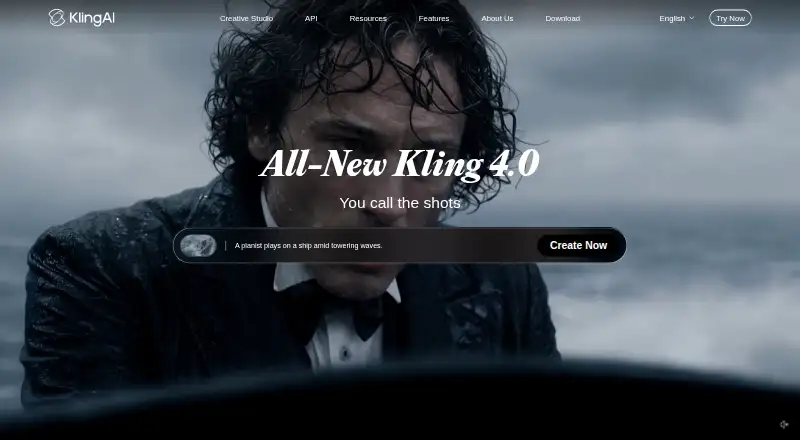
What Kling AI is
Kling AI creates videos from text prompts or images and also supports AI avatars. Video outputs can be up to 15 seconds long and reach 4K resolution. The service lists API access and commercial use, and its listed platform is API. The free Basic plan includes 30 element creations and no monthly credits. Paid monthly plans start with Standard at $10 per month, including 660 credits and 50 element creations. Pro costs $37 per month with 3,000 credits and 150 element creations; Premier costs $92 per month with 8,000 credits and 150 element creations. Ultra costs $180 per month with 26,000 credits and 500 element creations. Kling AI is based in Singapore. The different plans specify monthly credit and element-creation allowances, while the free plan has no monthly credits.
Good
- Generates video from text or images.
- Supports AI avatars.
- Outputs can reach 4K resolution.
- Free plan includes 30 element creations.
Watch out
- Free Basic has no monthly credits.
- Maximum video length is 15 seconds.
Who it suits
Kling AI may suit people who want to generate short videos from text or images, or create AI avatars. Its API access and listed commercial use may be relevant to users integrating video generation into their work.
Verdict
Kling AI offers text- and image-based video generation, with output limits of 15 seconds and 4K. Its Basic plan has no monthly credits, while paid plans specify monthly credit allowances.
Plans and prices
From Kling AI's own pricing page, checked 15 Oct 2026.
| Plan | Price | What it gives you |
|---|---|---|
| Basic | Free | 30 element creations · no monthly credits · commercial use not allowed · free forever |
| Standard | $6.99 a month | 660 credits/month · 50 element creations · 1080p · watermark removal · video extension · commercial use · $10 shown; next renewal $8.8; first-subscription discount only |
| Pro | $25.99 a month | 3,000 credits/month · 150 element creations · 1080p · watermark removal · video extension · priority features · commercial use · $37 shown; next renewal $32.56; first-subscription discount only |
| Premier | $64.99 a month | 8,000 credits/month · 150 element creations · 1080p · watermark removal · video extension · priority features · commercial use · $92 shown; next renewal $80.96; first-subscription discount only |
| Ultra | $127.99 a month | 26,000 credits/month · 500 element creations · 1080p · watermark removal · video extension · priority features · beta invitations if applicable · commercial use · $180 shown; next renewal $159.99; first-subscription discount only |
The facts
Each one read from Kling AI's own pages, with the date it was checked.
What it does
- AI avatars
- Yeschecked 20 Sep 2026
- API access
- Yeschecked 20 Sep 2026
- API authentication
- The developer API supports API-key bearer authentication and legacy AccessKey/SecretKey JWT authentication, with Python and Java examples.checked 15 Oct 2026
- API capabilities
- The text-to-video API accepts prompts, 720p/1080p/4K resolution, 3–15 second duration, aspect ratios, native audio, multi-shot mode and callbacks.checked 15 Oct 2026
- API changelog
- The September 2026 API updates added Video Commerce API and Agent access for talking-head and product-promotion videos.checked 15 Oct 2026
- Commercial use
- Yeschecked 20 Sep 2026
- Credit exchange rate
- The published standard purchase rate is 66 credits for one US dollar.checked 15 Oct 2026
- Credit validity
- Membership credits last one month, purchased credits last two years, and failed generations are refunded according to the credits policy.checked 15 Oct 2026
- Developer integrations
- Kling provides an MCP endpoint and CLI that can be used with Cursor, Claude, ComfyUI nodes, Makefiles, shell pipelines and CI workflows.checked 15 Oct 2026
- Documentation
- Official guides cover model usage, motion control, text-to-video, image-to-video, camera movement, start/end frames, motion brush, lip-sync and virtual try-on.checked 15 Oct 2026
- Face-data statement
- The privacy policy says it does not analyze facial-recognition features to identify people or collect, share or store face data.checked 15 Oct 2026
- Image-to-video
- Users can upload portraits, product photos or illustrations and animate them into videos.checked 15 Oct 2026
- Launch news
- Kuaishou announced global Kling AI beta access on July 25, 2024 after more than one million applications and said 66 daily inspiration credits were provided.checked 15 Oct 2026
- License and hosting
- Kling is described as a closed, hosted model accessed through the web app, mobile apps or hosted API rather than self-hosted software.checked 15 Oct 2026
- Limit: generation failures
- Apple reviewers reported repeated image-to-video generation failures despite a paid subscription.checked 15 Oct 2026
- Limit: prompt reliability
- Tom's Guide found results could be hit or miss with complex prompts and reported that some requested actions were ignored or characters changed.checked 15 Oct 2026
- Limit: support and login
- Trustpilot reviewers reported login/password problems, unresponsive support, poor transformations and concern that credits were consumed without satisfactory results.checked 15 Oct 2026
- Maximum resolution
- 4kchecked 20 Sep 2026
The company
- Company headquarters and size
- LinkedIn lists Kuaishou Technology as headquartered in Beijing, founded in 2011, with more than 20,000 employees and a 10,001+ company-size classification.checked 15 Oct 2026
- Company legal entity
- The service terms identify Kling AI Pte. Ltd. and its affiliates as the contracting company.checked 15 Oct 2026
- Corporate ownership
- Crunchbase lists Kling AI as a sub-organization of Kuaishou Technology and an active for-profit company.checked 15 Oct 2026
- Headquarters
- Singaporechecked 23 Sep 2026
Money
- Free plan
- Yeschecked 20 Sep 2026
- Limit: credit and billing complaints
- Google Play reviewers complained that unused monthly credits disappeared at renewal and that credits could be charged for generations that vanished.checked 15 Oct 2026
The full review of Kling AI
Kling AI is a video-generation service for people who want to create clips from text or images, with optional AI avatars. It suits creators who need more than occasional free use and can make practical use of a monthly credit allowance. Its range of paid quotas is useful, but the free tier has no monthly credits.
Overview
Kling AI combines text-to-video and image-to-video generation with AI avatars. It supports output up to 15 seconds and 4K resolution, and offers API access and commercial use. Those capabilities make it a candidate for both individual creative work and software workflows; the short maximum clip length is a constraint for anyone who needs longer finished videos from a single generation.
Key features
Text, images and avatars
Text-to-video and image-to-video give users two starting points: describe a scene or animate an image. AI avatars broaden the offering beyond those generation modes. The 15-second maximum keeps Kling AI better suited to short-form clips than long, continuous scenes.
Resolution and access
Output reaches 4K, a meaningful ceiling for users who need high-resolution results. API access can suit teams integrating generation into software, while commercial use supports work intended for business use. The platform entry is API, so users seeking a specifically listed mobile or web app should compare alternatives.
Pricing
Kling AI is freemium. The Basic plan costs nothing, billed free forever, and includes 30 element creations but no monthly credits. It is useful for limited exploration, but the absence of recurring credits makes it a poor fit for routine generation.
Standard costs $10 a month and includes 660 credits per month and 50 element creations. It is the entry paid tier for users who need a monthly quota. Pro costs $37 a month for 3,000 monthly credits and 150 element creations, a larger allowance for regular work. Premier costs $92 a month and raises the quota to 8,000 credits, while retaining 150 element creations; it is for users whose credit needs exceed Pro's, not those seeking more element creations. Ultra costs $180 a month and includes 26,000 credits and 500 element creations, the largest stated allowance.
The plans are billed monthly at the stated prices. Credit allowances and element-creation caps are distinct, so a higher credit tier does not always mean more creations: Premier, for example, has the same 150 element creations as Pro. Introductory discounts may also be displayed, but the listed monthly prices provide the straightforward basis for comparing tiers.
Platforms
Kling AI is listed for API access. That suits integration-oriented users, but the platform listing does not position it as a dedicated iOS, Android or web app.
Who it's for
Choose Kling AI if you want text- or image-based video generation, need output up to 4K, or value API access and commercial use. Standard is the most restrained paid entry point; Pro, Premier and Ultra are for progressively larger monthly credit needs. Look elsewhere if you need a free recurring credit allowance, longer clips, or a specifically listed consumer app platform.
Pros and cons
Pros
- Two generation inputs: text-to-video and image-to-video support different creative starting points.
- High resolution ceiling: output can reach 4K.
- Commercial use and API access: useful for business projects and software integration.
- Multiple paid quotas: Standard through Ultra span 660 to 26,000 monthly credits.
Cons
- No monthly credits on Basic: the free plan's 30 element creations do not provide a recurring credit budget.
- Short maximum clips: 15 seconds limits single-generation length.
- Creation caps vary separately from credits: Premier offers 8,000 monthly credits but the same 150 element creations as Pro.
- API-only platform listing: users looking for a listed mobile or web app may prefer another option.
Alternatives
- AI video generators is a broader category list for comparing video-generation options.
- AI Photo Animation Tools is the relevant category to browse when animating photos is the priority.
- Pika is another freemium option, with API, iOS and web platforms; choose it if those listed platform choices matter.
- Animate Photo AI is a freemium web option with 50 free credits, making it worth considering for web-based photo animation.
- Immersity AI has a free plan with unlimited conversions, but those conversions are watermarked, capped at 720p and non-commercial; choose it only if those constraints fit.
- Runway offers a free-forever plan with 125 one-time credits and 5 GB storage, a different fit for users who value a permanent starter allowance over monthly credits.
- HeyGen is a freemium option with Android, iOS, web and API platforms, and a free-plan cap of three videos per month up to one minute.
- Hedra is another freemium option, with a Basic plan at $20 a month for 2,000 credits per month, slower generations and commercial use.
- PixVerse is another freemium video-generation option.
- Hailuo AI is a freemium option with web and API platforms; its Standard plan costs $14.99 a month for 1,000 credits per month.
Verdict
Kling AI is a strong fit for creators and developers who want text- or image-driven video generation, 4K output, commercial use or API access, and can work within 15-second clips. Its paid plans offer a clear path to larger monthly credit allowances. The main reasons to look elsewhere are the free plan's lack of monthly credits and the short clip ceiling.
Alternatives to Kling AI
- 1

HeyGen
Free planAndroidiOSWebAPI9.1From $24 a month - 2

PixVerse
Free planAndroidiOSWebAPI9.1From $8 a month - 3

InVideo AI
Free planAndroidiOSWebAPI9.0From $4 a month - 4

Pollo AI
Free planAndroidiOSWebAPI9.0Free plan - 5
Visla AI Video Agent
Free planAndroidiOSWebAPI8.9Free plan - 6

Fliki
Free planAndroidiOSWebAPI8.9From $28 a month