
Kids360
Kids360 is a parental-control service for iOS and Android that helps parents manage children’s device time and encourage habits through tasks that can earn e…
What Kids360 is
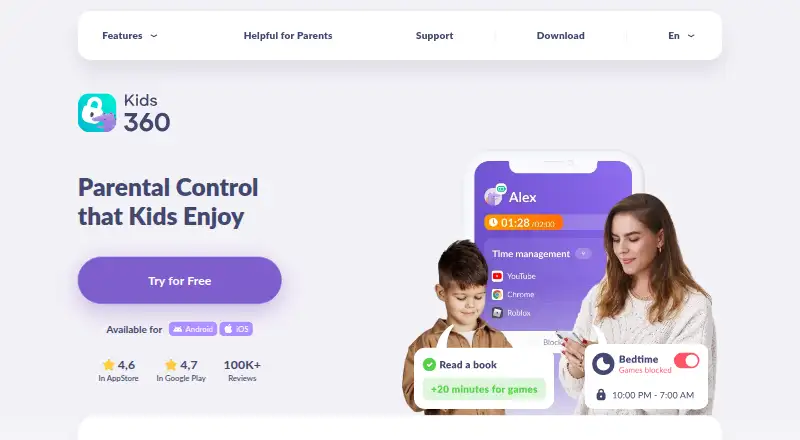
Kids360 is a parental-control service for iOS and Android that helps parents manage children’s device time and encourage habits through tasks that can earn extra playtime. Parents can set daily limits and schedules; when a limit is reached, the device locks while essential communication apps remain available. Controls include individual or category app blocking, scheduled blocks, download prevention, in-app purchase blocking, and selected-app internet restrictions. The service offers content filtering, adult-site blocking, search-history and YouTube monitoring, activity reports, and map-based location history. Daily reports show apps used, time spent, and installations or deletions. Children can earn extra time through logic tasks, parent-created tasks, and physical exercises; the service lists more than 4,600 developmental tasks. Setup pairs Kids360 on the parent’s phone with the Alli360 companion app on the child’s phone, including mixed iPhone and Android families. Kids360 has a free plan and free trial. The maker was founded in 2021 and is headquartered in Limassol, Cyprus.
Good
- Screen-time schedules and daily limits
- App blocking by app or category
- Location tracking with map history
- Activity reports show usage details
- Free plan and free trial
Watch out
- Requires a companion child app
- Some controls require subscription or trial
- Some features depend on coverage
Who it suits
Kids360 suits parents seeking screen-time limits, app controls, activity reports, content filtering, location tracking, and task-based rewards. It supports families whose parent and child use different phone platforms.
Verdict
Kids360 combines time controls, app restrictions, monitoring, location tools, and rewards in a paired parent-child setup. Review which controls are available free and whether coverage supports the intended use.
The facts
Each one read from Kids360's own pages, with the date it was checked.
What it does
- Activity reports
- Yeschecked 20 Sep 2026
- Children’s data use
- The privacy policy says children’s account data is not used or shared for marketing or advertising purposes.checked 11 Oct 2026
- Consent
- The privacy policy says Alli360 is for children and can only be used with parental consent.checked 11 Oct 2026
- Content filtering
- Yeschecked 20 Sep 2026
- Data collected
- The policy says data collected may include children’s names, ages, installed app names, app-use time, online activity, location, and device data.checked 12 Oct 2026
- Data protection
- The privacy policy says the company takes precautions to protect personal data against unauthorized or accidental access and other unlawful actions.checked 11 Oct 2026
- Intended users and coverage
- The terms describe the service as intended for residents of the United States and European Union countries and say some features may not work outside GPS and wireless-data coverage.checked 12 Oct 2026
- Location
- Parents can view a child’s real-time location on a map and check the child’s phone battery status.checked 12 Oct 2026
- Location tracking
- Yeschecked 20 Sep 2026
- Notable permission
- Google Play says the app requests usage-data access to collect app running-time statistics and device-administrator access to help prevent unauthorized deletion.checked 11 Oct 2026
- Online safety
- The service offers search-history and YouTube monitoring and can block adult websites.checked 12 Oct 2026
- Privacy
- The privacy policy says children’s personal data is accessible only to the parent within Kids360 and is not used or shared for marketing or advertising.checked 12 Oct 2026
- Purpose
- Kids360 helps parents manage children’s phone time and build healthy habits through educational tasks that earn extra playtime.checked 12 Oct 2026
- Rewards
- Children can earn extra device time by completing logic tasks, parent-created tasks, and physical exercises.checked 11 Oct 2026
- Screen time
- Parents can set daily device limits and schedules; once the daily time is up, the device locks while essential communication apps remain accessible.checked 12 Oct 2026
Where it runs
- App blocking
- The service can block apps and devices with one tap or apply automatic time restrictions.checked 11 Oct 2026
- App controls
- Parents can block apps individually or by category, schedule blocks, prevent new app downloads, block in-app purchases, and disable internet access in selected apps.checked 12 Oct 2026
- Child app
- Setup requires the parent to install Kids360 and the child to install the companion Alli360 app.checked 11 Oct 2026
- Connected apps
- The service consists of the Kids360 app on the parent’s phone and the Alli360 app on the child’s phone, paired using a link or access code.checked 12 Oct 2026
- Cross-platform pairing
- The maker says Kids360 works across iPhone and Android, including when the parent and child use different device types.checked 11 Oct 2026
The company
- Founded
- 2021checked 28 Sep 2026
- Headquarters
- Limassol, Cypruschecked 28 Sep 2026
Money
- Free access
- Google Play says screen-time viewing is free after the child’s device is connected, while scheduling and app blocking are available during a trial and with a paid subscription.checked 11 Oct 2026
- Free plan
- Yeschecked 20 Sep 2026
Alternatives to Kids360
- 1
Kaspersky Safe Kids
Free planAndroidiOSWebmacOS8.8From $14.99 a year - 2

Qustodio
Free planAndroidiOSmacOSWindows8.5From $72.94 a year - 3

MMGuardian
AndroidiOSWebmacOS8.3From $59.90 a year - 4

OurPact
Free planAndroidiOS8.2From $69.99 a year - 5

Mobicip
AndroidiOSmacOSWindows8.0From $2.99 a month - 6

FamilyTime
AndroidiOSmacOSWindows8.0From $2.41 a month