Kernel File Shredder
Kernel File Shredder permanently deletes files and folders so they cannot be recovered.
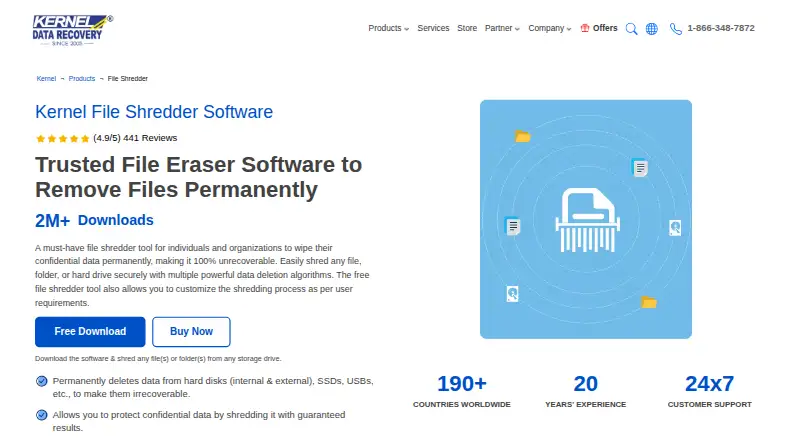
What Kernel File Shredder is
Kernel File Shredder permanently deletes files and folders so they cannot be recovered. It can target internal and external hard disks, SSDs, USB drives, and other connected storage. Users can shred selected files or folders, Recycle Bin contents, temporary system files, obsolete files, or free disk space. The software provides 11 shredding methods, including Zeroes, DoD 5520, and Peter Gutmann algorithms. Automatic tasks can run daily, weekly, or monthly. A password is requested when the program launches, and access requires that password. Kernel File Shredder automatically creates logs containing shredding time, selected options, and file paths. The product page says bulk files and files of any size can be shredded without restrictions. Supported systems include a broad list of Windows releases and listed Windows Server versions. The evaluation version is free for 30 days; continued use requires a license. Prices include $29 a year for Home, $99 a year for Corporate, and $299, paid once-time Technician licensing.
Good
- Shreds free disk space and selected storage targets
- 11 methods include Peter Gutmann and DoD 5520
- Daily, weekly, or monthly scheduling
- Password required at launch
- Supports bulk files without size restrictions
Watch out
- Windows only
- 30-day trial requires a license afterward
- Logs include shredded file paths
Who it suits
Kernel File Shredder suits Windows users who need permanent deletion across local, removable, or connected storage. Scheduled wiping and multiple algorithms may help organizations with recurring shredding tasks.
Verdict
Kernel File Shredder covers targeted deletion, free-space wiping, scheduling, and logged operations on Windows. Its trial allows evaluation before choosing a paid license.
Plans and prices
From Kernel File Shredder's own pricing page, checked 30 Sep 2026.
| Plan | Price | What it gives you |
|---|---|---|
| Home License | $29 a year | Personal Use Only (2 systems) · 1 Year |
| Corporate License | $99 a year | For Single Organization (20 Systems) · 2 Years |
| Technician License | $299, paid once | For Data Recovery / AMC service provider companies (to use for Multiple Organizations & Systems) · Unlimited |
The facts
Each one read from Kernel File Shredder's own pages, with the date it was checked.
What it does
- Algorithms
- The software provides 11 shredding methods, including Zeroes, DoD 5520, and Peter Gutmann algorithms.checked 30 Sep 2026
- Automation
- Users can schedule automatic shredding tasks daily, weekly, or monthly.checked 30 Sep 2026
- Delivery
- After purchase, the automated download link and activation key are emailed within 15 minutes.checked 30 Sep 2026
- File size
- The product page says users can shred bulk files and files of any size without restrictions.checked 30 Sep 2026
- Logs
- The software automatically creates log files containing shredding time, selected options, and shredded file paths.checked 30 Sep 2026
- Password protection
- The tool asks for a password at launch and requires it to access the software.checked 30 Sep 2026
- Product version
- The product page lists version 25.0 with a release date of 26 Apr 2024.checked 30 Sep 2026
- Purpose
- Kernel File Shredder permanently deletes files and folders so they cannot be recovered.checked 30 Sep 2026
- Shredding locations
- It can shred specific files and folders, Recycle Bin contents, temporary system files, free disk space, and obsolete files.checked 30 Sep 2026
- Storage targets
- The software shreds data on internal and external hard disks, SSDs, USB drives, and other connected storage devices.checked 30 Sep 2026
- Support
- The maker advertises 24/7 customer support and lifetime free technical support with paid licenses.checked 30 Sep 2026
The company
- Headquarters
- Noida, Uttar Pradesh, Indiachecked 28 Sep 2026
- Maker history
- KernelApps started its journey in 2005 as part of Lepide Software Pvt. Ltd. and became a separate entity after demerging in 2019.checked 30 Sep 2026
Money
- Trial
- The evaluation version is free for 30 days, after which a licensed version is required for continued use.checked 30 Sep 2026
Where it runs
- Windows support
- Supported operating systems include Windows 365, 11, 10, 8.1, 8, 7, Vista, XP, 2000, 98, NT, 95, and listed Windows Server versions.checked 30 Sep 2026
Alternatives to Kernel File Shredder
- 1

BitRaser File Eraser
Free planAPILinuxmacOSWindows7.4From $39.99 a year - 2

D-Secure File Eraser
WebAPILinuxmacOS7.2From $40 a year - 3
SecureDel
Free planOpen sourceWindows6.9Free plan - 4
ShredIt
AndroidiOSmacOSWindows6.9$24.95 one-time - 5

DeleteOnClick
Free planWindows6.7Free plan - 6
Easy File Shredder
Windows6.6From $29.95 a year