JotterPad
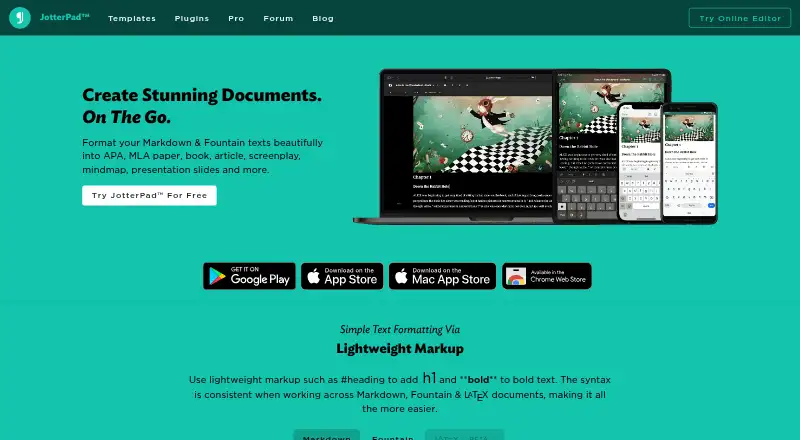
The facts below are what the maker publishes about JotterPad, checked and dated. Our editors have not written about it yet.
Plans and prices
From JotterPad's own pricing page, checked 21 Sep 2026.
| Plan | Price | What it gives you |
|---|---|---|
| Pro Cloud | — | Access on Android, iOS, Mac, and web · Cloud editing with iCloud, Google Drive, Dropbox, and OneDrive · Export to Word and Final Draft · Publish to Ghost, Tumblr, and WordPress · Restore documents in version control |
The facts
Each one read from JotterPad's own pages, with the date it was checked.
What it does
- Backups
- JotterPad says it periodically takes snapshots of a user’s work that can be reviewed and restored as backups.checked 11 Oct 2026
- Character limit
- The help article recommends a maximum of 100,000 characters per file and says the limit can vary by device.checked 11 Oct 2026
- Cloud integrations
- The maker lists iCloud, Google Drive, Dropbox, and Microsoft OneDrive integrations on its homepage.checked 11 Oct 2026
- Data retention
- The privacy policy says account information and data are permanently deleted after a 30-day recovery window following account closure.checked 11 Oct 2026
- Export formats
- The help article lists TXT, DOCX, RTF, PDF, and HTML export; the homepage also lists Word, PDF, Final Draft, and ePub export options.checked 11 Oct 2026
- Offline mode
- Yeschecked 21 Sep 2026
- Plugins
- The homepage lists plugins for mind maps, flow charts, musical notation, chemistry equations, and more.checked 11 Oct 2026
- Privacy and security
- The privacy policy says the service monitors for potential vulnerabilities and attacks, while acknowledging that no online service is 100% secure.checked 11 Oct 2026
- Product
- JotterPad describes itself as a minimal plain-text editor for creative writers, including people writing books, novels, lyrics, poems, essays, drafts, and screenplays.checked 11 Oct 2026
- Publishing integrations
- The maker says users can publish drafts or posts to Ghost, WordPress, and Tumblr.checked 11 Oct 2026
- Publishing tools
- Yeschecked 21 Sep 2026
- Real-time collaboration
- Nochecked 21 Sep 2026
- Screenplay tools
- JotterPad Pro supports Fountain screenplay writing and exporting scripts as Final Draft (FDX), with tools to rearrange character names and scenes.checked 11 Oct 2026
- Support
- The maker lists Live Chat and [email protected] for billing issues.checked 11 Oct 2026
- Themes and writing tools
- Listed features include night vision, an extended keyboard, dark theme, and built-in dictionary, thesaurus, and rhyming dictionary tools.checked 11 Oct 2026
- Version history
- Yeschecked 21 Sep 2026
- Writing formats
- The editor supports Markdown and Fountain, and the maker’s homepage also lists LaTeX as a beta format.checked 11 Oct 2026
The company
- Company
- The maker identifies itself as Two App Studio Pte. Ltd.; its privacy policy does not state a founding year or headquarters.checked 11 Oct 2026
Money
- Free plan
- Yeschecked 21 Sep 2026
Where it runs
- Mobile apps
- Yeschecked 21 Sep 2026
- Platforms
- The help article gives supported minimum versions for Android and iOS, and Mac; the maker also offers an online editor.checked 11 Oct 2026
Alternatives to JotterPad
- 1

Overleaf
Free planOpen sourceWebAPIExtensionLinux9.2From $8.25 a month - 2

Story Architect
Free planOpen sourceAndroidiOSLinuxmacOS9.2From $4.17 a month - 3

Celtx
Free planAndroidiOSWebExtension9.0From $11.24 a month - 4

Substack
Free planAndroidiOSWebAPI9.0$50 one-time - 5

WriterDuet
Free planAndroidiOSWebLinux9.0From $9.99 a month - 6

Calmly Writer
Free planAndroidWebLinuxmacOS8.6Free plan