
GoEnhance AI Video Upscaler
GoEnhance AI Video Upscaler is a browser-based service that raises video resolution and cleans footage through cloud processing.
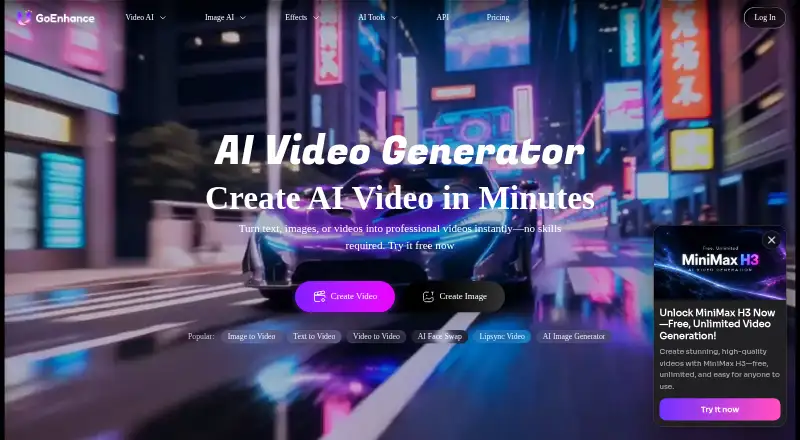
What GoEnhance AI Video Upscaler is
GoEnhance AI Video Upscaler is a browser-based service that raises video resolution and cleans footage through cloud processing. It describes converting SD or 720p material to 1080p or 4K, with exports at 720p, 1080p, 2K, and 4K (2160p). Motion-aware deblurring, noise and grain reduction, and optional Frame Boost are included; Frame Boost doubles the original frame rate. Users can preview and adjust results before downloading a full watermark-free export, although existing source watermarks and logos remain. The service runs in Chrome or Safari without installation and is also available through a GoEnhance mobile PWA. Upload guidance lists MP4, MOV, or WebM up to 100MB in the widget, while the workflow separately states MP4 or MOV up to 2GB and cloud imports. Sign-up includes 20 free credits without requiring a card. Commercial use is allowed for Standard, Pro, and Mega subscribers; free and Basic users are limited to personal use.
Good
- Upscales footage to listed 4K output
- Motion-aware deblurring and noise reduction
- Optional frame-rate doubling
- 20 free sign-up credits
- Watermark-free generated exports
Watch out
- Batch processing is not available
- Upload limits differ by page section
- Free and Basic use is personal only
- Refunds are unavailable
Who it suits
It suits creators, vloggers, businesses, and people restoring or archiving personal footage. Browser and mobile-PWA access fit users who want cloud processing without installation.
Verdict
GoEnhance combines 4K upscaling, cleanup tools, and optional frame interpolation in a cloud workflow. Its free credits and browser access make it suitable for trying individual clips, while upload guidance and usage restrictions deserve attention.
The facts
Each one read from GoEnhance AI Video Upscaler's own pages, with the date it was checked.
What it does
- Audience
- The upscaler page describes use cases for content creators and vloggers, marketing and business professionals, and personal or archival projects.checked 8 Oct 2026
- Cloud imports
- The workflow section says cloud imports are supported.checked 8 Oct 2026
- Commercial use
- The FAQ says commercial use is permitted for Standard, Pro, and Mega subscribers; free and Basic users are limited to personal use.checked 7 Oct 2026
- Desktop availability
- Processing runs in the cloud, and a lightweight Mac/Windows desktop uploader is described as coming soon.checked 7 Oct 2026
- Enhancement
- Features include motion-aware deblurring, noise and grain reduction, and an optional 2× frame-rate boost.checked 7 Oct 2026
- Export
- The workflow says users can preview, adjust, and download a full watermark-free video.checked 7 Oct 2026
- Exports
- The page lists 720p, 1080p, 2K, and 4K (2160p) export resolutions and says higher output resolutions use more tokens.checked 8 Oct 2026
- Frame boost
- Frame rate remains the same unless Frame Boost is enabled, which doubles FPS.checked 8 Oct 2026
- Integrations
- The page recommends using the AI video extender and AI video enhancer alongside denoising; API documentation also describes video and image processing endpoints for developers.checked 8 Oct 2026
- Integrations and API
- GoEnhance provides API documentation and describes an API for integrating its video and image generation models; the upscaler page does not identify third-party integrations specific to video upscaling.checked 7 Oct 2026
- Payments and refund policy
- The FAQ says payments are processed through Stripe and that refunds are unavailable because of AI processing costs.checked 7 Oct 2026
- Privacy and AI processing
- GoEnhance says submitted prompts, files, and settings may be sent to the third-party AI provider used by a selected feature, and says submitted content is not sold.checked 8 Oct 2026
- Privacy and processing
- The privacy policy says submitted media and settings may be transmitted to a third-party AI provider selected for the feature, and that submitted content is not sold.checked 7 Oct 2026
- Purpose
- The browser-based upscaler raises video resolution to 1080p, 2K, or 4K and can reduce blur, noise, and compression artifacts.checked 8 Oct 2026
- Security
- The privacy policy says GoEnhance uses encryption and reasonable industry-standard technical and organizational measures to protect personal information.checked 8 Oct 2026
- Support
- The support page directs users with account, billing, or generation issues to contact the support team by email.checked 8 Oct 2026
- Upload formats
- The upload interface lists MP4, MOV, and WebM files up to 100 MB; the workflow section separately says MP4 or MOV up to 2 GB.checked 8 Oct 2026
- Upload limits
- The upload widget accepts MP4, MOV, or WebM up to 100MB, while the workflow description separately says MP4 or MOV up to 2GB and supports cloud imports.checked 7 Oct 2026
- Upscaling
- The page describes upscaling SD or 720p footage to 1080p and 4K, with exports listed at 720p, 1080p, 2K, and 4K (2160p).checked 7 Oct 2026
Where it runs
- Browser and mobile
- The upscaler runs in Chrome or Safari without installation and is available through the GoEnhance mobile PWA.checked 7 Oct 2026
- Platforms
- Processing runs in the cloud; the page says the service works in Chrome and Safari and is available as a GoEnhance mobile PWA, while Mac and Windows desktop uploaders are described as coming soon.checked 8 Oct 2026
The company
- Company
- The About page identifies the operator as MEWX LLC and lists its address as 30 N Gould St Ste R, Sheridan, Wyoming 82801.checked 8 Oct 2026
- Headquarters
- Sheridan, Wyoming, United Stateschecked 28 Sep 2026
Money
- Free credits
- The page says sign-up includes 20 free credits and does not require a card to test clips.checked 8 Oct 2026
Alternatives to GoEnhance AI Video Upscaler
- 1
TensorPix
Free planAndroidiOSWebAPI8.3From $5.50 a month - 2

Pollo AI
Free planAndroidiOSWebAPI8.2Free plan - 3

Remaker AI
Free planAndroidiOSWebAPI8.2Free plan - 4

Vidnoz AI
Free planAndroidiOSWebAPI8.2From $13.50 a month - 5

Media.io AI Video Upscaler
Free planAndroidiOSWebAPI8.1From $167.88 a year - 6

Dzine
Free planiOSWebAPI7.8From $8.99 a month