
GeForce NOW
GeForce NOW streams PC games from the cloud to supported devices, including Windows, macOS, ChromeOS, Linux, web browsers, Android, iPhone and iPad, handheld…
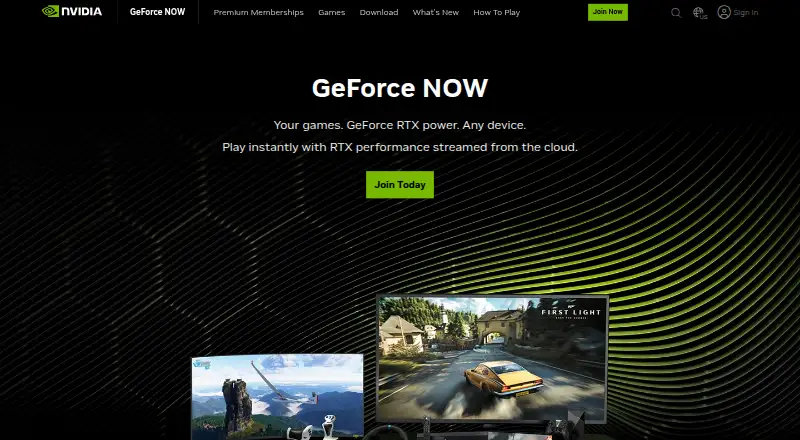
What GeForce NOW is
GeForce NOW streams PC games from the cloud to supported devices, including Windows, macOS, ChromeOS, Linux, web browsers, Android, iPhone and iPad, handhelds, select TVs, and VR headsets. Players connect supported stores or subscriptions to access games they already own; listed options include Steam, Epic, GOG, PC Game Pass, and Ubisoft Connect. The service has more than 4,500 PC games available. Downloads and updates take place in the cloud, so play can begin without waiting for those tasks on the device. Streaming features include up to 4K resolution, HDR, ray tracing, and priority queue access on premium memberships. The free plan offers ad-supported access with basic cloud gaming rigs. Performance is $9.99 per month for 100 hours, up to 1440p and 60 FPS. Ultimate is $19.99 per month for 100 hours, up to 5K and 120 FPS, with up to 360 FPS in demanding games and Steam Deck streaming up to 90 FPS through its native client.
Good
- More than 4,500 PC games available to stream
- Connects Steam, Epic, GOG, and other listed stores
- Cloud downloads and updates allow play to start quickly
- Supports HDR and ray tracing
- Ultimate includes Steam Deck streaming up to 90 FPS
Watch out
- Free access is ad-supported
- Performance and Ultimate each cap playtime at 100 hours monthly
- Ultimate streaming limits depend on membership
Who it suits
GeForce NOW suits players who want to stream games they already own across supported devices. Its free plan offers a way to start, while paid memberships provide higher streaming limits and queue priority.
Verdict
GeForce NOW centers on streaming games connected through supported stores and subscriptions, with broad device support. Choose a plan based on its stated playtime and streaming limits.
Plans and prices
From GeForce NOW's own pricing page, checked 20 Sep 2026.
| Plan | Price | What it gives you |
|---|---|---|
| Free | Free | Ad-supported access · Basic cloud gaming rigs |
| Performance | $9.99 a month | 100 hours monthly playtime · Up to 1440p · 60 FPS · billed monthly |
| Performance | $99.99 a year | 100 hours monthly playtime · Up to 1440p · 60 FPS · 12-month plan |
| Ultimate | $19.99 a month | 100 hours monthly playtime · Up to 5K · 120 FPS · billed monthly |
| Ultimate | $199.99 a year | 100 hours monthly playtime · Up to 5K · 120 FPS · 12-month plan |
| GeForce NOW Day Pass | — | No monthly commitment required; cost can apply toward the first month of membership. |
The facts
Each one read from GeForce NOW's own pages, with the date it was checked.
What it does
- Cloud gaming service
- Streams PC games from the cloud with GeForce RTX performance.checked 27 Sep 2026
- Cloud startup
- Downloads and updates are handled in the cloud, allowing play to start in seconds.checked 27 Sep 2026
- Cloud storage
- Cloud storage add-ons are available for saving progress.checked 27 Sep 2026
- Day Pass duration
- The Day Pass provides 24 hours of GeForce RTX performance.checked 27 Sep 2026
- Day Pass features
- Includes faster frame rates, higher resolutions, and priority access.checked 27 Sep 2026
- Game access model
- mixedchecked 20 Sep 2026
- Game library size
- More than 4,500 PC games are available to stream.checked 27 Sep 2026
- HDR streaming
- Yeschecked 20 Sep 2026
- Install-to-Play
- Adds more than 2,000 games and is exclusive to Performance and Ultimate members.checked 27 Sep 2026
- Max streaming resolution
- 4kchecked 20 Sep 2026
- Owned game model
- Users connect supported game stores and subscriptions to stream games they already own.checked 27 Sep 2026
- Paid from
- 9.99checked 20 Sep 2026
- Premium benefits
- Premium memberships provide higher resolutions, faster frame rates, longer sessions, and a larger library.checked 27 Sep 2026
- Queue access
- Premium members can jump to the front of the queue.checked 27 Sep 2026
- Queue priority
- prioritychecked 20 Sep 2026
- Ray tracing
- Premium members get real-time ray tracing for cinematic lighting, shadows, and reflections.checked 27 Sep 2026
- Service provider
- GeForce NOW is provided by NVIDIA Corporation.checked 27 Sep 2026
- Supported game stores
- Steam, Epic, GOG, PC Game Pass, and Ubisoft Connect.checked 27 Sep 2026
- Support resources
- Support resources include FAQs, technical support, service status, and quick-start guides.checked 27 Sep 2026
- Ultimate frame rate
- Ultimate members can reach up to 360 FPS in demanding games.checked 27 Sep 2026
- Ultimate resolution
- Ultimate members can stream at up to 5K 120 resolution.checked 27 Sep 2026
Money
- Free plan
- Yeschecked 20 Sep 2026
The company
- Steam Deck support
- Ultimate members can stream to Steam Deck at up to 90 FPS using the native client.checked 27 Sep 2026
Where it runs
- Supported devices
- Mac, TV, phone, iPad, handheld, and more.checked 27 Sep 2026
The full review of GeForce NOW
Overview
GeForce NOW is NVIDIA’s cloud service for streaming PC games to a wide range of devices. It suits players who want to use supported games from stores and subscriptions they already have, rather than build a new library around one service. Its strongest appeal is broad device support and high-end streaming; the trade-offs are plan limits and the need for compatible games in connected accounts.
More than 4,500 PC games are available to stream, with access through Steam, Epic, GOG, PC Game Pass, and Ubisoft Connect. Because the model connects existing stores and subscriptions, the headline library size does not mean every game in those services can be played. Cloud downloads and updates help get sessions started quickly without installing games on the device.
For a broader category comparison, browse Cloud gaming services.
Key features
- Connected game libraries: Linking supported stores and subscriptions makes GeForce NOW a practical fit for players with PC games they want to stream across devices. It is less compelling if you want one subscription that provides a self-contained catalog.
- Cloud-managed game setup: Downloads and updates take place in the cloud, so local storage and installation are less of a barrier. The benefit is convenience, not broader compatibility: play still depends on supported games and accounts.
- Higher-tier performance: Paid memberships add higher resolutions, faster frame rates, longer sessions, and a larger library. Premium members also get priority queue access, which can matter to players who want less waiting.
- Install-to-Play: Performance and Ultimate members gain access to more than 2,000 additional games through this option. That widens the selection for those tiers, though it does not remove the need to choose a suitable plan.
- Ultimate streaming: Ultimate supports up to 5K at 120 FPS, with up to 360 FPS in demanding games. Ultimate members can also stream to Steam Deck at up to 90 FPS through the native client. These limits are most relevant to players prioritizing high frame rates or handheld streaming.
- Day Pass: A pass provides 24 hours of GeForce RTX performance, faster frame rates, higher resolutions, and priority access without a monthly commitment. Its cost can apply toward the first month of membership, making it an option for a short session or a trial before subscribing.
- Cloud storage add-ons: Add-ons are available for saving progress. Support resources include FAQs, technical support, service status, and quick-start guides.
Pricing
GeForce NOW has a free tier and two monthly memberships. The paid tiers include 100 hours of playtime each month, so neither is unlimited; choose between them based on the streaming ceiling and performance you want.
| Plan | Price | What it includes | Best for |
|---|---|---|---|
| Free | free | Ad-supported access and basic cloud gaming rigs. | Trying cloud play without a paid membership, if ads and basic rigs are acceptable. |
| Performance | $9.99 a month | 100 hours monthly playtime, up to 1440p, and 60 FPS. | Players who want a paid upgrade while keeping the monthly cost below Ultimate. |
| Ultimate | $19.99 a month | 100 hours monthly playtime, up to 5K, and 120 FPS; Ultimate benefits also include up to 360 FPS in demanding games. | Players who value the highest stated resolution, faster frame rates, or Steam Deck streaming. |
Performance costs less but caps streaming at 1440p and 60 FPS, while Ultimate raises the stated ceiling to 5K and 120 FPS. Both have the same 100-hour monthly allowance, so Ultimate’s higher price buys performance rather than extra monthly playtime. Free avoids a subscription but comes with ads and basic rigs. The GeForce NOW Day Pass has no monthly commitment, and its cost can count toward the first month of membership.
Platforms
GeForce NOW supports Windows, macOS, Linux, iOS, Android, and web browsers, as well as ChromeOS, iPhone and iPad, handhelds, SHIELD TV, select smart TVs, Android TV, Fire TV, and VR headsets. That breadth makes it suitable for moving between computers, mobile devices, and supported screens. Ultimate adds native-client streaming to Steam Deck at up to 90 FPS.
Who it's for
Choose GeForce NOW if you already use supported PC game stores or subscriptions and want to stream compatible titles across several kinds of devices. Performance is the sensible paid step for a 1440p, 60 FPS ceiling; Ultimate is for players who specifically want higher stated limits, priority access, or the Steam Deck benefit. The free plan is a low-commitment way to start, but ads and basic rigs make it a less suitable choice for those seeking the paid experience.
Look elsewhere if you want unlimited monthly playtime: both listed paid memberships have a 100-hour monthly limit. It is also a weaker fit if you expect a single subscription to unlock every game in a large catalog, since the service depends on supported titles and connected stores or subscriptions.
Pros and cons
- Pro: Broad device support. Coverage spans desktop operating systems, mobile, browsers, TVs, handhelds, and VR headsets.
- Pro: Existing PC libraries can travel. Support for Steam, Epic, GOG, PC Game Pass, and Ubisoft Connect makes the service useful to players with games across those accounts.
- Pro: High streaming ceilings on Ultimate. Up to 5K at 120 FPS, with up to 360 FPS in demanding games, gives performance-focused players a clear reason to consider the top tier.
- Con: Paid memberships have a fixed monthly quota. The 100-hour allowance applies to both Performance and Ultimate, limiting their fit for players who expect unrestricted play.
- Con: The free tier has compromises. Ads and basic cloud gaming rigs make it less attractive for regular play than a paid membership.
- Con: A large game count is not universal access. Play depends on supported games and connected stores or subscriptions, so the service is not a guarantee that any PC title will work.
Alternatives
- Xbox Cloud Gaming is worth comparing if you want a paid service with a free trial; its Game Pass Essential plan has 5 hours of cloud gaming per month and 50+ games, while Premium is $14.99 a month.
- Boosteroid may suit players who prefer its stated Ultra offer: €16.89 a month, up to 4K and 120 FPS, ray tracing, and unlimited gaming time.
- Cloudy Pad is another free option for Android, iOS, Linux, macOS, and Windows.
- Blacknut is a paid alternative supporting Android, iOS, Linux, macOS, web, and Windows.
- CloudMoon offers a free plan and a Standard Plan at $4.99 a month, with support for Android, iOS, macOS, and web.
- PlayStation Plus Cloud Streaming is a paid, Windows-only option with a free trial and a Premium plan at $19.99 a month.
- CloudDeck is a paid alternative for Android, iOS, Linux, macOS, and Windows, with a Launch plan at €19.99 a month billed as € every 6 months.
- TIM Cloud Gaming by AWG is a paid option for Android, iOS, Linux, macOS, and web that offers unlimited use on its Premium plan.
Verdict
GeForce NOW is a strong choice for players who want to stream compatible games they already own across a wide mix of devices, especially if they value high resolution or frame rates. Performance offers a lower-cost paid entry, while Ultimate is the clear choice for its higher streaming ceilings and Steam Deck support. Look elsewhere if a 100-hour monthly cap is too restrictive or you want a subscription built around guaranteed access to a self-contained game catalog.
Getting started
- Visit https://www.nvidia.com/en-us/geforce-now/.
- Choose the Free plan or a paid membership.
- Connect a supported game store or subscription, such as Steam, Epic, GOG, PC Game Pass, or Ubisoft Connect.
- Use a supported device to start streaming games.
Limits worth knowing
The Free plan provides ad-supported access with basic cloud gaming rigs. Performance and Ultimate include 100 hours of monthly playtime; Performance goes up to 1440p and 60 FPS, while Ultimate goes up to 5K and 120 FPS.
Questions
Is GeForce NOW free?
Yes. The Free plan costs nothing and provides ad-supported access with basic cloud gaming rigs.
How much do the paid plans cost?
Performance costs $9.99 a month. Ultimate costs $19.99 a month.
What devices does it support?
Supported devices include Windows, macOS, ChromeOS, Linux, web browsers, Android, iPhone and iPad, handhelds, SHIELD TV, select smart TVs, Android TV, Fire TV, and VR headsets.
Can I stream games I already own?
Yes. Users connect supported game stores and subscriptions, including Steam, Epic, GOG, PC Game Pass, and Ubisoft Connect.
What does Ultimate include?
Ultimate includes 100 hours of monthly playtime, up to 5K and 120 FPS. Ultimate members can also stream to Steam Deck at up to 90 FPS using the native client.
Does GeForce NOW have a Day Pass?
Yes. It provides 24 hours of GeForce RTX performance, faster frame rates, higher resolutions, and priority access. No monthly commitment is required, and its cost can apply toward the first month of membership.
Alternatives to GeForce NOW
- 1
Cloudy Pad
Free planOpen sourceAndroidiOSWebLinux8.4Free plan - 2
Xbox Cloud Gaming
AndroidiOSWebmacOS8.3 - 3

Blacknut
AndroidiOSWebAPI8.0 - 4
Amazon Luna
Free planAndroidiOSWebmacOS8.0From $9.99 a month - 5
CloudMoon
Free planAndroidiOSWebmacOS7.9Free plan - 6

Boosteroid
AndroidiOSLinuxmacOS7.8From €16.89 a month